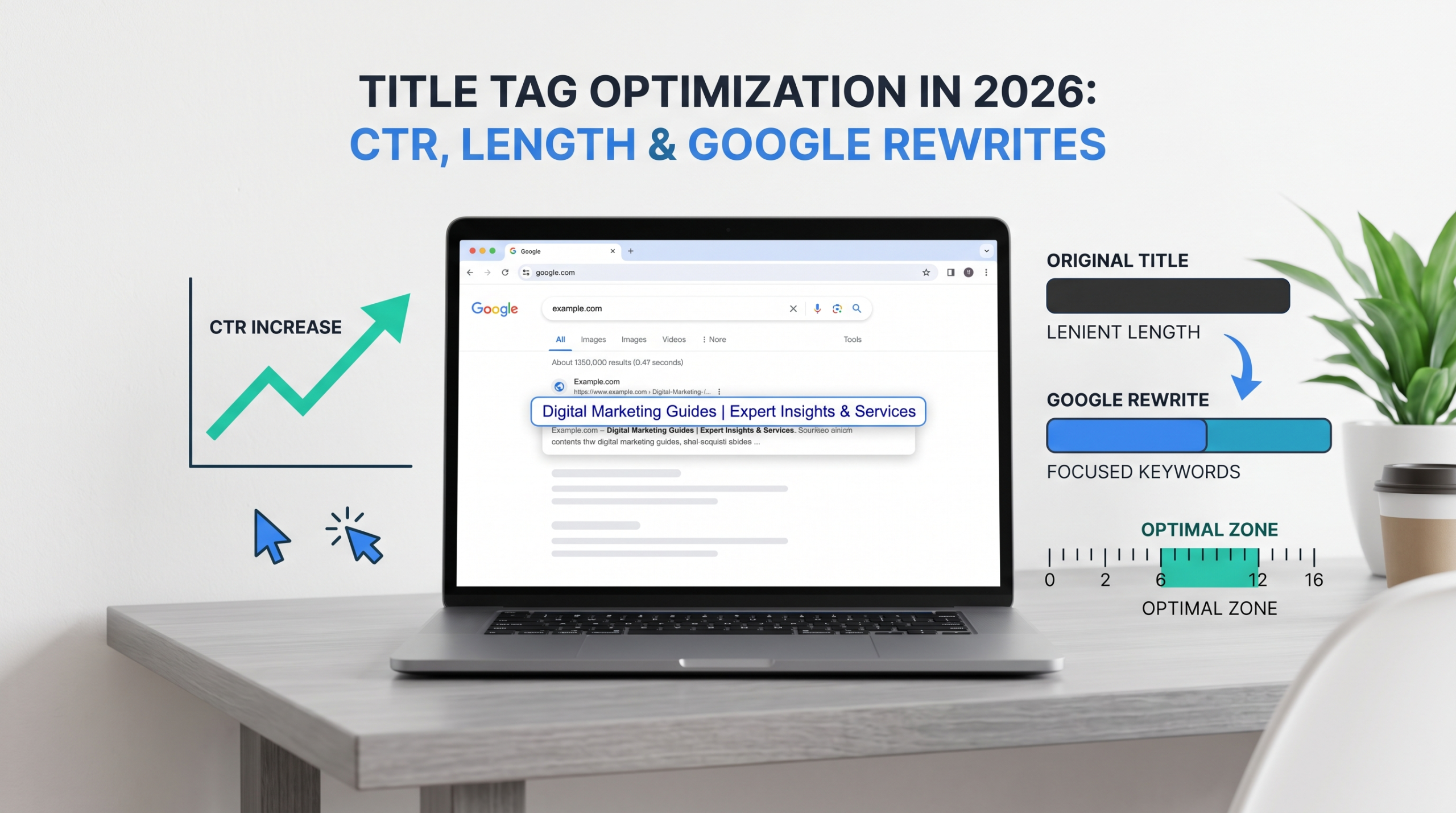
Google can ignore the title tag you wrote, borrow your H1, remove your brand, pull in anchor text, or generate a different title altogether. That doesn’t make title tag optimization less valuable. It changes what good optimization looks like.
A strong title now has two jobs: convince the searcher that your result deserves the click and give Google clear signals about what the page represents. The goal isn’t absolute control over the title Google displays. It’s reducing ambiguity while making the result useful and compelling for the person scanning the SERP.
Why Title Tag Optimization Matters When Google Can Rewrite Your Title
Google doesn’t ignore title tags. It uses them as inputs for creating a title link, the clickable headline shown in search results.
Google’s current Search Central documentation identifies the <title> element as one potential source alongside visible page titles, heading elements, prominent on-page text, og:title, anchor text, links pointing to the page, and WebSite structured data. Google also recommends placing words people use to find content in prominent locations such as the page title and main heading.
So the title isn’t dead. Control has become less absolute.
Think of the title tag as your preferred headline rather than a command Google is required to display. That shifts the focus away from whether a title contains exactly 58 characters and toward better questions: Does it match search intent? Is the topic clear at a glance? Does the visible page reinforce the same promise? Would a searcher understand the value of the page in two seconds?
What Does Google Use to Create Search Result Titles?
Google calls the clickable headline in its search results a title link. It isn’t a direct copy of the HTML title.
According to Google’s documentation, title links can be generated from:
- The <title> element
- The main visual title on the page
- Heading elements such as the H1
- og:title
- Other prominent page text
- Regular on-page copy
- Internal anchor text
- External link text
- Website structured data
That’s a wider set of signals than what title-tag tutorials acknowledge.
The <title> Element vs. the Title Google Shows
Suppose the HTML says:
<title>Complete Technical SEO Services | Northstar Digital</title>
But the H1 says:
Technical SEO Agency
And most internal links pointing to that URL use:
technical SEO agency
Google now has competing descriptions of the same URL. It may use the HTML title, shorten it, or decide that “Technical SEO Agency” better represents what the page and surrounding links communicate.
This is why title rewrite prevention isn’t really about discovering a secret character count. It’s about reducing ambiguity. The strongest setup is where the title tag, H1, page copy, internal anchor text, and search intent communicate the same subject without being identical word to word.
One Common Misunderstanding: A Title Tag Isn’t Technically a Meta Tag
SEOs constantly say “meta title.” Clients say it. CMS plugins say it. Keyword tools say it.
Strictly speaking, the HTML <title> element isn’t a <meta> tag. That doesn’t mean the terminology needs policing every time someone says “meta title.” Just know what you’re actually editing: the title element sits inside the document <head> and is distinct from the meta description.
How Long Should a Title Tag Be in 2026?
There is no official Google character limit. Google’s current documentation states that there is no fixed limit on how long a <title> element can be, while the displayed title link is shortened when necessary to fit the available device width.
So “every title must stay under 60 characters” isn’t a Google rule. It’s a practical editing convention.
Title Tag Pixel Width Matters More Than Character Count
Characters don’t occupy equal space. WWW takes considerably more horizontal space than iii, which is why title tag pixel width provides a better preview of potential truncation than character count alone.
Many SERP preview tools model desktop titles around a roughly 600-pixel display area. Treat that as a preview target, not an algorithmic threshold. Device widths vary, Google can change SERP layouts, and a title may be rewritten before truncation becomes relevant.
A better working rule is to write the shortest title that communicates relevance and gives the searcher a reason to choose the result. That might be 42 characters, 57 characters, or longer.
A 2025 Search Engine Land analysis of 10,000 Google results found average displayed title lengths of 42.2 characters for positions 1-10, increasing to 45.8 characters for positions 91–100. That’s observational data, not evidence that shorter titles cause higher rankings.
Why the “Under 60 Characters” Rule Is Incomplete
Compare:
Option A:
Title Tag Optimization: Length, Keywords & CTR Guide
Option B:
The Complete and Ultimate Guide to Title Tag Optimization for Better Google Rankings and Higher Organic Click-Through Rates
The problem with Option B isn’t that it crossed a magical character boundary. The title is bloated: the searcher has to work harder to identify the topic, important wording may be truncated, and Google has unnecessary language that can be removed or replaced.
Shorter titles are useful when cutting words improves clarity, not because the 61st character triggers an SEO penalty.
Where Should You Place Your Primary Keyword in a Title Tag?
Keyword placement should start with meaning, not a formula.
Google recommends using words people search for in prominent parts of the page, including titles and headings. Its language systems also understand related queries without requiring every exact keyword variation to be repeated.
Put the target keyword near the beginning, if it fits. Don’t force it at the start if it makes the title awkward.
| Approach | Example |
| Forced | Title Tag Optimization SEO Guide Best Practices 2026 |
| Clear | Title Tag Optimization: A Practical 2026 Guide |
| Intent-led | How to Optimize Title Tags for More Organic Clicks |
The second and third titles communicate the topic without sacrificing readability for keyword placement.
Front-Loading Keywords Without Sounding Robotic
Front-loading can still be useful because users scan search results. For a page targeting “title tag optimization,” a title beginning with those words confirms relevance immediately:
Title Tag Optimization: 11 Ways to Improve CTR
For another query, the searcher’s actual question may make a better opening:
Why Does Google Rewrite Title Tags? 7 Common Causes
The keyword hasn’t disappeared; search intent has taken priority.
I’ve seen readable titles become worse after every possible keyword variation was forced into them. More keyword presence doesn’t create more relevance, especially when the resulting headline sounds unnatural.
Brand Name Placement: Beginning, End, or Not at All?
There isn’t one correct brand-placement strategy for every URL. For branded searches and homepages, the brand may deserve the most prominent position. For a non-branded informational article, putting the brand first consumes valuable title space before the searcher even sees the topic.
Compare:
Acme Digital | Title Tag Optimization Guide
with:
Title Tag Optimization Guide | Acme Digital
For someone searching “title tag optimization,” the second version establishes relevance faster.
When Branding Helps CTR
A recognized brand influences the click. When users already recognize and trust a company, its name provides context before they process the rest of the headline.
A smaller or unfamiliar brand doesn’t produce the same effect. In those cases, topical relevance deserves the premium title space.
Google May Remove the Brand Anyway
The 2025 Search Engine Land title-rewrite study found that Google removed brand names in 63% of the modified titles in its dataset. The same study reported an overall title-change rate of roughly 76%.
Google’s documentation also states that it omits a domain-level site name from a title link when the name would duplicate the site name already displayed in the result. That makes excessive branding a weak use of title space.
If every article ends with:
| Brand Name – Leading Digital Marketing Agency & SEO Experts
a large portion of the title is being spent on boilerplate that Google may decide isn’t necessary.
Title Tag Optimization for Higher Organic CTR
Ranking creates visibility, while the title helps convert that visibility into a click. CTR optimization therefore combines copywriting, search intent analysis, and SERP research.
A title doesn’t need to be sensational. It needs to reduce uncertainty so the searcher understands what the page offers and why it could answer the query.
Specificity Usually Beats Cleverness
Compare:
Better Title Tags for SEO
with:
Title Tag Optimization: 9 Fixes for Higher Organic CTR
The second provides more information before the click. It establishes the topic, promises practical guidance, and identifies the intended outcome.
Useful modifiers include examples, checklist, 2026, templates, for SaaS, for ecommerce, beginner guide, step-by-step, or with examples. Use them only when they accurately describe what the page delivers.
Don’t Confuse CTR Optimization With Clickbait
A title such as:
This One Title Tag Trick Will Explode Your Traffic
might attract attention, but it makes a promise the page cannot guarantee.
A stronger alternative is:
7 Title Tag Changes That Can Improve Organic CTR
The second title still creates a reason to click without exaggerating the outcome. CTR also shouldn’t be judged in isolation: a title that attracts more clicks from the wrong audience isn’t an improvement if the page doesn’t satisfy the same intent.
Why Does Google Rewrite Title Tags?
Google says its title-link system is automated and designed to produce titles that represent and describe search results. Its documentation identifies several situations that can lead to alternative title links, including:
- Half-empty titles
- Outdated titles
- Inaccurate titles
- Boilerplate
- Unclear main headings
- Language mismatches
- Duplicated site names
The practical goal is to remove unnecessary reasons for a rewrite.
The Biggest Rewrite Triggers
The 2025 Search Engine Land study provides useful real-world context. It reported a 76% modification rate in its dataset, with only about 35% of the original words retained among titles that were changed. Brand removal was common, while around 30% of changes appeared focused on readability or alignment with user expectations.
The methodology matters. The research used a curated keyword set spanning commercial and informational intent as well as YMYL and non-YMYL categories. Results were tracked through Advanced Web Ranking, while source titles were collected using Screaming Frog.
The dataset shouldn’t be treated as a universal rewrite rate for every SERP, but it provides evidence that title rewriting is far from an edge case.
H1 and Title Misalignment Creates Unnecessary Ambiguity
Suppose the title tag says:
Best CRM Software for Small Businesses
The H1 says:
10 Sales Tools We Recommend
And the introduction spends three paragraphs discussing productivity apps.
The title, H1, and body copy now describe different subjects, leaving Google with competing signals about what best represents the page.
Your title and H1 don’t need to match exactly, but they should agree about the page’s primary subject and search intent.
For example:
Title: Best CRM Software for Small Businesses: 12 Picks
H1: 12 Best CRM Platforms for Small Businesses in 2026
The wording differs, but the promise is consistent.
Boilerplate Is an Easy Way to Lose Control
Google warns against repeated and boilerplate title text, which becomes important on large sites.
An ecommerce template might produce:
Buy Running Shoes Online – Free Delivery – Huge Range – Best Prices – Example Store
and repeat that structure across thousands of category pages. The unique topic gets buried inside marketing copy.
A cleaner title:
Men’s Trail Running Shoes | Example Store
gives Google a clearer description of the page with less unnecessary wording.
What Recent Google Changes Mean for Title Tags in 2026
The fundamentals haven’t disappeared, but the search environment around them has changed. Two developments deserve particular attention.
1. Independent Testing Shows Extensive Title Rewriting
The Q1 2025 Search Engine Land study reported title modifications on roughly 76% of the results it analyzed, with brand names removed in 63% of modified titles. The 76% figure shouldn’t be treated as a universal rewrite rate because results vary by query, market, device, page type, and dataset.
It does reinforce one practical point: optimizing only the HTML title while ignoring the rest of the page is an incomplete strategy.
2. Google Confirmed an AI-Generated Headline Test in March 2026
In March 2026, Google confirmed that it was running a small, narrow experiment with AI-generated titles in traditional Search results. The test wasn’t limited to news publishers, although news sites were affected. Google said the experiment aimed to match titles more closely to queries and improve engagement.
Google described this as an experiment rather than a broad permanent rollout, so it shouldn’t be presented as evidence that AI-generated titles have replaced Google’s existing title-link system.
It does reinforce the direction of title-link generation: publisher-supplied titles are important inputs, but Google retains the ability to reinterpret them. The strongest response isn’t a workaround; it’s a page whose HTML title, visible heading, content, entity signals, and intent are difficult to misunderstand.
Organic Clicks Now Compete With More SERP Features
AI Overviews and other SERP features have weakened the assumption that ranking position translates into clicks, particularly for informational queries.
A 2026 research preprint analyzing 161,382 matched article-language pairs estimated that exposure to Google AI Overviews reduced daily traffic to the English Wikipedia articles in its sample by approximately 15%. The result applies to that dataset and shouldn’t be generalized into a universal traffic-loss figure.
The implication for title optimization is narrower: when an organic result appears alongside rich SERP features, a clear and intent-matched title has to compete harder for the available click.
Title Tag Templates That Don’t Look Like Templates
Templates make title optimization easier to scale, but they also produce thousands of forgettable titles when nobody reviews the output. Use them as starting structures rather than rigid formulas.
Informational Article
[Primary Topic]: [Specific Benefit or Angle]
Example:
Title Tag Optimization: How to Improve CTR in 2026
Service Page
[Service] in [Location] | [Brand]
Example:
Technical SEO Services in Chicago | Northstar
Category Page
[Product Category] – [Useful Differentiator] | [Brand]
Example:
Women’s Trail Running Shoes – Waterproof Styles | Summit
Comparison Page
[Product A] vs. [Product B]: [Decision Angle]
Example:
Semrush vs. Ahrefs: Which SEO Platform Fits Your Team?
These structures leave out what scalable templates get wrong: multiple synonyms of the same keyword, meaningless adjectives, and a long brand slogan attached to every URL.
How to Optimize Title Tags at Scale
If a site has ten pages, every title can be reviewed manually. At 50,000 URLs, prioritization matters more.
Start with Google Search Console rather than working through a giant crawl export. Find pages receiving meaningful impressions, then identify URLs where rankings are strong but CTR appears weak relative to the query, ranking position, SERP layout, and search intent.
Those pages are better title-testing candidates than URLs sitting on page six.
Screaming Frog is useful for crawling existing titles, identifying duplicates, spotting missing or unusually long titles, and exporting page-level data. Google Search Console is useful for deciding which changes have realistic traffic potential. Together, they solve different parts of the problem.
Don’t Rewrite 5,000 Titles Because an Audit Tool Turned Them Red
A red “title too long” warning doesn’t mean the page has an SEO problem.
A 68-character title that matches intent, ranks well, earns clicks, and displays acceptably deserves less attention than a vague 47-character title with strong impressions and weak CTR. Prioritize search and business impact rather than spreadsheet neatness.
How to Test Whether a New Title Tag Actually Worked
Title testing is messy because Google Search isn’t an isolated A/B testing environment. Rankings move, SERP features change, competitors alter their titles, search demand shifts, and Google may not even display the title you submitted.
A simple before-and-after CTR comparison therefore isn’t enough to prove that a new title worked. Record the date of the change and monitor:
- Queries generating the most impressions for the page
- Average position for those queries before and after the change
- Query-level CTR rather than page-level CTR alone
- Whether Google displays the new title or generates another version
- Changes in SERP features such as AI Overviews, videos, local packs, or shopping modules
- Clicks and conversions rather than CTR alone
- Enough post-change data to separate an actual trend from normal daily variation
Google says updated title signals need to be recrawled and reprocessed, which can take anywhere from a few days to a few weeks. Changing the title again after four days because the CTR graph moved slightly makes it difficult to determine what caused the change.
Common Title Tag Optimization Advice That’s Outdated
Several title-tag rules survive because they’re easy to teach, but they shouldn’t be treated as fixed Google requirements.
“Never Exceed 60 Characters”
Use 50–60 characters as a rough editing range if it helps your workflow, but don’t treat 60 characters as an HTML limit, ranking factor, or Google requirement. Clarity and displayed width matter more.
“Put the Exact Keyword First on Every Page”
Sometimes that’s the clearest structure; sometimes it creates awkward copy. Google recommends meaningful search terms in prominent locations while also emphasizing clear, concise, accurate titles and warning against keyword stuffing.
Search intent should determine placement.
“Your Title Tag Is What Google Displays”
Google uses multiple on-page and off-page sources to construct title links, so an audit that evaluates only the <title> element is examining one part of the system.
“Google Rewrote My Title, So My Optimization Failed”
A rewrite doesn’t mean the original title was poorly optimized. Google might make a formatting adjustment, remove redundant branding, or display an alternative that preserves the page’s core meaning.
The useful diagnostic is whether the displayed title represents the page accurately and attracts the intended searcher.
Practical Takeaway: Title Tag Optimization Checklist
Before publishing or rewriting a title, check the following:
- Match the dominant search intent. Examine what the current SERP rewards before writing the headline.
- Use the primary topic naturally. Put the main keyword early when it reads well, but don’t damage readability to force it into position one.
- Make the value obvious. Tell the searcher whether they’re getting a guide, comparison, template, price, service, checklist, dataset, or direct answer.
- Cut boilerplate. Remove filler and repetitive branding before removing meaningful topic words.
- Check pixel width. Use SERP previews as editing aids rather than Google compliance tests.
- Align the H1 and title. Different wording is fine; competing promises aren’t.
- Use brand names deliberately. Include the brand when recognition or context adds value.
- Check visible page signals. Prominent headings and page copy should reinforce the same primary subject.
- Watch what Google displays. The CMS title field isn’t necessarily the final SERP headline.
- Test pages with traffic potential first. High-impression URLs generally provide more useful experiments than pages with little search visibility.
- Judge outcomes beyond CTR. A useful click should lead to engagement, a lead, a sale, a subscription, or another meaningful action.
Final Thoughts
Title tag optimization in 2026 is not about hitting a character count anymore but about reducing ambiguity. A strong title represents the page accurately, matches search intent, earns attention in crowded SERPs, and aligns with the other signals Google uses to construct title links.
You can’t guarantee that Google will display every title exactly as written. You can give its systems fewer reasons to choose a different one, and give searchers a clearer reason to click yours.
Frequently Asked Questions About Title Tag Optimization
Are Duplicate Title Tags Bad for SEO?
Duplicate titles aren’t a direct penalty, but they make similar pages harder for Google and users to distinguish. Important indexable pages need titles that reflect their individual content and intent.
Should Every Page Have a Unique Title Tag?
Yes, each important indexable page should have a title that describes its specific content. Large sites use templates as long as they create meaningful differences between pages.
Does Changing a Title Tag Affect Rankings?
It influences how Google understands and presents a page, but changing a title doesn’t guarantee higher rankings. The new title still needs to align with the content and search intent.
Can Two Pages Target the Same Keyword in Their Title Tags?
Yes, if the pages satisfy different search intents. If both pages target the same keyword and serve the same purpose, the issue may be content overlap or keyword cannibalization.
How Often Should You Update Title Tags?
There’s no fixed schedule. Update a title when it becomes outdated, search intent changes, the page changes substantially, or performance data shows a clear reason to test a new version.