A mobile visitor finds the right service and taps the phone number. The issues a user can face include the wrong number being opened, the control failing, or analytics recording a conversion even though the caller never connects.
Each failure interrupts a different part of the phone-conversion journey.
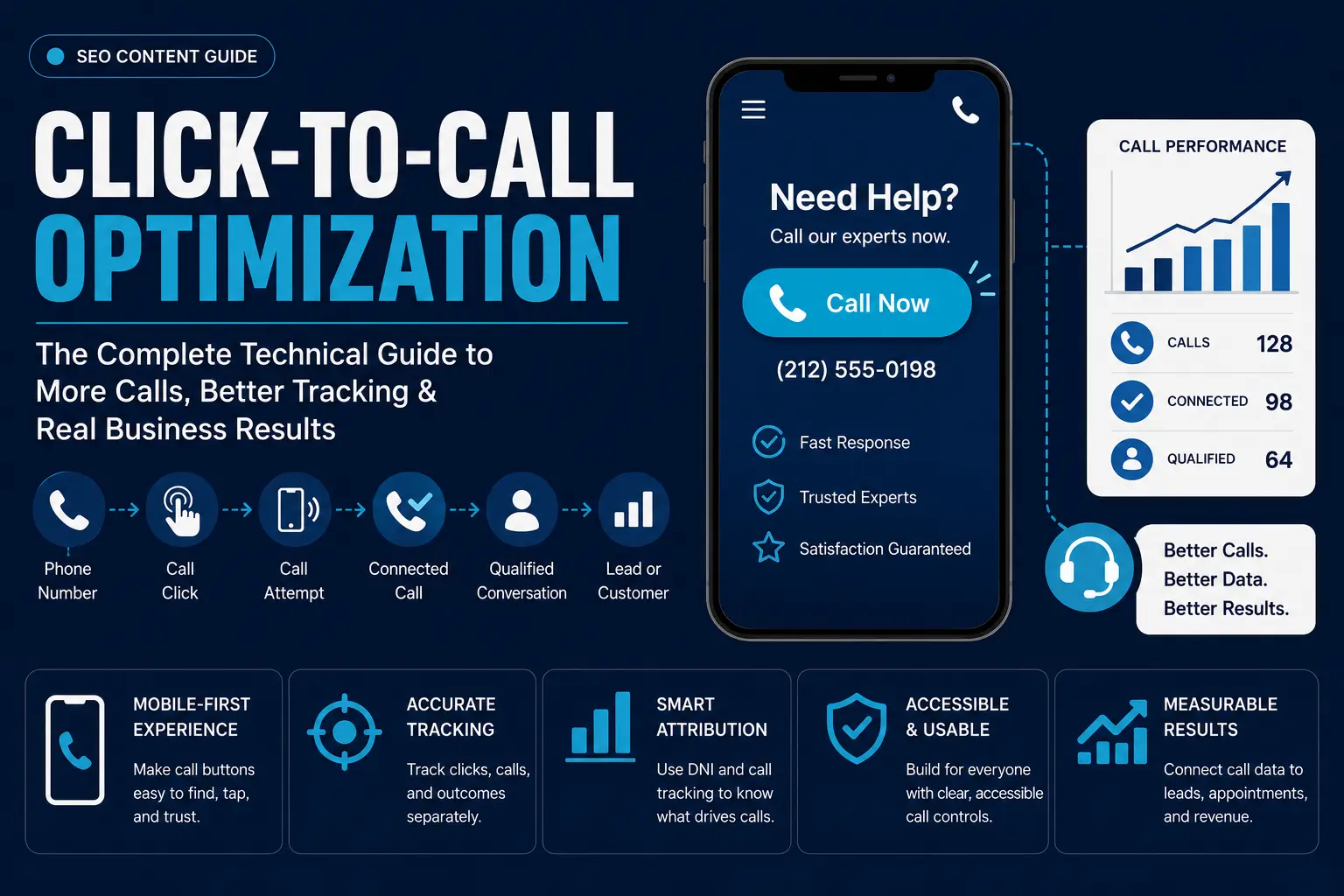
Click-to-call optimization makes the complete path from a digital call action to a measurable business outcome a better experience for the user as well as the owner:
Phone number → call click → call attempt → connected call → qualified conversation → lead or customer
A functional tel: link starts this process. Mobile usability, accurate routing, call tracking, attribution, and downstream business data determine whether the interaction produces a useful result.
Key Takeaways
- Use valid tel: URIs for customer-facing call actions.
- Prefer globally unambiguous telephone URIs when the number can be represented globally.
- Keep the visible number and linked call destination aligned.
- Size and space mobile call controls so users can activate them accurately.
- Track phone clicks separately from connected and qualified calls.
- Use Dynamic Number Insertion (DNI) when source- or visitor-level call attribution justifies the added infrastructure.
- Connect call data with CRM outcomes when leads, appointments, sales, or revenue determine performance.
- Test the entire journey with real calls, rather than stopping when the phone interface opens.
What Is Click-to-Call Optimization?
Click-to-call optimization is the process of making digital phone actions easy to identify, activate, route, and measure.
The technical foundation is the tel: URI scheme. RFC 3966 defines tel: as a URI for resources identified by telephone numbers.
It makes an important distinction: a telephone URI identifies a telephone number; it should not be treated simply as a literal sequence of keys a user must dial.
A basic website implementation is:
<a href=”tel:+12125550198″>+1 212 555 0198</a>
RFC 3966 discusses the use of telephone URIs in HTML and recommends enclosing the telephone number in the link so users can predict what the link represents.
A plain-text number leaves the visitor to copy, remember, or enter it manually. A linked number creates an immediate telephone action where the user’s device and configured applications support that interaction.
Click-to-call optimization goes further than making the number clickable. A website also needs to preserve the correct destination, provide a usable CTA, record the interaction accurately, and distinguish the click from what happens after it.
How to Implement Click-to-Call Correctly
Use an HTML anchor with a tel: URI:
<a href=”tel:+12125550198″>+1 212 555 0198</a>
The href identifies the telephone resource. The anchor text tells the user which number or action the link represents. RFC 3966 explicitly supports telephone URIs in HTML and recommends link text that allows users to predict the action.
A text CTA uses the same mechanism:
<a href=”tel:+12125550198″>Call Now</a>
A styled call button acts as an anchor:
<a href=”tel:+12125550198″ class=”call-button”>
Call for a Quote
</a>
Make Customer-Facing Numbers Explicitly Actionable
Check prominent phone numbers in headers, service pages, location pages, contact sections, and other high-intent areas.
Where the phone number is intended to trigger a call action, explicit tel: markup makes that intended behaviour part of the page rather than depending on automatic telephone-number recognition by a particular user agent.
Route Multiple Numbers Correctly
Sales, support, bookings, and location-specific CTAs need their intended destinations.
<a href=”tel:+12125550198″>Call Sales</a>
<a href=”tel:+12125550199″>Call Support</a>
Check the underlying href when copying or reusing components. A page can display one number while the linked destination still identifies another.
Give Phone Icons Meaning
A phone icon can reinforce the action, but it should not carry all of the meaning.
<a href=”tel:+12125550198″ aria-label=”Call our sales team”>
<span aria-hidden=”true”>☎</span>
Call Sales
</a>
WCAG guidance emphasizes that users need to be able to determine the purpose of a link, and W3C techniques support descriptive accessible names where labels are needed.
Keep JavaScript Out of the Basic Dialing Requirement
JavaScript supports analytics, dynamic number replacement, conditional behaviour, and other call-related features.
It should not make a simple telephone action dependent on custom script execution when an ordinary tel: anchor expresses the destination.
In case of added scripts, test that they don’t replace the wrong number, alter visible text without updating the destination, or create duplicate analytics measurements.
How to Format Phone Numbers for Click-to-Call
The visible presentation and the underlying telephone URI do not need identical formatting.
RFC 3966 allows global and local telephone-number representations, but states that telephone numbers should use global form unless they cannot be represented globally. Global numbers begin with + and include the country code and national number.
For example:
<a href=”tel:+442079460123″>020 7946 0123</a>
The visible number follows a format familiar to the site’s audience while the URI identifies the global telephone number.
RFC 3966 also states that visual separators such as hyphens, periods, and parentheses in telephone URIs are for readability, but spaces are not permitted as URI visual separators. The specification recommends global-form telephone URIs on public HTML pages even when the displayed link text uses a local format.
The ITU’s current E.164 recommendation defines the international public telecommunication numbering plan. The February 2026 edition is currently in force.
Do Not Confuse a Telephone Identifier With a Dial String
This distinction is easy to miss.
RFC 3966 explicitly states that a tel: URI identifies a telephone number rather than specifying the dialing steps needed to reach it. For example, a + identifies the international form; the user’s network determines how the appropriate international dialing prefix is handled.
This is why stuffing carrier prefixes, outside-line access codes, or other environment-specific dialing instructions into a public telephone URI requires care.
Handle Local Numbers and Extensions Deliberately
RFC 3966 allows local numbers when a number cannot be represented in global form, but requires a phone-context to make that local number’s scope clear. It also defines an extension parameter for telephone URIs.
For ordinary public business pages, globally identifiable numbers remain the simpler implementation where available.
The core consistency rule is unchanged:
The displayed contact information and the linked telephone destination must identify the intended call destination.
How to Optimize Click-to-Call CTAs for Mobile Users
Mobile call controls need to be easy to locate and activate without creating accidental calls.
Place Call CTAs Where Intent Is Strongest
- A header CTA keeps calling available during browsing.
- An above-the-fold CTA suits pages where calling is a primary conversion path.
- A sticky call control keeps the action available while the visitor scrolls, but it should not obstruct navigation, consent controls, or page content.
- A service-page CTA works best near information that gives the visitor a reason to call, such as service details, availability, quotations, or appointment information.
- A location-page CTA should identify the appropriate branch or service area.
Placement should follow user intent rather than a universal rule that every call button belongs at the top of every page.
Use Web-Appropriate Target-Size Guidance
This section requires an important distinction between web standards and mobile-app platform guidance.
For web content, WCAG 2.2 Success Criterion 2.5.8 at Level AA specifies a minimum pointer target of 24 × 24 CSS pixels, subject to defined exceptions including spacing, equivalent controls, inline targets, user-agent controls, and essential presentation. The enhanced Level AAA criterion uses 44 × 44 CSS pixels.
For native Android interfaces, Android accessibility guidance recommends at least 48 × 48dp for interactive touch targets. That is Android platform guidance, not the WCAG web minimum.
The distinction matters because a website article should not convert an Android app recommendation into a universal web-accessibility requirement.
Research on one-handed touchscreen interaction also supports the broader UX principle behind these standards: target size affects selection performance, and larger targets generally improve touch accuracy.
Separate Adjacent Actions
Spacing becomes important when Call, Directions, Email, chat, and menu controls appear together.
WCAG 2.2 provides a spacing-based exception for undersized targets, showing that separation between adjacent pointer targets is part of the target-size accessibility model.
Click data should be compared with actual call records. An increase in taps is not an improvement if the additional interactions are accidental and do not progress to calls.
Make the Action Explicit
Use wording that identifies the action or outcome:
- Call Now
- Call for a Quote
- Book by Phone
- Call Sales
- Call Support
W3C guidance on link purpose supports descriptive links that allow users to understand what activating the link will do.
Click-to-Call Accessibility
An accessible click-to-call control communicates its purpose to users who cannot rely on visual recognition.
Descriptive anchor text provides direct context:
<a href=”tel:+12125550198″>Call the New York sales office</a>
An ambiguous label provides less information:
<a href=”tel:+12125550198″>Click here</a>
WCAG’s link-purpose guidance is designed to help users determine the purpose of links from their text or available context. W3C also documents aria-label as a technique for giving a link a descriptive accessible name when appropriate.
Icon-only interactive controls need a programmatically determinable accessible name. W3C’s accessibility testing rules explicitly check that interactive buttons have non-empty accessible names.
Text and interface components also need to meet the applicable WCAG contrast requirements rather than relying on visual styling alone.
Accessibility therefore belongs in the semantics and interaction design of the call control, not as a separate visual layer added later.
Click-to-Call for Local and Multi-Location Businesses
Multi-location businesses add a routing problem: the call action must reach the intended branch, department, or service area.
Google allows verified Business Profile owners to manage business contact information that appears in Google Search and Maps. Website telephone information, local landing pages, structured data, and managed business-profile data, therefore need deliberate governance when multiple locations are involved.
A business operates with:
- a primary number;
- location-specific numbers;
- campaign tracking numbers;
- dynamically inserted tracking numbers;
- numbers that route to different internal queues.
The number visible to the customer and the number receiving the call do not always need to be identical in a tracking system, but the routing outcome should be correct.
Test the termination point. A technically valid tracking number is ineffective if it sends a Birmingham enquiry to the wrong branch or a sales prospect into a support queue.
Phone Numbers and Structured Data
Google supports telephone information in organization and local-business structured data.
Google’s current Organization documentation says telephone values are required to include the country code and area code. It also states that when LocalBusiness is used, the primary phone number should be specified at the LocalBusiness level before contactPoint is used for additional contact methods.
A simplified example is:
{
“@context”: “https://schema.org”,
“@type”: “LocalBusiness”,
“name”: “Example Business”,
“telephone”: “+12125550198”
}
Google recommends following its Search Central documentation for Google Search behaviour even though Schema.org supplies the underlying vocabulary.
For click-to-call implementations, check the relationship between:
Visible business number ↔ tel: destination ↔ structured-data telephone ↔ intended location
Common failures include outdated numbers, the wrong location number, conflicting duplicate markup, and tracking implementations that no longer correspond with the business information represented on the page.
Dynamic Number Insertion and Call Attribution
Dynamic Number Insertion replaces a site’s normal business number with a tracking number according to configured acquisition or visitor information.
CallRail’s current documentation defines a tracking number as a number that routes to a destination number, and its DNI implementation replaces the site’s business number using JavaScript. A website pool dynamically swaps numbers and captures visitor-level information such as pages visited and PPC keywords.
This creates a distinction between:
- Destination number: the line or endpoint that ultimately rings.
- Tracking number: the number presented for attribution.
- Swap target: the number the DNI system detects and replaces.
- Number pool: a set of tracking numbers assigned according to visitor or attribution rules.
DNI therefore connects inbound calls with acquisition context more effectively than a static website number alone. CallRail’s documentation distinguishes a single source-tracking number from a website pool capable of visitor-level tracking.
Multi-location implementations require an additional check: the tracking number must still route to the intended location.
DNI is not necessary for every site. Its value depends on whether the business needs call attribution at a level that justifies number pools, scripts, integration, testing, and ongoing governance.
How to Track Click-to-Call in GTM and GA4
Google Tag Manager supports click triggers that fire tags based on interactions with links, buttons, images, and other page elements.
Google’s current Tag Manager documentation also shows the standard workflow for sending a GA4 event:
Create GA4 event tag → configure event name and parameters → create a trigger → verify in Tag Assistant → publish.
For a telephone link, the implementation can use a trigger condition that identifies the relevant tel: link.
A custom event might be:
phone_click
Useful contextual parameters include:
phone_number
cta_location
page_location
cta_text
Google Analytics supports custom event parameters to provide additional information about an interaction.
cta_location is useful when one telephone destination appears in several positions such as the header, service content, footer, and sticky mobile bar.
Use a consistent event structure and distinguish call-control context through parameters rather than creating unrelated event names for every placement.
Verify the implementation with Tag Assistant and GA4’s realtime/debugging tools before treating the data as reliable. Google’s GTM instructions explicitly include a verification step before publishing event changes.
Most importantly:
A GA4 phone_click event proves that the website interaction occurred. It does not prove that a telephone conversation occurred.
Browser analytics measures the click. Telephone-system or call-tracking data is required to measure the subsequent call.
How to Track Connected and Qualified Phone Calls
Click tracking and call tracking answer different questions. Use separate stages:
- Phone click: the visitor activates the digital call element.
- Call attempt: the telephone journey begins toward the destination.
- Connected call: the call reaches the business or its call-handling system.
- Qualified call: the conversation satisfies the business’s defined lead criteria.
Call-tracking platforms extend attribution beyond the digital click by routing tracking numbers to destination numbers and associating calls with acquisition information. Current CallRail documentation, for example, supports source-level and visitor-level tracking through static tracking numbers and dynamic number pools.
Do Not Use Duration as the Definition of a Lead
Call duration provides context, not proof of commercial value.
A long customer-support conversation might generate no new revenue. A short conversation may result in an appointment or confirmed sale.
Qualification should therefore combine the available call data with the business outcomes.
Separate New and Existing-Customer Activity
Acquisition reporting becomes distorted when existing-customer support calls receive the same lead classification as first-time prospects.
Classify caller and conversation types according to the question the business is trying to answer.
Track Missed Calls Separately
A missed call represents demand that reached the telephone system but failed to progress to a conversation.
The outcomes include:
- unanswered;
- abandoned;
- voicemail;
- connected;
- callback completed.
The website cannot compensate for a call-routing or staffing failure after a prospect has already initiated contact.
Connect Calls to Downstream Outcomes
A useful measurement chain looks like:
Source → landing page → call → connected call → qualified call → lead → opportunity → sale
This moves the optimization target away from raw call clicks and toward meaningful commercial outcomes.
How to Measure Click-to-Call Performance
Use metrics that correspond to different stages of the call journey.
- Click-to-Call Rate
Phone CTA clicks ÷ eligible page sessions × 100
Define the denominator before comparing results. Sessions, users, and pageviews are different measurement units.
- Call Connection Rate
Connected calls ÷ attempted calls × 100
This shows how many attempted calls successfully reach the intended call-handling environment.
- Qualified Call Rate
Qualified calls ÷ connected calls × 100
This separates relevant commercial conversations from total connected calls.
- Call-to-Lead Conversion Rate
Leads generated from calls ÷ connected calls × 100
Document what the organization counts as a lead.
- Call-to-Customer Conversion Rate
Customers generated from calls ÷ qualified calls × 100
This measures how effectively qualified conversations progress to customers.
- Missed-Call Rate
Missed calls ÷ inbound call attempts × 100
Use the same definition of “missed” throughout reporting.
- Revenue per Qualified Call
Attributed call revenue ÷ qualified calls
Using qualified calls as the denominator keeps the metric focused on conversations already classified as commercially relevant.
Define Qualification Explicitly
A qualified call includes:
- a new prospect;
- a valid quote request;
- an appointment request;
- a relevant service enquiry;
- a sales opportunity.
Classify non-lead traffic separately:
- spam;
- existing-customer support;
- wrong numbers;
- recruitment enquiries;
- accidental calls.
The definition should be shared across marketing, sales, analytics, and call-handling teams.
How to Test Click-to-Call Across Devices
Test the complete call path rather than checking only the visual CTA.
For each important telephone action, verify:
- The control is interactive.
- The intended telephone number is associated with the link.
- The device or configured application handles the telephone URI as expected.
- The global or local number is represented correctly.
- The analytics event fires once.
- DNI displays the intended tracking number where deployed.
- The tracking number routes to the intended destination.
- A real test call reaches the correct endpoint.
RFC 3966 defines the URI itself but does not guarantee identical user-agent behaviour across every device and calling environment. Its purpose is to identify the telephone resource rather than prescribe a single dialing interface.
Testing therefore includes the actual devices, browsers, and calling environments that matter to the site’s audience.
How to Run a Click-to-Call Technical Audit
Audit the conversion chain in order:
- Inventory customer-facing phone numbers.
- Identify tel: links and important plain-text numbers.
- Compare displayed information with linked destinations.
- Check global/local telephone-URI formatting against RFC 3966 requirements.
- Review mobile CTA size, spacing, placement, and obstruction against applicable WCAG criteria.
- Check accessible names, labels, and link purpose.
- Compare structured telephone data with the intended business/location information.
- Validate GTM and GA4 events and parameters.
- Test DNI number replacement and routing.
- Place real test calls.
- Check acquisition attribution through the call record.
- Validate qualified-call definitions against CRM outcomes.
The audit verifies the layers already explained in the guide rather than repeating their implementation.
Common Click-to-Call Problems and Fixes
| Problem | Likely Cause | Fix |
| Number is not actionable | Number is plain text | Add an appropriate tel: link |
| Wrong number opens | Displayed information and URI differ | Correct the href destination |
| Global number is malformed | Country code or URI structure is incorrect | Validate against RFC 3966/E.164 conventions |
| CTA is difficult to activate | Target size or spacing is inadequate | Review WCAG target-size and spacing requirements |
| Sticky CTA obscures content | Fixed element occupies required interface space | Resize or reposition it |
| Screen reader purpose is unclear | Link lacks a descriptive accessible name | Add meaningful link text or accessible naming |
| GTM misses interactions | Trigger conditions do not match the call element | Inspect click variables and trigger rules |
| Duplicate GA4 events appear | Multiple tags or listeners record one click | Remove overlapping implementations |
| DNI fails to swap | Number-detection, script, or pool configuration fails | Test the DNI configuration |
| Tracking number reaches wrong team | Routing destination is incorrect | Correct destination mapping |
| High clicks, few calls | Website clicks are being treated as telephone outcomes | Compare analytics events with call records |
| Many calls, few qualified leads | Call volume contains irrelevant demand | Classify source and conversation outcomes |
Advanced Click-to-Call Optimization
Advanced optimization changes what happens after the website has captured call intent.
- Intent-Based Call Routing
Where the call platform supports it, routing decisions incorporate acquisition or visitor context captured alongside the call.
DNI systems can preserve source- and visitor-level attribution data, creating a basis for differentiated routing or analysis. A caller arriving from a high-value service page is evaluated differently from an existing customer entering through a support journey.
- Business-Hours-Based CTA Behaviour
CTA behaviour reflects operational availability.
Outside staffed hours, a business can present an available alternative such as booking or callback capture rather than emphasizing an immediate live-call outcome that the business cannot fulfil. The number should remain accessible where customers still need it.
- Conversation Intelligence
Conversation analysis adds outcome classification beyond simple call duration.
Its value is strongest when the classifications map to defined business outcomes such as appointment requests, quotations, support enquiries, or sales rather than generating generic sentiment data with no operational use.
- Server-Side Measurement
Google Tag Manager’s server-side model processes measurement data in a server container rather than relying exclusively on tags running in the user’s browser. Google documents server containers as receiving measurement requests, transforming them into events, and applying tags, triggers, and variables on a server under the implementer’s control.
Google also recommends deploying production server-side tagging on a first-party domain.
This architecture can strengthen control over measurement flows, but it does not automatically solve call attribution. Telephone records, acquisition identifiers, and downstream business data still need to be joined through an intentional measurement design.
- Adaptive Call CTAs
Call controls change according to meaningful context such as:
- device;
- location or branch;
- business hours;
- page intent;
- acquisition source;
- known customer state.
Evaluate adaptive behaviour against connected and qualified-call outcomes rather than CTA clicks alone.
- Missed-Call Recovery
High-intent missed calls need an operational recovery path.
Possible actions include:
- callback queues;
- CRM follow-up tasks;
- lead-recovery workflows.
This extends click-to-call optimization from the website interface into the actual call-handling process.
Click-to-Call Optimization Checklist
Implementation
- Important call actions use valid tel: URIs.
- Global numbers use an appropriate globally identifiable form.
- Displayed contact information corresponds with the intended destination.
- Multiple departments and locations route correctly.
Mobile UX and Accessibility
- Call controls appear where phone intent is relevant.
- Target size and spacing are checked against WCAG 2.2.
- Sticky controls do not obscure content.
- Links have understandable purpose.
- Icon-only controls have accessible names.
- Applicable contrast and keyboard requirements are met.
Tracking and Attribution
- Phone clicks are measured once.
- Useful CTA context is captured through parameters.
- DNI swaps and routes numbers correctly.
- Website clicks and telephone connections are reported separately.
- Qualified-call criteria are documented.
- CRM outcomes connect with calls where required.
Testing
- Relevant smartphones and browsers are tested.
- International/global numbers work where required.
- Dynamic number replacement is tested.
- Real calls reach the intended endpoint.
- Attribution survives from acquisition source through call outcome.
Click-to-Call Optimization FAQs
What is the correct HTML for click-to-call?
Use a tel: URI in an HTML anchor:
<a href=”tel:+12125550198″>+1 212 555 0198</a>
RFC 3966 defines the tel: URI scheme and specifically documents its use in HTML.
Should tel: Links Include Country Codes?
For publicly reachable numbers that can be represented globally, RFC 3966 says telephone numbers should use global form and recommends global-form telephone URIs on public HTML pages. Global numbers begin with + and contain the country code and national number.
Should a Web Call Button Be 48×48 Pixels?
Not as a universal WCAG requirement.
WCAG 2.2 Level AA sets a 24×24 CSS-pixel minimum target criterion with specified exceptions. Its enhanced Level AAA criterion uses 44×44 CSS pixels. Android separately recommends 48×48dp for native Android interactive elements.
Can Call-Tracking Numbers Differ From the Business Number?
Yes. DNI platforms use tracking numbers that can route to a separate destination number. CallRail’s current documentation explicitly distinguishes tracking numbers, destination numbers, swap targets, and website number pools.
Does a GA4 Phone Click Mean the Call Connected?
No.
Google Tag Manager and GA4 can record the website click event and associated parameters. That digital event does not contain proof that a telephone connection subsequently occurred.
How Do You Measure Qualified Phone Calls?
Define the commercial outcome first, then classify connected calls against it.
Examples include legitimate quote requests, appointments, new-business enquiries, sales opportunities, or completed transactions. Spam, support, recruitment, wrong-number, and accidental calls should be reported separately.
Final Takeaway
Click-to-call optimization is not only the act of turning a phone number into a hyperlink.
The complete system is:
Correct telephone identity → valid tel: URI → usable CTA → correct routing → connected call → reliable attribution → qualified outcome
RFC 3966 establishes the technical telephone-URI foundation. WCAG provides applicable web-accessibility requirements. Google documents the analytics and structured-data layers. Call-tracking infrastructure extends measurement beyond the website click.
Optimize and measure each stage separately.