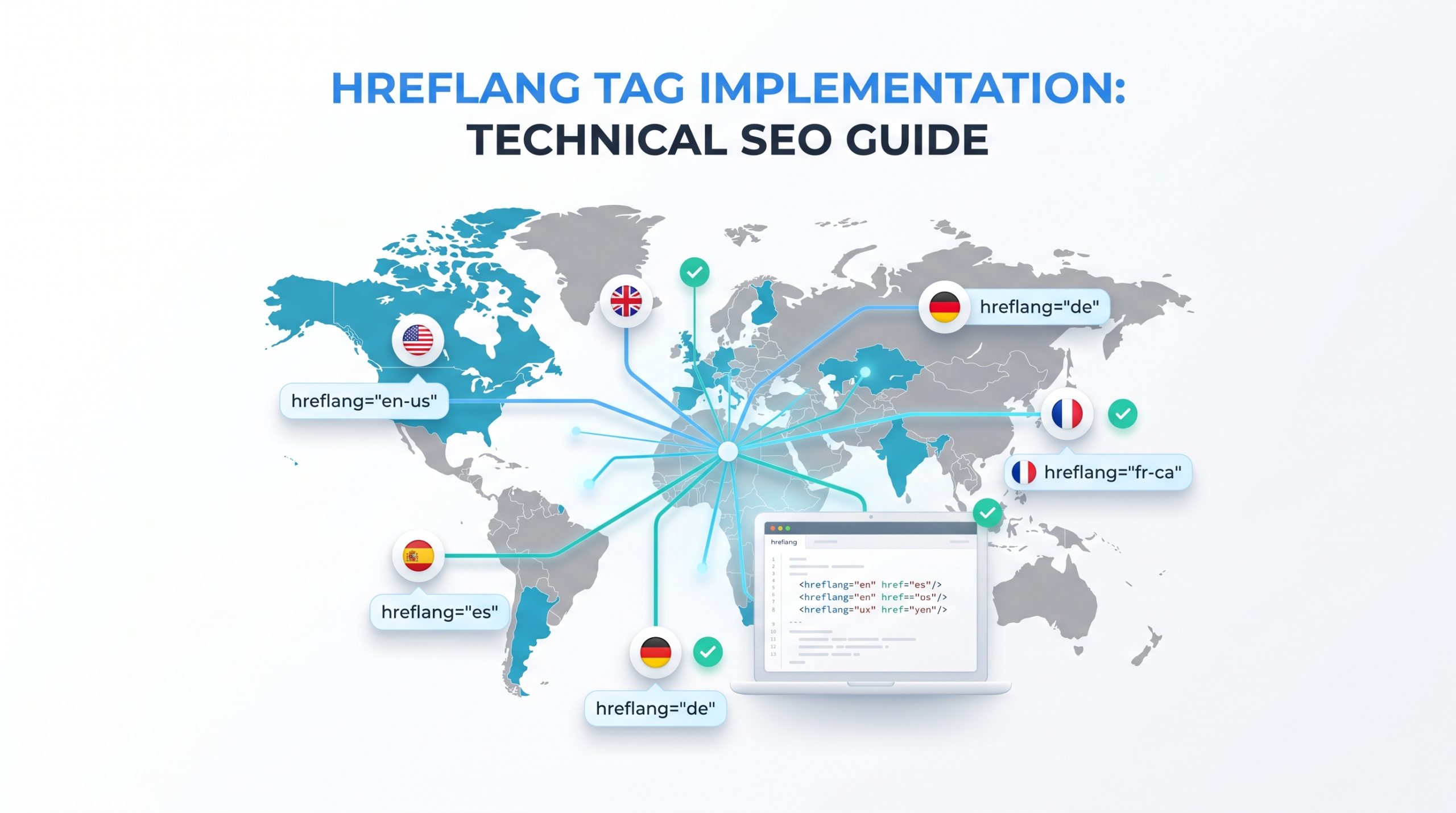
A multilingual website can have translated content and still send Google the wrong page for the wrong audience. The problem is not the translation quality, but implementation.
Hreflang tag implementation is where international SEO becomes technical: every alternate URL must use valid language targeting, reciprocal references, indexable URLs, and canonical signals that don’t contradict the setup. One broken relationship can turn a carefully planned international architecture into a collection of pages Google has to interpret on its own.
Why Hreflang Implementation Fails More Often Than People Think
The difficult part isn’t adding one line of code. The difficult part is maintaining a consistent relationship between every equivalent URL as pages are added, redirected, canonicalized, migrated, or removed.
A failure looks like this:
- /us/product/ references /uk/product/
- /uk/product/ references /de/produkt/
- /de/produkt/ doesn’t reference /us/product/
- One URL redirects
- Another has a cross-language canonical
At that point, the implementation is no longer a clean set of alternate versions.
Google’s current documentation supports three equivalent implementation methods: HTML, HTTP headers, and XML sitemaps, but requires alternate sets to include the page itself and uses reciprocal relationships to validate them. If pages don’t point back to one another, Google may ignore those annotations.
The practical rule is simple:
Every hreflang cluster should behave like a closed map of equivalent pages.
For a site with English for the US, English for the UK, and German for Germany, the cluster should look like this:
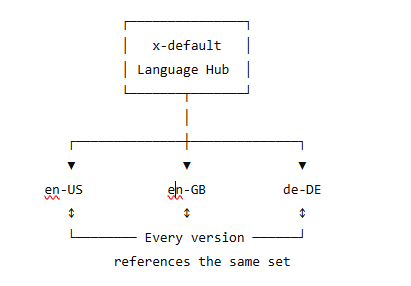
That last part matters. Every equivalent page should declare the relevant alternatives, including itself.
What Are Hreflang Tags and When Do You Actually Need Them?
Hreflang tells Google that multiple URLs represent localized versions of substantially equivalent content.
You may need it when you have:
- English content for the US and UK
- German content for Germany and Switzerland
- Spanish pages for Spain and Mexico
- fully translated versions of the same product, category, or informational page
- a multilingual site using separate URLs for each language
Google recommends distinct URLs for language versions rather than relying solely on cookies, browser settings, or automatic locale detection. Google’s crawler may not discover every variation of a page that changes based on a visitor’s perceived location or language preferences.
A common misunderstanding: hreflang doesn’t replace localization
You cannot publish an American English page, label it en-gb, and expect hreflang to make it genuinely suitable for UK users.
Hreflang is a targeting annotation, not a translation or localization tool.
If the pages have materially different search intent, products, pricing, availability, or content purpose, don’t automatically force them into the same hreflang cluster.
Hreflang Tag Implementation: Language and Region Code Rules
Hreflang syntax follows a specific pattern:
language
or:
language-region
For standard language and region targeting, use:
- ISO 639-1 for the language code
- ISO 3166-1 Alpha-2 for the optional region code
Valid examples
- en
- en-us
- en-gb
- fr
- fr-ca
- de
- de-ch
- es-mx
Invalid examples
- us ❌ Region without a language
- en-uk ❌ UK is not the ISO 3166-1 Alpha-2 code
- english-us ❌ Full language name
- en-europe ❌ Not a valid country code
For the United Kingdom, use:
en-gb
not:
en-uk
Google specifically warns against using region codes such as EU, UN, or UK as valid hreflang country targets. Region-only values are also invalid.
Language-only vs. language-and-region targeting
Use:
hreflang=”en”
when the page targets English speakers generally.
Use:
hreflang=”en-us”
when the page specifically targets English-speaking users in the United States.
A strong implementation can include both a generic and regional version:
<link rel=”alternate” hreflang=”en”
href=”https://example.com/en/page/” />
<link rel=”alternate” hreflang=”en-us”
href=”https://example.com/us/page/” />
<link rel=”alternate” hreflang=”en-gb”
href=”https://example.com/uk/page/” />
Google recommends considering a generic language fallback when you maintain several regional versions of the same language.
How to Implement Hreflang Tags Correctly
Google supports three implementation methods:
- HTML <head> tags
- HTTP response headers
- XML sitemaps
From Google’s perspective, these methods are equivalent. Using all three doesn’t provide an additional ranking benefit and can make maintenance harder. Pick the method your infrastructure can maintain accurately.
Method 1: Hreflang in the HTML <head>
This is the most familiar option for standard HTML pages.
Suppose you have:
Each of those pages should contain the same hreflang cluster:
<link rel=”alternate” hreflang=”en-us”
href=”https://example.com/us/services/” />
<link rel=”alternate” hreflang=”en-gb”
href=”https://example.com/uk/services/” />
<link rel=”alternate” hreflang=”de”
href=”https://example.com/de/dienstleistungen/” />
<link rel=”alternate” hreflang=”x-default”
href=”https://example.com/language-selector/” />
The links belong inside the <head> section.
Use fully qualified URLs, including the protocol:
Avoid:
/us/services/
Google’s current documentation explicitly requires fully qualified alternate URLs.
Don’t forget the self-reference
The US page must include:
<link rel=”alternate” hreflang=”en-us”
href=”https://example.com/us/services/” />
The UK page also contains the en-us reference, the en-gb self-reference, and the German version. The German page contains all three as well.
I’ve seen this become a surprisingly expensive audit issue on large sites: developers correctly add the “other language” links but omit the current page. Google expects the alternate set to include the page itself.
Method 2: Hreflang Through HTTP Headers
HTTP header implementation is particularly useful for files that don’t have an HTML <head>.
PDFs are the obvious example.
A response can include:
Link: <https://example.com/en/guide.pdf>; rel=”alternate”; hreflang=”en”,
<https://example.com/de/leitfaden.pdf>; rel=”alternate”; hreflang=”de”,
<https://example.com/fr/guide.pdf>; rel=”alternate”; hreflang=”fr”
Each localized version should return the complete alternate set, including itself.
Use HTTP headers when:
- you manage PDFs or other non-HTML files
- modifying page templates isn’t practical
- your server or CDN can reliably generate the headers
- hreflang relationships are managed at the infrastructure level
The downside is operational complexity. Headers can be harder for content teams to inspect, and debugging server-generated annotations may require more technical access.
Google specifically identifies HTTP headers as useful for non-HTML resources.
Method 3: Hreflang via XML Sitemaps
XML sitemap implementation is often the cleanest choice for large international websites.
The sitemap needs the XHTML namespace:
<?xml version=”1.0″ encoding=”UTF-8″?>
<urlset
xmlns=”http://www.sitemaps.org/schemas/sitemap/0.9″
xmlns:xhtml=”http://www.w3.org/1999/xhtml”>
A complete example:
<url>
<loc>https://example.com/en/services/</loc>
<xhtml:link
rel=”alternate”
hreflang=”en”
href=”https://example.com/en/services/” />
<xhtml:link
rel=”alternate”
hreflang=”de”
href=”https://example.com/de/dienstleistungen/” />
<xhtml:link
rel=”alternate”
hreflang=”fr”
href=”https://example.com/fr/services/” />
</url>
You then create equivalent <url> entries for the German and French URLs, with the same complete set of alternate links.
Google’s sitemap guidance requires a <url> entry for each page and <xhtml:link> children for every language or regional variant, including the URL itself.
When XML sitemaps are the better choice
Choose XML sitemap hreflang when:
- you manage thousands of localized URLs
- translations are generated through a centralized system
- CMS templates can’t reliably output hreflang
- development teams prefer managing relationships outside page templates
HTML vs. HTTP headers vs. XML sitemaps
| Method | Best for | Main advantage | Main drawback |
| HTML <head> | Standard websites | Easy to inspect | Can become heavy on large sites |
| HTTP headers | PDFs and non-HTML files | Works without HTML | Harder to debug |
| XML sitemaps | Large international sites | Centralized management | Requires accurate generation logic |
My preference for a large multilingual ecommerce site is usually centralized XML generation or a reliable CMS-level hreflang component. Manually maintaining tags page by page is an invitation to drift.
How Does x-default Work?
x-default is a fallback for users whose language or regional preferences don’t match one of your specified hreflang values.
Example:
<link rel=”alternate” hreflang=”en-us”
href=”https://example.com/us/” />
<link rel=”alternate” hreflang=”en-gb”
href=”https://example.com/uk/” />
<link rel=”alternate” hreflang=”de-de”
href=”https://example.com/de/” />
<link rel=”alternate” hreflang=”x-default”
href=”https://example.com/language-selector/” />
The x-default URL is often:
- a language selector
- a country selector
- a generic international homepage
Google describes x-default as the fallback for unmatched language settings and notes that it is particularly suited to language or country selector pages.
Don’t confuse x-default with your main English page
If your generic English page is genuinely the best fallback, it can be the x-default. But don’t automatically use the homepage for every page-level hreflang cluster.
For example, this is usually poor mapping:
/us/pricing/ → x-default → homepage
/uk/pricing/ → x-default → homepage
/de/preise/ → x-default → homepage
A fallback should still make sense for the specific content relationship where possible.
Coordinating Hreflang Tags With Canonical Tags
This is where many technically correct hreflang setups quietly break.
Each localized page should generally canonicalize to itself.
US version
<link rel=”canonical”
href=”https://example.com/us/services/” />
<link rel=”alternate” hreflang=”en-us”
href=”https://example.com/us/services/” />
<link rel=”alternate” hreflang=”en-gb”
href=”https://example.com/uk/services/” />
<link rel=”alternate” hreflang=”de”
href=”https://example.com/de/dienstleistungen/” />
UK version
<link rel=”canonical”
href=”https://example.com/uk/services/” />
<link rel=”alternate” hreflang=”en-us”
href=”https://example.com/us/services/” />
<link rel=”alternate” hreflang=”en-gb”
href=”https://example.com/uk/services/” />
<link rel=”alternate” hreflang=”de”
href=”https://example.com/de/dienstleistungen/” />
Google’s canonical documentation advises using a canonical in the same language, or the best possible substitute if a same-language canonical doesn’t exist. It also recommends self-referential canonical URLs and warns against conflicting canonical signals.
The mistake to avoid
Don’t do this:
US page
Canonical → https://example.com/global/page/
UK page
Canonical → https://example.com/global/page/
while simultaneously telling Google:
US page = en-us
UK page = en-gb
Those signals conflict.
Hreflang says, “These are localized alternatives.”
A cross-language canonical may say, “Ignore this page and consolidate it into another URL.”
Don’t make Google choose between contradictory instructions.
Hreflang Return Tag Errors: Why Bidirectional Links Matter
A return tag error happens when one page references another, but the destination doesn’t reference it back.
German page
<link rel=”alternate” hreflang=”en-gb”
href=”https://example.com/uk/page/” />
But the UK page doesn’t include:
<link rel=”alternate” hreflang=”de”
href=”https://example.com/de/page/” />
That’s an incomplete relationship.
Google’s documentation explicitly states that if two pages don’t point to each other, the tags may be ignored. The reason is sensible: without reciprocity, a third party could theoretically claim that another site’s page is an alternate version of its own content.
A useful audit rule
For every URL in a hreflang cluster, check:
URL A → B
URL B → A
URL A → C
URL C → A
URL B → C
URL C → B
At scale, this should be automated.
Common Hreflang Errors and How to Fix Them
Most hreflang failures aren’t caused by complicated syntax. They come from inconsistent relationships, invalid targets, or implementation rules drifting as the site changes.
| Error | What Goes Wrong | Fix |
| Invalid language or region codes | Values such as en-uk or region-only codes create invalid targeting | Validate language and region codes before deployment; use en-gb for the UK |
| Missing self-reference | A page lists its alternatives but doesn’t include itself | Include the current URL in its own alternate set |
| Missing return tags | Page A references Page B, but Page B doesn’t reference Page A | Generate reciprocal relationships from a central URL map |
| Redirecting hreflang URLs | The hreflang target redirects before reaching the intended localized page | Update the annotation to point directly to the final URL |
| Non-indexable alternate URLs | Targets are blocked, noindex, canonicalized elsewhere, broken, or stuck in redirect chains | Point hreflang only to usable, indexable alternate URLs |
| Uncontrolled URL structures | Subdirectories, subdomains, or separate domains evolve without a consistent locale map | Document which URL represents each locale and maintain one authoritative mapping system |
There is nothing wrong with hreflang across different domains or URL structures. Google allows alternate URLs to exist on different domains. The problem is maintenance: if several architectures evolved through migrations or acquisitions, duplicate locale versions can start competing unless the relationships are centrally controlled.
International SEO URL Structure: Subdirectories, Subdomains, or ccTLDs?
Hreflang works with all three major structures.
Subdirectories
example.com/us/
example.com/uk/
example.com/de/
Advantages:
- centralized domain management
- easier analytics and technical maintenance
- simpler authority consolidation
For businesses that want centralized domain management and simpler technical maintenance, subdirectories are often the most practical structure.
Subdomains
us.example.com
uk.example.com
de.example.com
This can work well when teams, infrastructure, or regional operations are separated.
The main drawback is operational complexity. Cross-subdomain crawling, analytics, deployment, and ownership can become harder to manage.
ccTLDs
example.us
example.co.uk
example.de
Country-code domains can provide a strong geographic signal, although they also require more infrastructure and brand management. Google continues to list ccTLDs among the signals it uses when understanding country targeting, while noting that some country-code domains are treated as generic rather than geographically targeted.
A useful 2025 development is that Google began redirecting its own country-code Google domains, such as local Google search domains, to google.com. That change applied to Google’s Search domain experience, not as a general instruction for website owners to abandon ccTLDs. It’s worth mentioning because some outdated commentary incorrectly interpreted the announcement as proof that ccTLD targeting no longer matters.
My recommendation
Choose your URL structure based on:
- business organization
- expansion plans
- hosting and development constraints
- branding requirements
- country-specific legal requirements
Don’t choose a ccTLD simply because you assume it will automatically outrank a .com in that country. Hreflang, content relevance, local signals, links, and user experience all matter.
A Step-by-Step Hreflang Implementation Workflow
Step 1: Build a URL mapping sheet
Create a row for every equivalent page.
| Page | en-US | en-GB | de-DE | x-default |
| Services | /us/services/ | /uk/services/ | /de/dienstleistungen/ | Selector |
| Pricing | /us/pricing/ | /uk/pricing/ | /de/preise/ | Selector |
| Contact | /us/contact/ | /uk/contact/ | /de/kontakt/ | Selector |
This mapping becomes your source of truth.
Step 2: Decide which pages are genuine equivalents
Don’t blindly connect every URL. A UK product page that has a different product range and no meaningful US equivalent may not belong in the same cluster.
Step 3: Choose one implementation method
For most sites:
- HTML for manageable sites
- XML sitemaps for large-scale implementations
- HTTP headers for PDFs and other non-HTML resources
Avoid duplicate systems unless there is a genuine technical reason.
Step 4: Generate the complete alternate set
Every page needs:
- its self-reference
- every relevant equivalent
- reciprocal links
- fully qualified URLs
Step 5: Add x-default where a real fallback exists
Use a language selector or an appropriate generic fallback.
Don’t add it mechanically just because every template has a field for it.
Step 6: Align canonical tags
Each localized page should normally point to its own canonical version.
Then verify that canonical and hreflang targets return indexable pages.
Step 7: Test before deployment
200 status
↓
Indexable
↓
Self-referencing canonical
↓
Valid hreflang code
↓
Self-reference present
↓
Return links confirmed
↓
No conflicting redirects
Current Hreflang Considerations for 2026
1. The International Targeting report is gone
One outdated recommendation still appears in old international SEO guides: “Use Search Console’s International Targeting report to set country targeting.”
That report was deprecated. Google continues to support hreflang, but the old Search Console country-targeting capability is no longer available.
So, in 2026, an international SEO workflow should rely more heavily on:
- URL architecture
- hreflang validation
- indexing diagnostics
- crawl data
- localized performance analysis
Don’t build a process around a Search Console feature that no longer exists.
2. Canonical consistency matters even more on JavaScript-heavy sites
Modern frameworks can introduce a subtle problem: server-rendered HTML may contain one canonical URL while client-side JavaScript changes it after rendering.
Google’s current canonical documentation recommends keeping canonical information clear in the HTML source where possible and avoiding conflicting server-side and client-side signals. That matters directly for international sites because hreflang targets and canonical URLs must describe the same indexable page relationships.
3. Locale-adaptive websites remain risky
Serving different content from the same URL based on IP address, cookies, or Accept-Language still creates discovery and crawling problems.
Google recommends distinct URLs for language versions and warns that automatic locale-based variations can prevent crawlers from discovering all versions. Googlebot may also not send the language signals your application expects.
The trend toward highly dynamic localization doesn’t remove this technical constraint. If search visibility matters, give important language versions their own crawlable URLs.
Practical Hreflang Audit Checklist
Before publishing or auditing an international site, run through this:
- Every localized version has a unique, crawlable URL
- Every hreflang value uses a valid language code
- Region codes use valid ISO 3166-1 Alpha-2 values
- No region-only hreflang values are used
- Every page includes its own hreflang URL
- Every alternate URL returns a valid response
- Reciprocal return links are present
- All hreflang URLs are fully qualified
- Canonical URLs don’t contradict hreflang relationships
- Alternate pages aren’t accidentally noindex
- Hreflang targets don’t redirect unnecessarily
- x-default points to a sensible fallback
- One implementation method is clearly maintained
- New pages are added to the correct hreflang cluster
- Removed or redirected pages are removed from the hreflang map
If you’re auditing thousands of URLs, don’t check these manually. Export the alternate relationships and compare them programmatically. A missing reciprocal link is easy to detect when URL relationships are treated as data rather than page-level markup.
Conclusion: Hreflang Tag Implementation Is a Data Management Problem
Good hreflang tag implementation isn’t about memorizing one HTML snippet. The code is easy. Keeping hundreds or thousands of language relationships accurate is the real job.
My strongest recommendation is to stop treating hreflang as page-level decoration. Treat it as structured data: maintain a master URL map, generate consistent alternate sets, validate reciprocal links automatically, and audit canonical signals whenever URLs change.
That’s the difference between adding hreflang tags and building an international SEO system that can actually survive a migration, CMS update, or expansion into five new markets.
Frequently Asked Questions About Hreflang Tags SEO
Can you use hreflang without a country code?
Yes.
hreflang=”fr”
targets French speakers generally. Add a region only when geographic targeting is required.
Can hreflang point to pages on different domains?
Yes. Hreflang alternatives can exist across different domains, subdomains, or subdirectories. The important part is maintaining valid language or regional annotations, reciprocal relationships, and usable alternate URLs.
Should hreflang pages have canonical tags?
Yes. Each localized page should normally have a canonical URL, usually pointing to itself. Avoid using cross-language canonicals that undermine the alternate relationship unless there is a specific duplicate-content reason to consolidate pages.
Is XML sitemap hreflang better than HTML implementation?
Not inherently.
Google treats HTML, HTTP headers, and XML sitemaps as equivalent methods for specifying localized versions. The best choice is the one your team can maintain accurately.