A perfectly written page can lose traffic because of a 1.8 MB hero image, meaningless IMG_4821.jpg filenames, or lazy loading applied in the wrong place. Image SEO isn’t just about adding keywords to alt text anymore. It sits at the intersection of search visibility, accessibility, crawling, page speed, and user experience.
That matters more in 2026. Google Search now uses images across traditional results, Google Images, Discover, product experiences, and AI-driven search features. Google’s own guidance for AI search tells publishers to support useful text with high-quality images and videos for multimodal discovery.
The goal isn’t to optimize every image until it becomes another SEO project. The goal is to make each meaningful image easy to discover, understand, load, and display.
What Is Image SEO and Why Does It Still Matter?
Image SEO is the process of optimizing images so search engines can discover what they show, understand how they relate to the page, and serve them to users.
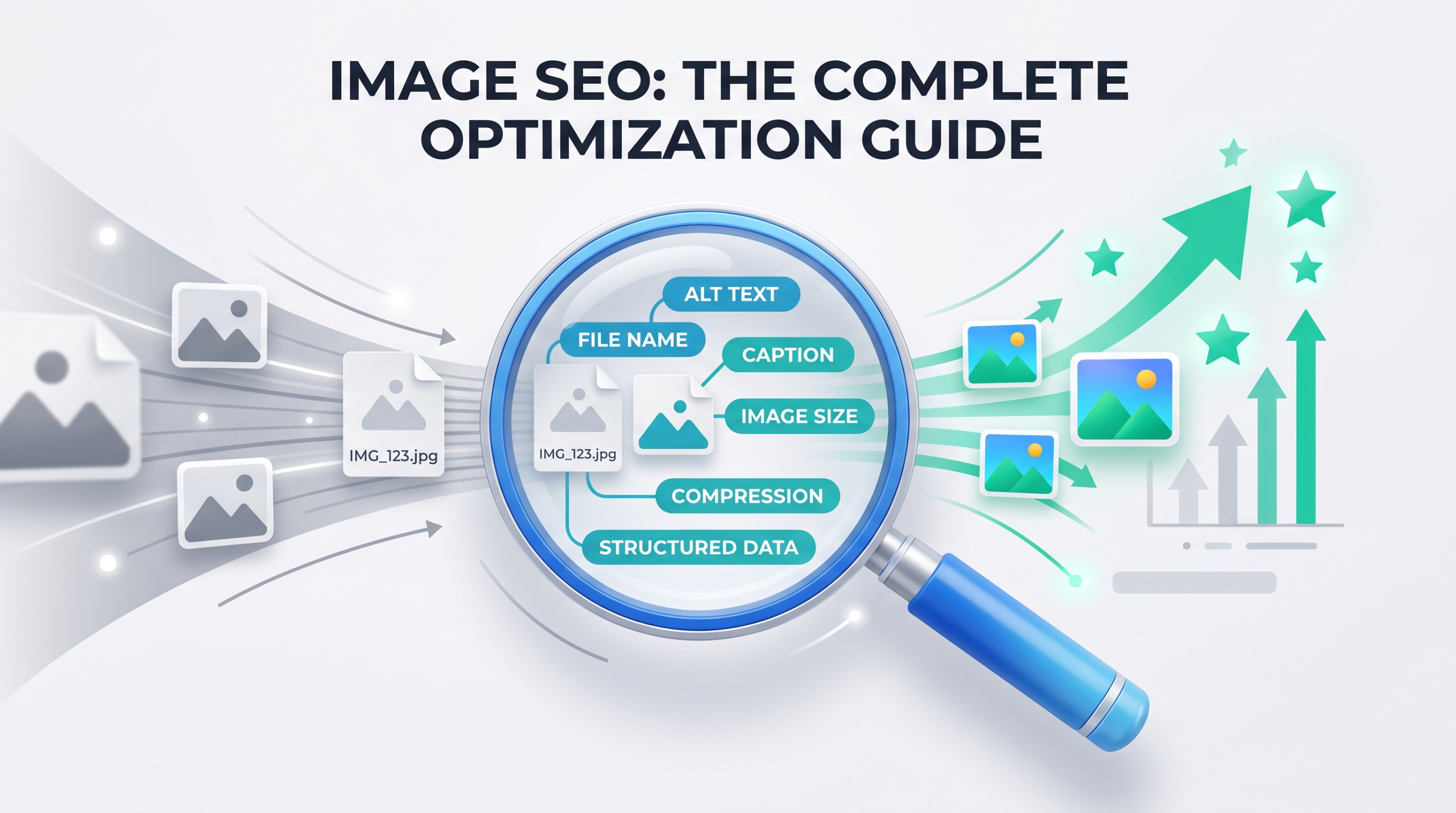
That includes elements such as alt text and file names. It also includes less glamorous technical work: image file compression, responsive image sizing, HTML markup, caching, image formats, loading priority, and image sitemaps.
Google says images become a user’s first entry point into a website. It recommends placing high-quality images near relevant text because surrounding content gives Google more context about what an image represents.
So a useful image contributes in several ways.
It appears in Google Images. It becomes the thumbnail beside a normal search result. It strengthens a product result or Discover appearance. It also makes the page easier to scan and understand once the visitor arrives.
The mistake is treating image optimization as a separate checkbox at the end of publishing.
By then, the wrong file format, oversized dimensions, poor markup, and weak image placement are already baked into the page.
How Google Finds, Understands, and Ranks Images
Google doesn’t look at an image in isolation.
Its image documentation says it uses information from the page, including surrounding content, captions, image titles, alt text, filenames, and computer vision systems to understand the subject of an image.
That gives us a better model for image optimization.
Instead of asking:
“What keyword should I put in this alt tag?”
Ask:
“If Google encountered this image and the content around it, would the subject and purpose be obvious?”
That changes how it is optimized.
An image of a medical billing dashboard placed inside a section titled “How Denial Management Works” has useful context.
The same dashboard dropped into an unrelated hero section with alt=”medical billing services best medical billing company” does not suddenly become more relevant because the keyword appears three times.
Image Context Matters More Than Most SEOs Realize
Google explicitly recommends placing images near text that is relevant to them. It also calls filenames a light clue about image subject matter.
That distinction matters.
You could rename:
IMG_9276.jpg
to:
technical-seo-audit-dashboard.jpg
and that’s sensible.
But the filename won’t rescue an image sitting on a page that never discusses technical SEO.
Think of image relevance as a stack:
Page topic → nearby section → caption or supporting copy → image content → alt text → filename
The signals should agree with one another.
Image SEO vs Traditional On-Page SEO
Traditional on-page SEO asks whether the page satisfies the search.
Image SEO asks two extra questions:
- Can the image itself be discovered and understood?
- Does loading that image damage the experience of the page?
That second question is where image optimization becomes performance work.
And in 2026, ignoring it is hard to justify.
Image SEO in 2026: What Has Changed?
Several developments made old image SEO checklists less useful.
Google Added Preferred Image Guidance in March 2026
On March 2, 2026, Google updated its image SEO and Discover documentation to explain how site owners can indicate a preferred image for search previews.
Google now specifically documents schema.org image properties such as primaryImageOfPage, as well as og:image, as sources its systems can use when selecting an image thumbnail.
This doesn’t mean Google promises to use your chosen image.
It means publishers now have clearer ways to communicate which visual best represents the page.
For an article, that might look like:
<meta property=”og:image”
content=”https://example.com/images/image-seo-guide.webp”>
For structured data, a page also identifies its primary image through schema markup.
This is worth reviewing on blogs where Google repeatedly selects logos, avatars, or unrelated decorative images as thumbnails.
Visual Content Matters More in AI Search
Google’s guidance for AI features says SEO fundamentals still apply to AI Overviews and AI Mode. There is no special “AI SEO” markup required.
But Google has also told site owners to go beyond text and use high-quality images and videos because users search through multimodal experiences.
That makes original charts, screenshots, diagrams, comparisons, product visuals, and process illustrations more valuable than filling pages with decorative stock images.
A generic handshake photo adds no information.
A labeled screenshot showing where to find image performance data in Search Console does.
AVIF Is Now a Normal Search-Supported Format
Google added AVIF support to Google Search in August 2024, and its current indexable file documentation lists AVIF beside formats such as JPEG, PNG, WebP, SVG, GIF, and BMP.
So the old advice that “WebP is the modern format you should always use” is incomplete.
WebP is excellent. AVIF is also an option when it produces a smaller file at acceptable visual quality.
The right question is no longer “JPEG or WebP?”
It’s:
Which supported format gives this particular image the best quality-to-file-size tradeoff?
Image Priority Has Become a Bigger Performance Conversation
A June 2026 web.dev case study on Nuvemshop is useful here.
The ecommerce platform found that the LCP problem wasn’t due to oversized images. Top-of-page images were loaded lazily, priority signals were missing, and CSS transitions were interfering with which element browsers recognized as LCP.
After changes to image priority and related rendering behavior, the percentage of stores with good LCP rose from 57% to 96%. In the measured cohort, mobile visitors from Google organic search also showed an 8.9% increase in conversion rate.
That’s a good example of why “compress your images” is no longer enough.
Sometimes the problem isn’t how many bytes the image contains.
It’s when the browser discovers those bytes.
Alt Text Optimization: What Google Actually Wants
Alt text optimization has somehow become both overcomplicated and abused.
Alt text exists primarily to describe an image when someone cannot see it. Search engines also use it as one source of image understanding.
Google recommends useful, descriptive alt text in the context of the page and warns against filling alt attributes with keywords.
The best alt text sounds boring. That’s a good thing.
Suppose an article about SEO reporting has a screenshot showing impressions increasing inside Google Search Console.
Bad:
alt=”SEO image SEO search engine optimization SEO agency”
Weak:
alt=”dashboard”
Better:
alt=”Google Search Console chart showing organic impressions increasing”
The last version tells a user and a search engine what is actually shown.
How to Write SEO-Friendly Alt Text
Use this simple test:
Describe the information the image contributes, not every visual detail inside it.
For example, if the image shows a website speed report:
alt=”PageSpeed Insights report showing a 2.1-second Largest Contentful Paint”
That’s stronger than:
alt=”laptop screen with blue and green numbers and website speed data”
The first describes meaning. The second describes pixels.
Keep your target keyword when it belongs in the description. Don’t force it.
An image illustrating an image SEO workflow could reasonably use:
alt=”Image SEO workflow for compression, alt text and responsive sizing”
But a decorative office photograph on the same article doesn’t need “Image SEO” stuffed into it.
When an Image Should Have Empty Alt Text
Not every image deserves descriptive alt text.
If an image is decorative and provides no useful information, an empty attribute is the right choice:
<img src=”decorative-wave.svg” alt=””>
That prevents assistive technology from wasting the user’s time announcing meaningless decoration.
This is one of those areas where old SEO checklists caused damage. “Every image must contain a keyword-rich alt tag” was not good accessibility advice, and it isn’t good search advice either.
Alt Text on Linked Images Has Another Role
There is one situation where alt text carries extra weight.
Google says that when an image itself is used as a link, the image’s alt attribute functions as anchor text for that link.
That means linked image buttons, product cards, or logos deserve extra care.
If the image is the only meaningful content inside the link, don’t leave its purpose unclear.
Image File Names: Do They Still Matter for SEO?
Yes, but not enough to obsess over.
Google says filenames provide light clues about an image’s subject. It recommends short, descriptive names instead of generic names such as image1.jpg or IMG00023.JPG.
So:
image-seo-audit.webp
is better than:
DSC00983.webp
But don’t spend three hours renaming 4,000 legacy images because someone told you filenames are a major ranking factor.
Prioritize new uploads and high-value pages first.
A good filename should:
- describe the main subject,
- use normal words rather than keyword lists,
- stay short enough to understand at a glance,
- avoid meaningless camera or export names.
My rule of thumb: if a human understands the image topic from the filename alone, you’ve done enough.
Image File Compression Without Destroying Visual Quality
A huge image file sometimes delivers no visible benefit to the visitor.
A photograph exported straight from Photoshop, Canva, or a camera might be several megabytes even though it appears inside a 700-pixel-wide content column.
That is wasted transfer.
Google recommends balancing high visual quality with loading performance because images are major contributors to page size. web.dev also recommends testing modern formats and compression levels rather than relying on one fixed quality setting.
Lossy vs Lossless Compression
Lossless compression reduces file size without discarding image information. It makes sense when small visual details must remain exact.
Lossy compression removes some information to produce a smaller file.
For normal photos, blog graphics, and marketing imagery, modest lossy compression often gives a much better size-to-quality ratio.
The correct choice depends on the asset.
A product photograph doesn’t need the same treatment as a logo containing sharp edges and transparency.
How Much Should You Compress an Image?
There isn’t one SEO-safe quality percentage.
A 75% setting in one encoder doesn’t necessarily look or behave like 75% in another.
Instead:
- Resize the image to realistic display dimensions.
- Export it in WebP or AVIF.
- Compare visual quality.
- Reduce quality until degradation becomes noticeable.
- Move one step back.
That produces a useful asset rather than chasing an arbitrary “under 100 KB” rule.
Don’t Ignore the Dimensions
Compression reduces bytes.
Resizing reduces unnecessary pixels.
You need both.
Serving a 3000 × 2000 image inside a 600-pixel content area is wasteful even if the file has been compressed.
This is where responsive image sizing becomes part of the solution.
WebP Conversion vs AVIF vs JPEG and PNG
There isn’t one best format for every image.
web.dev recommends considering lossy WebP or AVIF as alternatives to JPEG for web-quality imagery. Modern formats reduce transfer size, which improves loading performance when images are a major part of the page.
When WebP Conversion Makes Sense
WebP is a default when you want:
- good compression,
- transparency support,
- broad modern browser support,
- a simple replacement for many JPEG and PNG assets.
For many WordPress, ecommerce, and marketing sites, automated WebP conversion remains a practical win.
When AVIF Is the Better Choice
Try AVIF when photographs or complex visuals remain sharp at noticeably smaller sizes than your WebP version.
Don’t convert just because AVIF is newer.
Compare the actual assets.
If a 95 KB WebP looks cleaner than a 90 KB AVIF, saving 5 KB isn’t worth damaging the image.
When JPEG or PNG Still Makes Sense
- JPEG works for photographs and compatibility-heavy workflows.
- PNG is useful for certain graphics requiring lossless quality or transparency.
Modern formats are tools, not SEO badges. Google can index all of these supported formats.
Lazy Loading Implementation: Where It Helps and Where It Hurts
Lazy loading implementation is a commonly misapplied image optimization.
loading=”lazy” tells the browser it can delay an off-screen image until the visitor gets closer to it.
For a long article with ten screenshots below the fold, that’s useful.
For the hero image the visitor sees immediately, it can be the exact opposite.
web.dev recommends removing lazy loading from the LCP image and using fetchpriority=”high” where appropriate so high-value images can be fetched earlier.
Which Images Should Be Lazy Loaded?
Good candidates include:
- images far below the fold,
- gallery images that aren’t initially visible,
- related-post thumbnails near the bottom of a page,
- lower-page screenshots and diagrams.
Poor candidates include the main hero image or another image expected to become Largest Contentful Paint.
Why You Shouldn’t Lazy Load the Hero Image
This is where real-world performance data gets interesting.
Chrome’s guidance reports that among pages with poor LCP, LCP image loading is delayed by about 1,290 milliseconds at the 75th percentile. It also reports that 73% of mobile pages in the referenced Web Almanac dataset use an image as their LCP element.
If your biggest above-the-fold image is sitting behind unnecessary loading delays, compression alone won’t solve that.
A better implementation looks like:
<img
src=”/images/image-seo-guide.webp”
alt=”Image SEO optimization workflow”
width=”1200″
height=”675″
fetchpriority=”high”
>
No loading=”lazy”.
Native Lazy Loading vs JavaScript Lazy Loading
For standard images, native browser lazy loading is enough:
<img
src=”example.webp”
alt=”Example responsive image”
width=”800″
height=”500″
loading=”lazy”
>
web.dev notes that browser-level lazy loading removes the need for third-party JavaScript libraries in many normal cases.
That means less code and fewer opportunities to delay image discovery.
Responsive Image Sizing With srcset and sizes
Your desktop monitor and a 390-pixel phone don’t need the same image file.
Responsive image sizing lets the browser select an appropriate image based on the display conditions.
Google supports responsive image setups using <picture> and srcset, while recommending that a standard src fallback still be present.
A basic implementation looks like this:
<img
src=”image-seo-1200.webp”
srcset=”
image-seo-480.webp 480w,
image-seo-800.webp 800w,
image-seo-1200.webp 1200w
“
sizes=”(max-width: 600px) 100vw, 800px”
width=”1200″
height=”675″
alt=”Image SEO optimization dashboard”
>
Now a smaller screen doesn’t download the largest available version.
Width and Height Attributes Matter Too
Always defining image dimensions gives the browser space to reserve before the asset finishes loading.
That reduces unexpected content movement.
Cumulative Layout Shift, or CLS, is one of Google’s Core Web Vitals, alongside LCP and Interaction to Next Paint. Current web.dev thresholds describe good experiences as LCP within 2.5 seconds, INP at 200 milliseconds or less, and CLS at 0.1 or less at the recommended measurement percentile.
Responsive images aren’t about mobile design. They’re about sending fewer unnecessary bytes while preserving layout stability.
Image Sitemaps: Do You Still Need One?
Not every website needs a separate image sitemap. Google discovers standard images through crawlable HTML <img> elements.
But an image sitemap is useful when valuable images might otherwise be difficult to discover. Google specifically says image sitemaps can provide URLs for images its systems might not find through normal crawling.
That makes them relevant for:
- image-heavy ecommerce sites,
- JavaScript-driven galleries,
- large publishing websites,
- photography platforms,
- sites hosting images on CDNs.
Google also allows image sitemap entries to point to another domain, which is useful when your image assets live on a CDN.
An image sitemap is primarily a discovery tool, not a ranking lever. It makes it easier for Google to know those assets exist.
Image Placement, Captions, and Surrounding Content
This is the part people skip because it isn’t a plugin setting. Your image should sit where it makes sense.
If you’re explaining responsive design, place the responsive-layout screenshot inside that section, not six paragraphs earlier because it “looks good there.”
Google says page content and metadata around an image influence how and where it appears in search.
Captions also make sense when they add information a reader might need. Don’t add one just to repeat the alt text.
For example:
Alt text:
Chart comparing WebP and AVIF image sizes
Caption:
AVIF produced the smallest file in this export test, but the visual difference narrowed at higher quality settings.
Those two elements should be treated differently as they serve different purposes.
Image SEO and Core Web Vitals
Image SEO and performance SEO have become difficult to separate.
web.dev reports that images are LCP candidates across a large share of pages, and its current performance guidance repeatedly focuses on image discoverability, priority, sizing, and compression.
Images and Largest Contentful Paint
Your hero image might become the LCP element. If so, four things matter:
- Discovery. Can the browser find the image immediately in the HTML?
- Priority. Does the browser know the image matters?
- Transfer. Is the file unnecessarily heavy?
- Rendering. Is CSS or JavaScript stopping it from appearing even after it has downloaded?
That last point is easy to miss.
web.dev’s LCP guidance explains that preloading an image won’t fix everything if large stylesheets or client-side rendering still delay when the image becomes visible.
Images and Cumulative Layout Shift
If the browser doesn’t know how much room an image requires, page content jumps as the file appears.
Set image dimensions or an appropriate aspect ratio.
The page becomes stable, and visitors don’t end up clicking the wrong button because an image moved everything downward.
Common Image SEO Advice That’s Outdated or Misunderstood
A lot of image SEO content online reads like it was written for 2014. Here are a few ideas worth retiring.
“Put Your Exact Keyword in Every Alt Attribute”
No. You need to describe the image.
Use the keyword when the image genuinely represents it. Google explicitly warns against keyword stuffing in alt attributes.
“Every Image Needs Descriptive Alt Text”
Informative images need meaningful text alternatives. Pure decoration can use an empty alt attribute.
Accessibility comes before filling an SEO spreadsheet.
“Lazy Load Every Image”
Definitely not.
The Nuvemshop 2026 case study found top-of-viewport lazy loading among its LCP problems. After changing image loading priorities and related rendering behavior, LCP health improved.
Lazy load what is not needed yet. Prioritize what the visitor is waiting to see.
“WebP Is Always the Best Format”
WebP is excellent.
AVIF is fully supported by Google Search, and JPEG or PNG can still be the sensible choice in specific situations.
Measure the actual file and visual result.
“Image File Names Are a Major Ranking Factor”
Google describes filenames as light clues. Use descriptive names.
Don’t build an entire image SEO strategy around them.
Image SEO Example: Before vs After Optimization
Imagine an SEO agency publishes a 2,500-word guide. Its hero image looks good, but the implementation is:
Before
- File: final-v7-new.jpg
- Dimensions: 3200 × 1800
- File size: 1.7 MB
- Alt: SEO services digital marketing SEO company
- loading=”lazy” enabled
- No width and height
- Same asset delivered to desktop and mobile
- Hero image not identified in page metadata
The article content itself might be excellent, yet the image setup creates unnecessary problems.
Now optimize it.
After
- File: image-seo-guide.webp
- Multiple responsive widths generated
- Compressed to an appropriate quality level
- Alt: Image SEO workflow covering compression, alt text and responsive sizing
- Lazy loading removed from the hero
- fetchpriority=”high” used where testing shows the image is the LCP asset
- Width and height supplied
- Responsive srcset configured
- Preferred article image included through og:image or relevant schema markup
Notice what changed.
There wasn’t one secret optimization. The image became easier for search engines to interpret and easier for browsers to deliver.
That’s what good image SEO looks like.
How to Audit Image SEO on an Existing Website
Start with high-traffic pages rather than trying to fix every media-library asset at once.
Review five areas.
- Google Search Console
Check which pages already receive traffic from image-related search appearances and queries.
Look for pages where strong visual content exists but isn’t attracting the traffic you’d expect.
- PageSpeed Insights
Run your main templates through PageSpeed Insights. Pay close attention when the LCP element is an image.
Don’t stop at the performance score. Find out why the resource starts late or renders late.
- Chrome DevTools
Use the Network and Performance panels to inspect:
- image transfer sizes,
- request timing,
- priority,
- formats,
- which asset becomes LCP.
This is where you often discover that a “compressed” page is still sending a 1600-pixel file into a 400-pixel mobile layout.
- SEO Crawlers
Tools such as Screaming Frog help locate:
- missing alt attributes,
- large image files,
- weak filenames,
- broken images,
- image URLs used across the site.
Use crawler data to find patterns. Don’t treat every warning as equally urgent.
A missing alt attribute on a decorative divider is not equivalent to a 2 MB hero image on your highest-traffic landing page.
Practical Image SEO Checklist
Before publishing a page, check the following:
- Use a relevant, useful image rather than decoration for decoration’s sake.
- Give meaningful images descriptive alt text.
- Leave decorative images with an appropriate empty alt attribute.
- Rename generic filenames when practical.
- Resize images to sensible dimensions before upload.
- Apply image file compression without visible quality loss.
- Test WebP conversion and AVIF where they make sense.
- Provide responsive image sizing with srcset and sizes when needed.
- Include width and height or a stable aspect ratio.
- Lazy load below-the-fold images.
- Don’t lazy load the main LCP or hero image.
- Test fetchpriority=”high” for the true LCP image where appropriate.
- Make key images discoverable through standard HTML.
- Use an image sitemap when valuable images are difficult to discover.
- Place images beside relevant content.
- Check which image Google is being told to use through schema or og:image.
- Test the final page in PageSpeed Insights and on a real mobile device.
Final Thoughts: Treat Images as Search Assets, Not Decorations
Good Image SEO is less about clever tricks and more about removing ambiguity and waste.
Make the image useful. Tell search engines what it represents. Put it beside content that gives it context. Send the browser an appropriately sized file. Don’t make users download pixels they can’t see, and don’t delay the most visible image because a plugin automatically added lazy loading to everything.
The 2026 direction is fairly clear. Google is giving publishers more control over preferred image signals, visual content is becoming more relevant to multimodal search experiences, and real performance work is moving beyond compression into image discovery and loading priority.
Frequently Asked Questions About Image SEO
Does Alt Text Help Images Rank on Google?
Alt text helps Google understand an image and its relationship to the page. Google combines alt text with page content and computer vision rather than relying on the attribute alone.
Write it for clarity and accessibility first.
Don’t turn it into a keyword container.
Is WebP Better Than JPEG for SEO?
There is no direct “WebP ranking boost.”
WebP can produce smaller files than older formats in many situations, which can improve page performance. Google supports both WebP and JPEG, as well as AVIF, PNG, SVG, GIF, and BMP.
Pick the format that gives you the right quality at a sensible file size.
Should Every Image Be Lazy Loaded?
No.
Use lazy loading for images that start outside the initial viewport.
Images that form the above-the-fold experience—especially an LCP image—should normally be available early rather than intentionally delayed.
Does an Image Sitemap Improve Rankings?
An image sitemap doesn’t guarantee higher rankings.
Its value is discovery. Google says it can use an image sitemap to find images it might not otherwise discover through normal crawling.
Large image-heavy sites gain more from this than a small service website with twenty easily crawlable images.