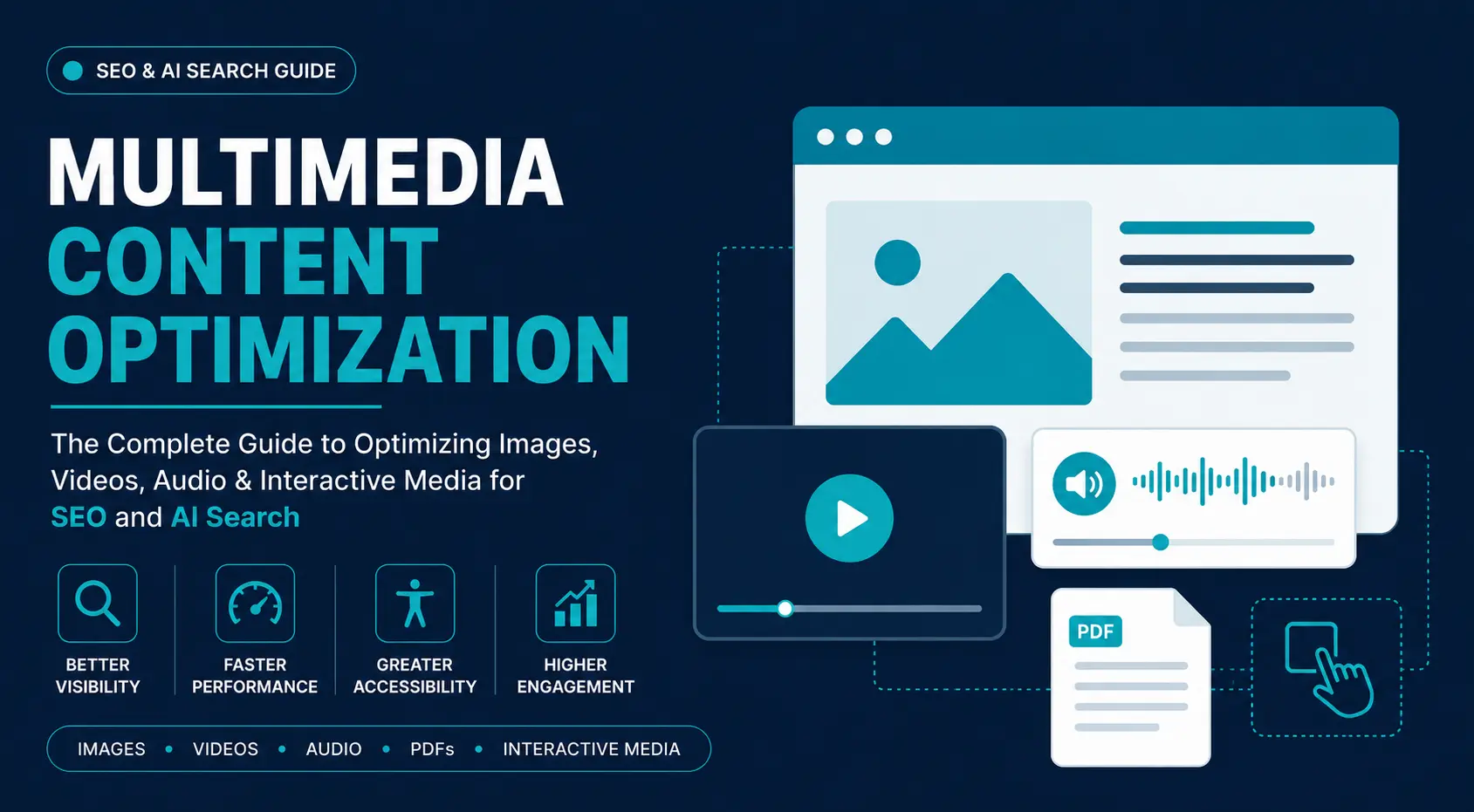
Multimedia is now a ranking signal, not just supporting content. Search engines evaluate images, videos, audio, documents, and interactive media alongside text to understand relevance, quality, and user value. Images appear in visual search, videos surface in AI-generated results, podcasts are indexed through speech recognition, and visuals are analyzed using computer vision.
Multimedia content optimization is the process of making these assets easier for search engines, AI systems, and users to discover, interpret, and access. It involves optimizing file formats, metadata, structured data, accessibility, loading behavior, and semantic context.
Poorly optimized media slows pages, weakens accessibility, reduces search visibility, and limits AI understanding. Optimized multimedia improves page speed, Core Web Vitals, rich search visibility, semantic relevance, engagement, and conversions. As search shifts toward multimodal AI, optimizing every media asset is essential for SEO.
Understanding Multimedia Content Optimization
What Is Multimedia Content?
Multimedia content combines text with visual, audio, document, and interactive assets to communicate information more effectively. Rather than relying solely on written content, modern webpages use multiple media types to improve user experience and help search engines understand topics from different perspectives.
Common multimedia assets include:
- Product photographs
- Videos
- Podcasts
- PDFs
- Charts and infographics
- GIFs and SVG illustrations
- Interactive calculators
- Maps
- 3D viewers
- Embedded tools
A single webpage often combines several media types. For example, a recipe page may include step-by-step images, a tutorial video, a printable PDF, an ingredient calculator, a nutrition infographic, and audio narration. Search engines evaluate both individual assets and how they work together to determine topical relevance.
Multimedia optimization ensures these assets improve search visibility, accessibility, and user experience instead of becoming technical or performance bottlenecks.
Types of Multimedia Assets
| Multimedia Asset | Common Examples | Primary SEO Optimization Focus |
| Images | Product photos, screenshots, diagrams, charts, illustrations | Modern file formats (WebP, AVIF), compression, responsive images, descriptive filenames, alt text, image schema, image sitemaps |
| Videos | Tutorials, product demos, webinars, reviews, interviews | Metadata, VideoObject schema, transcripts, captions, chapters, thumbnails, indexability, playback performance |
| Audio & Podcasts | Podcasts, webinars, interviews, audio articles | Transcripts, episode descriptions, speaker metadata, chapter timestamps, podcast feeds, structured data |
| PDFs | Manuals, white papers, reports, templates, research papers | Search-friendly filenames, document titles, metadata, heading structure, internal links, OCR, file compression |
| Infographics | Data visualizations, process diagrams, statistical graphics | Supporting text, descriptive alt text, captions, image schema, image sitemaps, semantic page context |
| SVGs, GIFs & Lottie | Icons, animations, micro-interactions, loading animations | Appropriate format selection, lightweight files, responsive rendering, accessibility, performance optimization |
| Interactive Media | Calculators, quizzes, configurators, maps, comparison tools | Crawlable HTML, structured data, semantic content, JavaScript rendering, accessibility |
Although each media type has unique optimization requirements, they share the same objectives: improve discoverability, accessibility, page performance, and semantic understanding for both search engines and AI systems.
How Search Engines Understand Multimedia
Search engines combine computer vision, OCR, speech recognition, natural language processing, structured data, and semantic analysis to understand multimedia content. Their goal is not only to identify an asset but also to determine what it represents, how it relates to the page, and whether it satisfies search intent.
Computer Vision & OCR
Computer vision enables search engines to recognize objects, products, logos, landmarks, scenes, colors, faces, and embedded text within images.
OCR (Optical Character Recognition) extracts readable text from screenshots, diagrams, scanned documents, presentations, and infographics, allowing visual content to contribute semantic information. However, poor image quality, decorative fonts, or low contrast can reduce OCR accuracy, making supporting text and alt text essential.
Speech Recognition
Automated speech recognition enables search engines to index videos and podcasts by analyzing spoken dialogue rather than relying only on titles and descriptions.
Search engines identify:
- Topics
- Keywords
- Named entities
- Speaker changes
- Question-answer sections
- Context
Captions and transcripts improve both search visibility and accessibility.
Metadata & Structured Data
Metadata provides explicit context that search engines might otherwise infer.
Important signals include:
- File names
- Titles
- Alt text
- Captions
- Descriptions
- EXIF data
- Video duration
- Upload dates
- Author information
Structured data further identifies media types, creators, publishers, thumbnails, licenses, and other attributes, reducing ambiguity and improving eligibility for rich results.
Vector Embeddings & Multimodal AI
Modern search relies on semantic embeddings rather than exact keyword matching. Text, images, videos, and audio are represented as vectors that capture meaning, allowing search engines to identify conceptually related content.
Multimodal AI extends this capability across media types, enabling a photo, video, transcript, and written explanation to reinforce the same topic or entity even when they use different wording.
Entity Recognition
Search engines recognize entities such as brands, people, products, organizations, locations, technologies, and events across multiple media formats.
When page text, captions, image metadata, transcripts, and schema consistently reference the same entities, search engines gain greater confidence in the page’s topical relevance. This consistency is increasingly important for AI-powered search.
Multimedia’s Role in Modern SEO
Multimedia has become a core component of modern SEO. Search engines evaluate images, videos, audio, documents, and interactive elements alongside text to assess content quality, semantic coverage, accessibility, technical performance, user experience, and trustworthiness.
Pages that combine optimized multimedia with well-structured text provide stronger topical signals, richer user experiences, and greater visibility across traditional search, visual search, video search, and AI-powered search.
Why Multimedia Optimization Matters
Search Visibility & Rich Results
Optimized multimedia creates additional entry points into search. Instead of appearing only as a traditional organic listing, a page can surface across multiple search experiences, including:
- Image Search
- Video Search
- Rich snippets
- Video previews
- Key Moments
- Visual product results
- Google Discover
- AI-generated search experiences
Each appearance expands visibility and creates more opportunities to attract qualified traffic.
AI Search & Multimodal Discovery
AI-powered search no longer relies on text alone. Modern search systems evaluate images, videos, audio, documents, structured data, and webpage content together to understand context and retrieve relevant information.
A product image supported by descriptive alt text, metadata, surrounding content, and entity-rich schema provides far stronger semantic signals than an unlabeled image. Large multimodal models compare information across media types to verify consistency, improve semantic understanding, and generate more accurate responses.
Multimedia optimization therefore supports both traditional search rankings and AI-powered retrieval.
User Experience & Accessibility
Well-optimized multimedia improves comprehension, reduces cognitive load, and makes content accessible to a broader audience. Diagrams simplify complex concepts, videos demonstrate processes, captions support users in sound-off environments, transcripts make audio searchable, and alt text enables screen readers to interpret images.
Accessibility is more than a compliance requirement—it improves usability while providing additional semantic signals that search engines can understand.
Core Web Vitals & Website Performance
Media assets are often the largest contributors to page weight, making them a major factor in website performance. Common issues include:
- Uncompressed hero images
- Autoplay videos
- Oversized GIFs
- Missing responsive images
- Render-blocking media
- Poor lazy-loading implementation
Optimizing media improves Core Web Vitals, including:
- Largest Contentful Paint (LCP)
- Cumulative Layout Shift (CLS)
- Interaction to Next Paint (INP)
Better performance enhances user experience while supporting stronger search visibility.
Engagement, Trust & Conversions
Multimedia helps users evaluate information and make decisions with greater confidence. Product demonstrations, interactive calculators, infographics, customer testimonials, and other visual assets communicate information more effectively than text alone.
Well-optimized multimedia can increase:
- Time on page
- Scroll depth
- Video completion rates
- User interaction
- Lead generation
- Conversion rates
Beyond improving engagement, multimedia reduces friction throughout the user journey, builds trust, and generates stronger behavioral signals that support long-term organic growth.
Core Components of Multimedia Content Optimization
Multimedia optimization combines technical, semantic, and user experience improvements that help search engines, AI systems, and users discover, understand, index, and efficiently deliver media assets.
Effective optimization goes beyond file compression. A compressed image without alt text, or an accessible video without structured data, still misses important SEO opportunities. File formats, metadata, accessibility, structured data, and delivery all work together to maximize multimedia performance.
File Formats & Compression
Choosing the right file format affects page speed, image quality, browser compatibility, and bandwidth usage. Rather than using a single format everywhere, select the format best suited to each type of media.
| Format | Best Used For | Key Advantages | Considerations |
| AVIF | Hero images, photography, high-resolution banners | Superior compression, excellent image quality, HDR support, faster page loads | Older browsers may require fallback formats |
| WebP | Blog images, product photos, featured images, marketing graphics | Excellent balance of quality, compression, transparency, animation support, broad browser compatibility | Preferred default format for most websites |
| JPEG | Editorial photography, news images, general photographs | Universal compatibility and efficient for photographic content | Not suitable for logos, text-heavy graphics, or transparent images; repeated compression reduces quality |
| PNG | Logos, screenshots, UI mockups, transparent graphics | Lossless quality and transparency support | Larger file sizes than WebP or AVIF |
| SVG | Icons, logos, diagrams, charts, interface elements | Vector-based, infinitely scalable, lightweight, searchable XML structure, CSS styling | Best for graphics rather than photographs |
| WebM | Background videos, product demos, motion graphics, short tutorials | High compression with reduced bandwidth usage | Browser support is improving but not universal |
| MP4 | Webinars, educational videos, product walkthroughs, testimonials | Broad browser and device compatibility | Larger files than WebM in many cases |
Compression Best Practices
Compression should minimize file size without noticeably reducing visual quality. Follow these best practices:
- Resize images before uploading.
- Compress media during export rather than after publishing.
- Remove unnecessary metadata.
- Avoid repeatedly editing compressed files.
- Serve responsive media sizes for different devices.
Even simple optimizations can produce significant gains. Reducing a hero image from 4 MB to 300 KB improves loading performance more than many advanced technical SEO optimizations.
Responsive Media Delivery
Users access websites from phones, tablets, laptops, desktops, ultrawide monitors, and high-density displays. Serving the same oversized media to every device wastes bandwidth, slows rendering, and negatively affects Core Web Vitals.
Responsive media delivery ensures browsers deliver the most appropriate version of a media asset based on the user’s device, screen size, resolution, browser capabilities, and network conditions. This reduces unnecessary downloads while improving page speed and user experience.
srcset
The srcset attribute provides multiple versions of the same image (for example, 480px, 768px, 1200px, and 1920px), allowing browsers to automatically select the most appropriate file for the user’s device and screen resolution.
Benefits include:
- Faster mobile loading
- Reduced bandwidth usage
- Improved Largest Contentful Paint (LCP)
- Better image quality across different displays
sizes
The sizes attribute tells browsers how much screen space an image will occupy before it is downloaded. Used alongside srcset, it helps browsers choose the correct image size, reducing unnecessary downloads and improving rendering efficiency.
Benefits include:
- Reduced over-downloading
- Lower mobile data consumption
- Faster rendering
<picture> Element
While srcset selects different image sizes, the <picture> element enables browsers to choose different image formats or crops. It is commonly used to serve AVIF or WebP with JPEG fallbacks and to deliver alternative images for different layouts or screen sizes (art direction).
Responsive Breakpoints
Breakpoints define how layouts and media adapt across different screen widths. Instead of simply shrinking a large image, responsive designs can serve different dimensions or crops for desktop, tablet, and mobile devices, improving both usability and visual quality.
Adaptive Media Delivery
Adaptive delivery extends responsive design by selecting media based on factors such as:
- Screen size
- Device capability
- Browser support
- Connection speed
- Pixel density
For example, a website may serve AVIF to supported browsers, WebP as a fallback, and JPEG for legacy browsers. Modern image CDNs can automate format selection, responsive resizing, compression, and caching to deliver the best-performing asset for every visitor.
Metadata & Semantic Optimization
Metadata and semantic optimization help search engines, AI systems, and assistive technologies understand multimedia content beyond what computer vision or speech recognition can infer. Optimizing filenames, titles, alt text, captions, transcripts, descriptions, and structured data improves indexing, accessibility, discoverability, and eligibility for rich search results.
Semantic File Names
Semantic filenames describe a media asset before it is processed or indexed, providing an early contextual signal to search engines.
Poor examples:
- IMG_9483.jpg
- photo1.png
- image-final-new.webp
Better examples:
- multimedia-content-optimization-workflow.webp
- responsive-image-example.avif
- video-schema-markup-guide.png
Use concise, descriptive filenames that accurately reflect the asset’s content and primary topic.
Titles
Media titles provide a clear, human-readable description of an asset and help search engines, media libraries, and users identify its purpose.
Use descriptive titles that accurately summarize the content while naturally incorporating the primary topic when appropriate. Avoid generic titles such as “Final Version” or “Video 1”.
Alt Text
Alt text improves accessibility and helps search engines understand the content and purpose of an image.
Effective alt text describes an image naturally and concisely while reflecting its role within the page.
Example:
SEO specialist optimizing responsive images using WebP and AVIF formats.
Avoid:
- Keyword stuffing
- Generic phrases such as “Image of…”
- Irrelevant or misleading descriptions
- Empty alt attributes for informative images
Decorative images should generally use an empty alt=”” attribute so screen readers ignore non-essential visuals.
Captions
Captions explain the context of images, charts, diagrams, and videos, helping users interpret visual content more quickly.
Because users often scan visuals before reading body text, captions improve comprehension while providing additional textual context that search engines can use to better understand multimedia assets.
Transcripts
Transcripts convert spoken content into searchable text, making videos and podcasts easier for both users and search engines to understand.
Benefits include:
- Indexable content
- Improved accessibility
- Better keyword and entity coverage
- Easier content repurposing
- Stronger AI understanding
Well-written transcripts can also rank independently for long-tail search queries.
Media Descriptions
Media descriptions provide broader context than filenames or alt text by explaining the purpose, subject, and relevance of an asset.
Depending on the content, descriptions may include:
- Purpose
- Subject
- Creator
- Topic
- Location
- Product details
- Event information
Comprehensive descriptions improve discoverability across search engines, digital asset management systems, enterprise search, and AI-powered retrieval.
Structured Data
Structured data provides machine-readable metadata that explicitly identifies multimedia assets and their attributes. Schema types such as ImageObject, VideoObject, and AudioObject help search engines understand creators, upload dates, durations, thumbnails, licenses, and the relationship between media and page content.
Implementing structured data strengthens semantic understanding, improves indexing, and increases eligibility for rich search results.
Embedded Metadata
Embedded metadata, such as EXIF, IPTC, and XMP, stores information about a media file, including the creator, copyright, creation date, location, and technical details.
Although embedded metadata is not a primary ranking factor, it supports media organization, licensing, attribution, and digital asset management, making it a valuable complement to on-page metadata and structured data.
Structured Data for Multimedia
Structured data provides machine-readable information that helps search engines and AI systems accurately interpret multimedia assets. By explicitly describing images, videos, audio, and their relationships to a webpage, structured data improves indexing, semantic understanding, and eligibility for rich search results.
ImageObject
ImageObject schema identifies key information about an image, helping search engines understand its purpose and relationship to page content.
Common properties include:
- Creator
- Caption
- License
- Thumbnail
- Publication date
- Representative image
Implementing ImageObject can improve image indexing and increase eligibility for enhanced search features.
VideoObject
VideoObject schema provides detailed metadata that enables search engines to index and display video content more effectively.
Common properties include:
- Title
- Description
- Duration
- Upload date
- Thumbnail
- Publisher
- Content URL
- Embed URL
Well-implemented VideoObject markup improves video discoverability and supports rich results such as video previews and Key Moments.
AudioObject
AudioObject schema describes audio-based content that standard webpage markup cannot fully represent.
It is commonly used for:
- Podcasts
- Interviews
- Audiobooks
- Music
- Spoken articles
Key properties include the creator, duration, encoding format, publication date, and content URL, improving indexing and semantic understanding of audio content.
Clip
Clip schema identifies meaningful sections within a video, allowing search engines to surface specific segments instead of only the full recording.
It is particularly useful for:
- Tutorials
- Courses
- Webinars
- Conferences
- Product demonstrations
This helps users reach the most relevant part of a video directly from search results.
SeekToAction
SeekToAction markup enables search engines to generate links to specific timestamps within a video. Instead of starting playback from the beginning, users can jump directly to the section that answers their query.
When combined with VideoObject, Clip, and video chapters, SeekToAction improves navigation, user experience, and visibility in video search results.
Media Indexability
Media indexability ensures that search engines can discover, crawl, and index multimedia assets. Even well-optimized images, videos, and documents cannot generate search visibility if they are inaccessible to crawlers or blocked from indexing.
Image Sitemaps
Image sitemaps help search engines discover images that may not be easily found through standard crawling, especially on large or media-rich websites.
They are particularly valuable for:
- Ecommerce websites
- Image galleries
- Photography portfolios
- News publishers
Image sitemaps can include:
- Image URLs
- Captions
- Titles
- Licensing information (where applicable)
Providing this information improves image discovery and indexing.
Video Sitemaps
Video sitemaps help search engines locate and understand video content, particularly when videos are embedded across multiple pages.
They typically include:
- Video URL or content location
- Thumbnail URL
- Title and description
- Duration
- Publication date
A well-maintained video sitemap improves video discovery and complements VideoObject structured data.
Robots Directives
Robots directives control whether search engines can crawl and index multimedia assets. Misconfigured directives can unintentionally prevent images, videos, or other media from appearing in search results.
Review the following regularly:
- robots.txt
- X-Robots-Tag headers
- Meta robots directives
- CDN or storage access restrictions
Blocking image folders, video directories, or media files can significantly reduce search visibility.
Lazy-Loaded Media
Lazy loading improves page performance by loading media only when it approaches the user’s viewport. While beneficial for Core Web Vitals, incorrect implementation can prevent search engines from discovering media assets.
Follow these best practices:
- Use native lazy loading where appropriate.
- Ensure media URLs remain crawlable.
- Avoid relying solely on JavaScript to render important media.
- Verify indexed images and videos in Google Search Console.
Performance optimization should improve loading speed without compromising crawlability or indexability.
Accessibility Best Practices
Accessibility makes multimedia usable for a wider audience while providing clearer semantic signals for search engines and AI systems. Many accessibility improvements also enhance SEO by making media easier to interpret, navigate, and index.
Follow WCAG Guidelines
The Web Content Accessibility Guidelines (WCAG) define internationally recognized standards for creating accessible digital experiences.
Key recommendations include:
- Sufficient color contrast
- Keyboard navigation
- Clear heading hierarchy
- Readable typography
- Descriptive alternative text
- Captions and transcripts for multimedia
Accessibility should be integrated into the design and development process rather than added after publication.
Use ARIA Carefully
Accessible Rich Internet Applications (ARIA) attributes improve communication between dynamic interfaces and assistive technologies when native HTML alone is insufficient.
ARIA is commonly used for:
- Interactive widgets
- Sliders
- Accordions
- Navigation menus
- Dynamic media components
Because incorrect ARIA implementation can reduce accessibility, native HTML elements should always be preferred whenever possible.
Write Meaningful Alt Text
Alt text should provide an equivalent understanding of an image for users who cannot see it while helping search engines interpret its purpose.
Effective alt text should:
- Describe the essential information.
- Reflect the image’s purpose within the page.
- Remain concise and natural.
- Avoid keyword stuffing and redundant phrases.
Decorative images should generally use an empty alt=”” attribute so they are ignored by screen readers.
Provide Captions & Transcripts
Captions and transcripts improve both accessibility and search visibility by making audio and video content understandable in more situations.
They benefit:
- Users with hearing impairments
- Mobile users viewing without sound
- Non-native speakers
- AI transcription and retrieval systems
- Search engines through indexable text
Transcripts also create searchable versions of spoken content, improving discoverability and enabling content to rank for additional long-tail queries.
Accessibility Checklist
Use the following checklist to ensure multimedia assets remain accessible and search-friendly:
- Add meaningful alt text to informative images.
- Use empty alt=”” for decorative images.
- Provide captions for all videos.
- Publish transcripts for video and audio content.
- Maintain sufficient color contrast.
- Ensure keyboard accessibility for interactive media.
- Use ARIA only when native HTML cannot provide the required accessibility.
Accessibility is not a standalone optimization. Combined with efficient media formats, responsive delivery, descriptive metadata, structured data, and crawlable assets, it creates multimedia experiences that are easier for users, search engines, and AI systems to understand and trust.
Image Optimization
Images often account for the largest share of a webpage’s total size while representing one of the greatest opportunities to improve SEO, page speed, and user experience. Well-optimized images can appear in Google Images, Google Lens, rich results, AI-powered search experiences, and traditional organic search.
Image optimization involves choosing efficient formats, compressing files, delivering responsive images, providing descriptive metadata, and ensuring images remain crawlable and accessible.
Choose the Right Image Format
Selecting the appropriate format improves performance without sacrificing visual quality.
| Format | Best For | Key Advantages |
| AVIF | High-quality photography | Excellent compression, HDR support |
| WebP | Most website images | Strong compression, transparency, broad browser support |
| JPEG | Legacy photographic content | Universal compatibility |
| PNG | Logos, screenshots, transparent graphics | Lossless quality and transparency |
| SVG | Icons, diagrams, illustrations | Infinitely scalable, lightweight |
General recommendations:
- Use AVIF whenever supported.
- Use WebP as the default image format.
- Reserve PNG for transparency or lossless graphics.
- Use SVG for logos, icons, charts, and illustrations.
- Keep JPEG primarily for legacy compatibility.
Choosing the wrong format can increase page weight without improving image quality.
Compress Images Efficiently
Compression reduces file size while preserving acceptable visual quality, improving page speed and Core Web Vitals.
Use lossy compression for photographs, product images, blog graphics, and hero banners where small quality reductions are rarely noticeable. Use lossless compression for screenshots, UI elements, technical diagrams, and brand assets that require pixel-perfect accuracy.
Compression best practices:
- Resize images to their display dimensions before uploading.
- Export at an appropriate quality level.
- Remove unnecessary EXIF metadata.
- Avoid repeatedly compressing the same file.
- Generate multiple responsive image sizes during export.
A 4,000-pixel image displayed inside a 700-pixel container wastes bandwidth and slows rendering without improving visual quality.
Deliver Responsive Images
Responsive images ensure users download only the image size appropriate for their device.
Implement:
- srcset for multiple image widths.
- sizes to define layout width.
- Modern formats such as AVIF and WebP with appropriate fallbacks.
- Responsive breakpoints for different layouts.
Together, these techniques reduce bandwidth consumption while improving Largest Contentful Paint (LCP) and mobile performance.
Optimize Image Metadata
Image metadata provides important semantic signals for search engines and AI systems.
Every important image should include:
- Descriptive filenames
- Meaningful alt text
- Relevant captions where appropriate
- ImageObject structured data
- Inclusion in image sitemaps for large websites
These signals improve discoverability, accessibility, and eligibility for enhanced search results.
Optimize Images by Purpose
Different image types require different optimization strategies.
Decorative Images
Decorative images support visual design without conveying meaningful information.
Best practices:
- Use alt=””.
- Compress aggressively.
- Prefer SVG where appropriate.
- Avoid oversized dimensions.
Product Images
Product images influence both rankings and conversions.
Optimize by using:
- Multiple viewing angles
- High-resolution responsive images
- Descriptive filenames and alt text
- Product and ImageObject schema
- Zoom functionality where appropriate
Contextual product photography often performs better than isolated studio images.
Hero Images
Hero images become the page’s Largest Contentful Paint (LCP) element, making them critical for performance.
Optimize hero images by:
- Compressing before upload
- Using AVIF or WebP whenever possible
- Serving responsive image sizes
- Avoiding important text embedded inside the image
- Preloading only when necessary
- Reserving layout space to prevent CLS
A visually impressive hero image should improve the user experience—not become the primary cause of slow page loads.
Video Optimization
Video is one of the most effective multimedia formats for increasing engagement, explaining complex topics, and improving search visibility. Well-optimized videos can appear in standard search results, Google Discover, video search, AI-generated answers, and rich video results.
Video optimization combines technical delivery, semantic metadata, accessibility, and indexability to help search engines understand, crawl, and surface video content.
Video SEO Fundamentals
Publishing a video alone rarely generates search visibility. Search engines rely on surrounding content and metadata to understand a video’s topic, purpose, and relevance.
A well-optimized video page should include:
- A descriptive title
- A detailed summary
- Relevant headings
- Supporting text
- VideoObject structured data
- Captions and transcripts
- An optimized thumbnail
- Internal links
Supporting content provides semantic context that video content alone cannot communicate.
VideoObject Schema & Video Indexing
VideoObject schema provides machine-readable metadata that helps search engines accurately interpret video content.
Common properties include:
- Name
- Description
- Upload date
- Duration
- Thumbnail URL
- Content URL
- Embed URL
- Publisher
Combined with video sitemaps, VideoObject improves indexing and increases eligibility for rich video results, video previews, Key Moments, and AI-powered search experiences.
Improve Video Indexability
Search engines can only rank videos they can discover and access.
Follow these best practices:
- Use crawlable video URLs.
- Avoid blocking videos with robots directives.
- Use accessible, search-friendly video players.
- Implement structured data.
- Include videos in XML video sitemaps.
- Embed videos within relevant page content.
Dedicated video landing pages generally perform better than videos embedded on unrelated pages.
Key Moments & Video Chapters
Long-form videos often answer multiple user questions. Dividing videos into chapters helps both users and search engines identify specific sections.
Key Moments are especially valuable for:
- Tutorials
- Product demonstrations
- Webinars
- Courses
- Installation guides
Benefits include:
- Better navigation
- Higher engagement
- Improved discoverability
- Greater visibility in video search results
Users can jump directly to the most relevant section instead of watching an entire video.
Choose the Right Video Hosting Strategy
The hosting method affects discoverability, performance, analytics, branding, and infrastructure requirements.
| Self-Hosting | Video Platforms |
| Greater branding control | Larger built-in audiences |
| Full analytics ownership | Automatic encoding and streaming |
| Customizable player | Global CDN delivery |
| Greater infrastructure and maintenance requirements | Less branding control and platform distractions |
Self-hosting is ideal for organizations that require complete control over the user experience. Platforms such as YouTube offer greater discoverability because they function as search engines themselves.
Many businesses achieve the best results by publishing videos on YouTube while embedding the same content within optimized landing pages.
Optimize Video Delivery
Video files are significantly larger than images, making efficient delivery essential for performance.
Optimize video delivery by:
- Using modern codecs
- Reducing unnecessary bitrates
- Encoding multiple resolutions
- Removing unnecessary metadata
- Implementing adaptive streaming
Adaptive streaming automatically adjusts playback quality based on the user’s connection speed, providing smoother playback while reducing buffering and bandwidth consumption.
Optimize Thumbnails
A thumbnail is often the first element users see in search results, making it a major factor in click-through rate.
Effective thumbnails should:
- Accurately represent the video
- Remain clear at small sizes
- Use strong visual contrast
- Minimize on-image text
- Reflect the video’s actual subject
Misleading thumbnails may increase clicks temporarily but often reduce watch time and user satisfaction.
Add Captions & Transcripts
Captions and transcripts improve accessibility while providing valuable textual signals for search engines and AI systems.
Their benefits include:
- Better accessibility
- Searchable spoken content
- Stronger keyword and entity coverage
- Easier content repurposing
- Improved AI understanding
Automatically generated captions should always be reviewed for accuracy, particularly for technical terminology, product names, and industry-specific language.
Video optimization is most effective when technical performance, structured data, accessibility, responsive delivery, and semantic context work together. Fast-loading, crawlable videos supported by accurate metadata, chapters, thumbnails, and transcripts are significantly more likely to earn visibility across traditional search, video search, and AI-powered search experiences.
Optimizing Other Multimedia Assets
Images and videos are the most common multimedia assets, but PDFs, podcasts, infographics, animations, and interactive experiences also contribute to search visibility, user engagement, and AI understanding. Treat these assets as searchable content—not simply downloadable files or visual enhancements.
Audio & Podcast SEO
Search engines use automatic speech recognition to analyze spoken content, making podcasts and audio files searchable beyond their titles and descriptions.
Optimize Episode Metadata
Every podcast episode should include:
- A descriptive title
- A unique episode summary
- Speaker or guest information
- Relevant categories
- Publication date
- Cover artwork
- Episode number (where applicable)
Use descriptive titles that communicate the episode’s topic instead of generic names such as “Episode 12.”
Publish Full Transcripts
Transcripts convert spoken audio into crawlable text, improving both accessibility and search visibility.
Benefits include:
- Better keyword and entity coverage
- Improved accessibility
- Long-tail search visibility
- Easier content repurposing
- Stronger semantic context
For long episodes, include timestamps and speaker labels to improve usability.
Implement Podcast Schema
Use structured data to identify:
- Podcast
- Episode
- Creator
- Publisher
- Duration
- Audio file
- Publication date
Schema helps search engines interpret audio content more accurately and strengthens semantic understanding.
Create Dedicated Episode Pages
Instead of embedding only an audio player, create dedicated landing pages that include:
- Episode summary
- Full transcript
- Key takeaways
- Related resources
- Internal links
- Download options
PDF Optimization
Search engines can index PDFs when they contain machine-readable text, making them valuable assets for guides, reports, manuals, and white papers.
Optimize File Names & Metadata
Use descriptive filenames and complete document metadata, including:
- Title
- Subject
- Author
- Language
- Keywords (when appropriate)
Avoid generic filenames such as guide-v8-final-final.pdf.
Structure PDFs for Search
Well-structured PDFs are easier for both users and search engines to understand.
Include:
- Heading hierarchy
- Clickable table of contents
- Internal navigation
- Hyperlinks
- Searchable text
Avoid publishing scanned PDFs without OCR, as search engines cannot reliably interpret image-only documents.
Compress PDF Files
Reduce file size by optimizing:
- Embedded images
- Fonts
- Metadata
- Unused objects
Infographic Optimization
Infographics simplify complex information, but search engines still rely on textual context to understand their content.
Add Supporting Content
Publish every infographic alongside:
- A detailed explanation
- Key findings
- Supporting statistics
- Contextual analysis
This improves both user understanding and search visibility.
Optimize Metadata & Schema
Support infographics with:
- Descriptive filenames
- Meaningful alt text
- Relevant captions
- ImageObject schema
- Appropriate page schema (such as Article)
These signals help search engines interpret the infographic and its relationship to the page.
Encourage Sharing
Original infographics often attract backlinks and social shares.
Increase shareability by providing:
- Embed code
- Attribution guidance
- Download options
SVG, GIF & Lottie Optimization
Different animation formats serve different purposes and should be selected based on quality, performance, and user experience.
SVG
SVG is ideal for:
- Icons
- Logos
- Charts
- Technical illustrations
Optimize SVGs by removing unnecessary markup, simplifying paths, avoiding embedded fonts, and minifying the code.
GIF
GIFs are easy to share but highly inefficient for animation.
Whenever possible:
- Replace GIFs with MP4
- Use WebM for short animations
- Consider Lottie for interface animations
These formats typically provide much smaller file sizes and smoother playback.
Lottie Animations
Lottie animations use lightweight JSON files instead of traditional video formats.
They are well suited for:
- Micro-interactions
- Loading animations
- Onboarding experiences
- Interface feedback
Although lightweight, animations should enhance usability rather than distract users.
Interactive Media Optimization
Interactive content increases engagement by encouraging users to actively participate rather than passively consume information. Common examples include calculators, quizzes, configurators, assessments, and interactive maps.
Make Interactive Content Crawlable
Interactive experiences should always be supported with crawlable HTML content, such as:
- Introductory text
- Explanations
- FAQs
- Static summaries
- Results pages
Important information should never exist only inside JavaScript.
Prioritize Accessibility
Interactive components should support:
- Keyboard navigation
- Screen readers
- Visible focus indicators
- Accessible form labels
- ARIA attributes where appropriate
Accessible interfaces improve usability while strengthening semantic clarity.
Optimize Performance
Interactive widgets often introduce unnecessary JavaScript and third-party dependencies.
Improve performance by:
- Splitting code
- Loading components on demand
- Removing unused libraries
- Optimizing API requests
Interactive tools should remain fast and responsive without requiring users to download excessive JavaScript.
Technical Optimization for Multimedia
Technical optimization ensures multimedia loads quickly, remains crawlable, and delivers a consistent user experience across devices.
CDN & Edge Delivery
Content Delivery Networks (CDNs) serve media from geographically distributed edge servers, reducing latency and improving performance for users worldwide.
Key benefits include:
- Lower latency
- Faster media delivery
- Reduced server load
- Better scalability
- Improved global performance
Many modern CDNs also automate:
- Image compression
- Format conversion (AVIF, WebP)
- Responsive image resizing
- Browser-specific optimization
- Edge caching
These capabilities improve performance while reducing manual optimization.
Lazy Loading & Fetch Priority
Loading media strategically improves page speed without sacrificing discoverability.
Lazy Loading
Lazy loading delays off-screen images and videos until they approach the viewport, reducing initial page weight and improving rendering performance.
It works well for:
- Image galleries
- Embedded videos
- Long-form articles
- Product listings
Benefits include:
- Faster initial rendering
- Lower bandwidth usage
- Fewer server requests
Use native lazy loading where appropriate and ensure important media remains crawlable by search engines.
Fetch Priority
The fetchpriority attribute tells browsers which media assets should load first.
High priority is typically appropriate for:
- Hero images
- Above-the-fold visuals
- Primary product images
Reserve high priority for truly critical assets, as overusing it reduces its effectiveness.
Caching Strategies
Caching prevents browsers from repeatedly downloading unchanged media, improving both performance and server efficiency.
Best practices include:
- Long cache lifetimes for static assets
- Versioned filenames for updated files
- Browser caching
- CDN edge caching
- Proper Cache-Control headers
Well-configured caching significantly improves repeat visits and reduces bandwidth consumption.
Optimize the Critical Rendering Path
The Critical Rendering Path determines how quickly users see meaningful page content. Large media assets and render-blocking resources can delay visual rendering and negatively affect Core Web Vitals.
Improve rendering performance by:
- Compressing above-the-fold images
- Deferring non-critical JavaScript
- Loading videos after primary content
- Minimizing render-blocking resources
- Using responsive media
Prioritize visible content first and defer non-essential assets until after the initial page render.
Prevent Layout Shifts (CLS)
Unexpected layout shifts create a poor user experience and negatively impact Cumulative Layout Shift (CLS).
Common causes include:
- Images without defined dimensions
- Embedded videos without reserved space
- Late-loading advertisements
- Dynamically inserted content
Prevent layout shifts by:
- Setting explicit width and height attributes
- Reserving aspect ratios
- Defining container dimensions
- Avoiding unexpected content injection
Stable layouts improve usability and Core Web Vitals.
Mobile Media Optimization
Because most web traffic comes from mobile devices, multimedia should be optimized for smaller screens, limited bandwidth, and touch-based interactions.
Reduce Download Size
Deliver mobile-friendly media by using:
- Responsive images
- Compressed videos
- Optimized thumbnails
- Lightweight animations
Avoid serving desktop-sized assets to mobile users.
Design for Touch
Interactive media should support:
- Adequate touch targets
- Readable typography
- Gesture-friendly controls
- Responsive layouts
Touch-friendly interfaces improve usability and reduce interaction friction.
Adapt to Network Conditions
Optimize media delivery for users with varying connection speeds by:
- Using adaptive video streaming
- Serving modern image formats
- Prioritizing above-the-fold content
- Deferring non-critical media
- Minimizing unnecessary requests
Pages optimized for slower mobile networks typically deliver a better experience across all devices.
Multimedia Optimization for AI Search
Modern AI search evaluates text, images, videos, audio, documents, and structured data together. Optimize every media asset using consistent semantic signals to improve AI search visibility.
Optimize for AI Overviews
- Keep every media asset relevant to the page topic.
- Use descriptive headings, captions, and surrounding text.
- Implement appropriate structured data.
- Publish original visuals instead of stock images.
- Pair videos and podcasts with transcripts.
- Explain charts, diagrams, and infographics in nearby content.
Optimize for Google Lens & Visual Search
- Use high-resolution images.
- Write descriptive alt text.
- Use semantic filenames.
- Implement ImageObject schema.
- Add product metadata where relevant.
- Publish multiple product angles for ecommerce pages.
Optimize for Large Multimodal Models (LMMs)
- Use consistent terminology across all media.
- Reference the same entities throughout the page.
- Support visuals with explanatory text.
- Caption meaningful images.
- Publish transcripts for spoken content.
- Connect related media with structured data.
Strengthen Entity Relationships
- Link related concepts naturally.
- Use consistent entity names.
- Explain technical concepts clearly.
- Connect multimedia with relevant page content.
- Avoid keyword stuffing.
Create Information Gain
- Publish original diagrams and charts.
- Use authentic product photography.
- Create before-and-after comparisons.
- Build interactive tools and calculators.
- Share proprietary research and visualizations.
- Produce original demonstration videos.
Measuring Multimedia Performance
Measuring multimedia performance helps determine whether optimization improves search visibility, user experience, accessibility, and conversions. Evaluate multimedia using SEO, performance, engagement, accessibility, and analytics metrics rather than relying on a single KPI.
Key Multimedia Performance Metrics
| Category | Metrics to Track | Why It Matters |
| SEO Visibility | Image impressions, image clicks, video impressions, video indexing, rich results, organic traffic, rankings, crawl frequency | Measures search visibility and indexability. |
| Core Web Vitals | Largest Contentful Paint (LCP), Cumulative Layout Shift (CLS), Interaction to Next Paint (INP) | Evaluates loading speed, layout stability, and responsiveness. |
| User Engagement | Engagement time, scroll depth, video completion rate, audio listening duration, gallery interactions, return visits | Indicates how users interact with multimedia assets. |
| Accessibility | Missing alt text, caption coverage, transcript availability, keyboard navigation, screen reader compatibility, color contrast | Ensures multimedia remains accessible while supporting SEO. |
| Analytics & Conversions | Video plays, image zooms, PDF downloads, audio playback, interactive tool usage, form submissions | Measures how multimedia contributes to user actions and business goals. |
Monitor Core Web Vitals
| Metric | Measures | Common Multimedia Issues | Optimization Tips |
| Largest Contentful Paint (LCP) | Loading speed of the largest visible element | Oversized hero images, large videos | Compress media, use AVIF/WebP, responsive images, preload critical assets, CDN delivery |
| Cumulative Layout Shift (CLS) | Visual stability during loading | Images without dimensions, embedded videos, late-loading content | Define width and height, reserve aspect ratios, avoid unexpected content insertion |
| Interaction to Next Paint (INP) | Responsiveness after user interaction | Heavy galleries, sliders, maps, configurators | Reduce JavaScript, optimize event handling, defer non-critical scripts |
Best Practices for Performance Measurement
- Compare optimized pages against historical performance instead of isolated snapshots.
- Monitor trends over several weeks rather than reacting to daily fluctuations.
- Evaluate engagement alongside user intent.
- Audit accessibility regularly as new multimedia assets are published.
- Track custom events to identify which media assets contribute to conversions and user engagement.
Common Multimedia Optimization Mistakes
Even high-quality content can lose visibility when multimedia is poorly implemented. Most issues result from technical, semantic, or usability oversights that reduce discoverability, performance, accessibility, and user experience.
| Mistake Category | Common Issues | Best Practice |
| SEO | Generic filenames, missing alt text, duplicate image metadata, missing structured data, thin captions, missing transcripts, weak internal linking, overuse of stock imagery | Use descriptive metadata, implement schema, publish original media, add transcripts, and connect multimedia with relevant page content. |
| Technical Performance | Oversized images, large GIFs, autoplay videos with sound, render-blocking JavaScript, uncompressed media, missing browser caching, excessive third-party embeds | Compress assets, use modern formats, implement lazy loading and caching, optimize JavaScript, and deliver responsive media. |
| Accessibility | Missing captions, poor keyboard navigation, low color contrast, incorrect heading hierarchy, empty form labels, unnecessary alt text for decorative images | Follow WCAG guidelines, provide captions and transcripts, write meaningful alt text, and ensure multimedia is fully accessible. |
| AI Search Readiness | Weak entity coverage, inconsistent terminology, missing structured data, generic stock images, missing transcripts, poor semantic relationships | Use consistent entity names, implement structured data, create original multimedia, and reinforce concepts across all media types. |
| User Experience | Intrusive autoplay, slow-loading galleries, difficult mobile controls, excessive animations, aggressive pop-ups, confusing navigation | Keep multimedia fast, mobile-friendly, accessible, and focused on helping users complete their tasks efficiently. |
Quick Self-Assessment
Before publishing any multimedia asset, ask:
- Does it improve understanding or solve a user problem?
- Is it optimized for speed and responsive delivery?
- Can search engines crawl and interpret it?
- Is it accessible to all users?
- Does it reinforce the page’s topic and entities?
- Does it contribute original value instead of decorative content?
If the answer to any of these questions is no, the asset likely needs further optimization before publication.
Multimedia Optimization Workflow
A structured workflow ensures multimedia remains optimized, consistent, and scalable across your website. Rather than fixing issues individually, follow a repeatable process that covers auditing, prioritization, implementation, and ongoing maintenance.
Step 1: Audit Existing Media Assets
Begin by creating a complete inventory of your multimedia assets, including images, videos, PDFs, audio files, animations, interactive tools, and downloadable resources.
During the audit, identify issues such as:
- Oversized files
- Missing or incomplete metadata
- Broken media links
- Duplicate assets
- Accessibility issues
- Missing structured data
- Slow-loading media
- Crawlability and indexing problems
A thorough audit establishes a baseline for measuring future improvements.
Step 2: Prioritize Optimization Opportunities
Not every multimedia asset has the same impact on SEO or user experience. Prioritize assets that provide the greatest return based on:
- Organic traffic
- Revenue or conversion impact
- Search visibility
- Core Web Vitals
- User engagement
- Content freshness
For example, optimizing a homepage hero image or a high-traffic product video typically delivers greater value than updating archived assets with little or no traffic.
Step 3: Optimize & Publish
Implement improvements using a consistent optimization process before publishing or updating multimedia assets.
Typical optimization tasks include:
- Compress media files.
- Select the appropriate file format.
- Implement responsive delivery.
- Optimize filenames, alt text, and captions.
- Publish transcripts for audio and video.
- Add relevant structured data.
- Validate accessibility.
- Test rendering across devices, browsers, and screen sizes.
Complete both automated and manual quality assurance checks before publishing.
Step 4: Monitor & Maintain
Multimedia optimization is an ongoing process rather than a one-time task. Continuously monitor performance and update assets as content evolves.
Regularly review:
- Organic traffic
- Image and video search performance
- Rich results
- Core Web Vitals
- Broken or outdated media
- Accessibility compliance
- AI search visibility
- User engagement metrics
Replace outdated visuals, refresh statistics, improve diagrams, and update videos whenever products, technologies, or user expectations change.
A repeatable workflow keeps multimedia assets fast, accessible, discoverable, and aligned with both traditional search engines and AI-powered search experiences over the long term.
Multimedia Optimization Tools
The right tools simplify multimedia optimization by automating repetitive tasks, identifying technical issues, and improving search visibility, accessibility, and performance. Most organizations use a combination of specialized tools rather than relying on a single platform.
| Category | Popular Tools | Primary Use |
| Image Optimization | Squoosh, ImageOptim, TinyPNG/TinyJPG, ShortPixel, Cloudinary | Compress images, convert formats, generate responsive images, and optimize media delivery. |
| Video Optimization | HandBrake, FFmpeg, Adobe Media Encoder, Vimeo, YouTube Studio | Compress, encode, host, stream, caption, and analyze video content. |
| Accessibility Testing | WAVE, axe DevTools, Lighthouse, NVDA, VoiceOver | Evaluate accessibility, identify WCAG issues, and test assistive technology compatibility. |
| Performance & Technical SEO | Google PageSpeed Insights, Lighthouse, Chrome DevTools, GTmetrix, WebPageTest, Screaming Frog SEO Spider | Analyze Core Web Vitals, media loading, rendering, crawlability, and technical SEO issues. |
| Analytics & Monitoring | Google Analytics 4, Google Search Console, Microsoft Clarity, Looker Studio, Hotjar | Measure search visibility, user engagement, multimedia interactions, and conversion performance. |
What to Look for in Multimedia Optimization Tools
When evaluating multimedia optimization tools, prioritize features such as:
Image Optimization
- AVIF and WebP conversion
- Batch image compression
- Responsive image generation
- Metadata management
- Automated optimization workflows
Video Optimization
- Adaptive streaming
- Automatic caption generation
- Thumbnail customization
- Video analytics
- Video sitemap support
- Flexible embedding options
Performance & Analytics
- Core Web Vitals monitoring
- Image and video performance reporting
- Accessibility auditing
- Event tracking
- Search visibility monitoring
- Conversion analytics
No single platform covers every aspect of multimedia optimization. Combining image optimization, video management, accessibility testing, technical SEO, and analytics tools provides the most complete workflow for maintaining fast, accessible, and search-friendly multimedia content.
Future of Multimedia Optimization
Multimedia optimization is evolving alongside AI-powered search, computer vision, and multimodal retrieval. Future search will increasingly combine text, voice, images, video, and conversational prompts into a single multimodal experience, making original, semantically connected, accessible, and technically efficient media even more important.
AI-Generated Media
Generative AI has made it possible to create images, videos, voiceovers, and animations at scale. As AI-generated content becomes more common, originality, accuracy, and authenticity will become increasingly important ranking signals.
Best practices include:
- Create original visuals whenever possible.
- Verify factual accuracy through human review.
- Maintain consistent branding across media.
- Use AI as an enhancement rather than a replacement for quality.
- Disclose AI-generated content when appropriate.
Publishing large volumes of generic AI-generated media is unlikely to provide a sustainable competitive advantage.
Multimodal Search
Future search will increasingly combine text, voice, images, video, and conversational prompts into a single multimodal experience.
Users may:
- Upload an image.
- Ask a spoken question.
- Continue with follow-up prompts.
- Compare products visually.
- Receive AI-generated summaries with multimedia references.
Optimizing content for multiple input methods, not just typed keywords will become important.
Visual Commerce
Visual search is transforming how users discover and evaluate products online.
To improve visibility, businesses should optimize:
- High-quality product photography
- Multiple product angles
- Product schema
- Merchant feeds
- Image metadata
- Product variant images
As visual search adoption grows, product imagery will become as important as written product descriptions.
Interactive & Immersive Experiences
Interactive experiences continue to replace static content across many industries.
Examples include:
- Augmented reality (AR) product previews
- Virtual showrooms
- 3D product models
- Interactive demonstrations
- Personalized calculators
- Virtual tours
These experiences can improve engagement and conversions but must remain fast, accessible, and mobile-friendly to support both users and search engines.
Multimedia Optimization Checklist
Use this checklist to ensure every multimedia asset is optimized before and after publication.
Before Publishing
Technical
- Choose the appropriate file format.
- Compress images and videos.
- Generate responsive image sizes.
- Test rendering across devices.
- Reserve image dimensions to prevent CLS.
SEO
- Use descriptive filenames.
- Write meaningful alt text.
- Add captions where appropriate.
- Publish transcripts for audio and video.
- Implement structured data.
- Update image and video sitemaps when needed.
Accessibility
- Verify keyboard accessibility.
- Check color contrast.
- Test screen reader compatibility.
- Review captions and transcripts.
After Publishing
- Validate structured data.
- Confirm media indexing.
- Test page speed and Core Web Vitals.
- Verify responsive image delivery.
- Check mobile usability.
- Test video playback.
- Confirm CDN delivery.
- Monitor crawl and indexing status.
Publishing is the beginning of optimization—not the end.
Ongoing Maintenance
Review multimedia assets regularly to maintain performance, accuracy, and search visibility.
Schedule recurring reviews to:
- Replace outdated visuals.
- Improve image quality.
- Refresh screenshots.
- Update captions and transcripts.
- Remove broken media.
- Monitor Core Web Vitals.
- Review accessibility compliance.
- Update structured data when necessary.
Regular maintenance keeps multimedia assets relevant, accessible, and optimized for both traditional search engines and AI-powered search experiences.
Conclusion
Multimedia optimization is no longer optional. Optimizing images, videos, audio, PDFs, and interactive media improves search visibility, page performance, accessibility, and AI search readiness. By combining technical best practices with semantic optimization, every media asset can strengthen user experience, topical authority, and long-term organic growth.
Frequently Asked Questions
What is multimedia content optimization?
Multimedia content optimization is the process of improving images, videos, audio, PDFs, animations, and interactive media to enhance search visibility, website performance, accessibility, and AI search understanding.
Why is multimedia optimization important for SEO?
It improves page speed, user experience, accessibility, rich result eligibility, and the semantic signals search engines use to understand and rank content.
How do search engines understand multimedia?
Search engines use computer vision, OCR, speech recognition, metadata, structured data, natural language processing (NLP), and entity recognition to interpret multimedia assets.
Which image format is best for SEO?
It depends on the use case. AVIF offers the best compression, WebP provides the best balance of quality and compatibility, SVG is ideal for vector graphics, PNG works well for transparency, and JPEG remains suitable for legacy support and photographs.
How do videos improve SEO?
Videos increase engagement, improve content comprehension, create opportunities for video search visibility, and become more discoverable through captions, transcripts, and structured data.
What is multimedia schema markup?
Multimedia schema markup is structured data that describes images, videos, podcasts, and other media, helping search engines understand content and qualify it for rich search features.
Does multimedia affect Core Web Vitals?
Yes. Images, videos, and interactive media significantly influence LCP, CLS, and INP. Proper optimization improves loading speed, layout stability, and responsiveness.
How do captions and transcripts help SEO?
Captions improve accessibility, while transcripts convert spoken content into searchable text, strengthening keyword coverage, semantic context, and AI search visibility.
What are the best multimedia optimization tools?
Popular tools include Squoosh, ShortPixel, Cloudinary, HandBrake, FFmpeg, Lighthouse, Screaming Frog SEO Spider, Google Search Console, Google Analytics 4, and Microsoft Clarity.
How does multimedia optimization improve AI search?
Optimized multimedia provides AI systems with richer semantic signals through high-quality media, structured data, transcripts, and consistent entity relationships, improving content interpretation and retrieval.