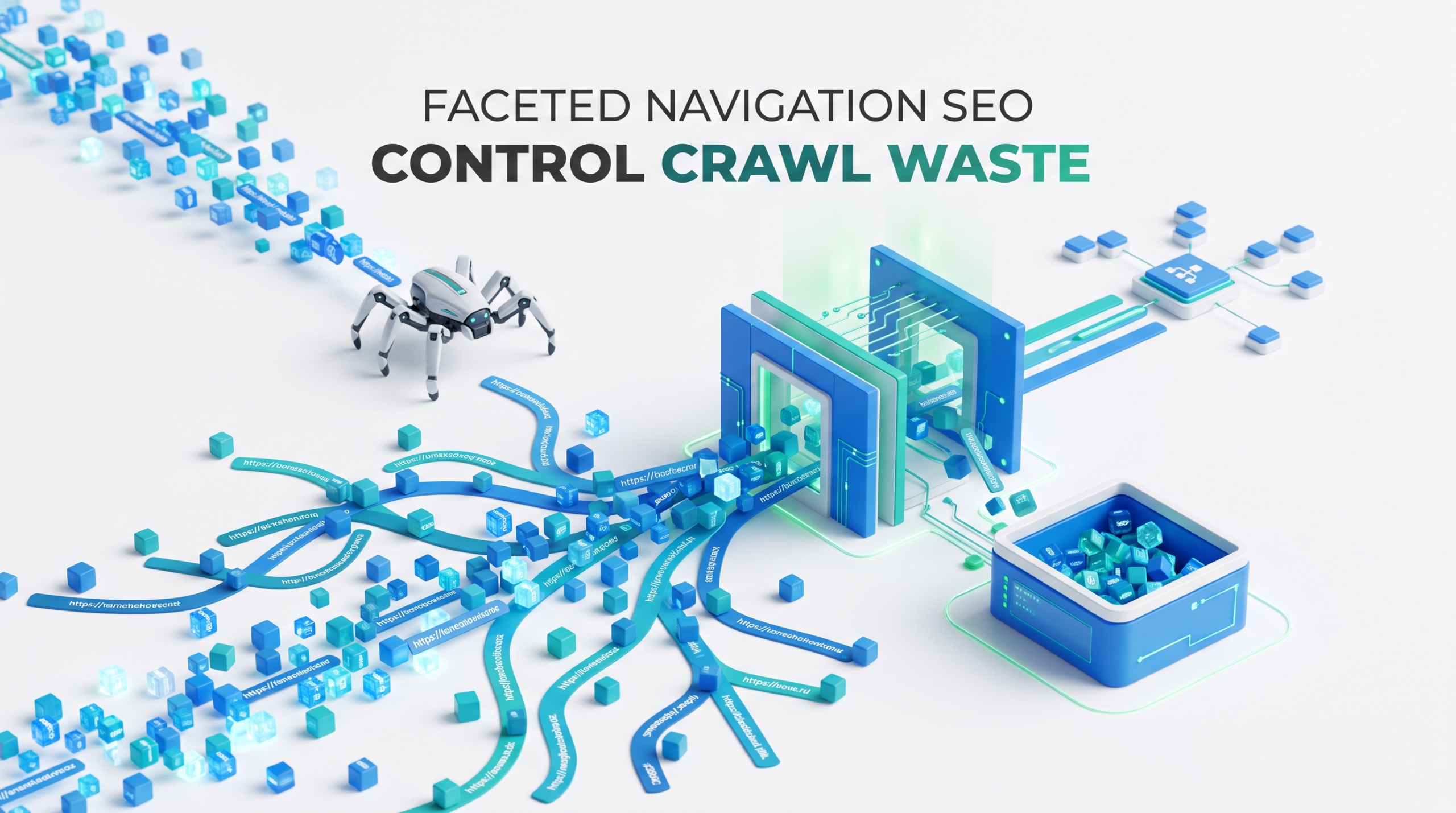
A faceted navigation problem doesn’t start with a catastrophic technical error. It begins with a filter system that works well for shoppers, and quietly generates hundreds of thousands or millions of URLs that search engines have little reason to crawl or index.
A product category with filters for brand, size, color, price, material, availability, and sort order can create an enormous URL space from a relatively small catalog. The solution isn’t to block everything or canonicalize every filtered URL back to the parent category.
Faceted navigation SEO works best when each URL is judged by one question: does this page create unique search value, or is it just another machine-generated path through the same inventory?
Why Faceted Navigation Becomes an SEO Problem at Scale
Faceted navigation is useful because shoppers don’t think in neat category trees. Someone looking for running shoes may want to combine brand + gender + size + color + price + availability in seconds. Search engines, however, see the URLs created by those combinations.
Imagine a category with:
- 20 brands
- 10 sizes
- 12 colors
- 8 price ranges
- 5 materials
- 4 availability states
Even before sorting, pagination, multi-select filters, or parameter order enter the picture, the number of possible combinations becomes enormous.
A URL such as:
/shoes?brand=nike&color=black&size=10
can generate variants such as:
- /shoes?color=black&brand=nike&size=10
- /shoes?size=10&brand=nike&color=black
- /shoes?brand=nike&color=black&size=10&sort=price
To a shopper, these may represent the identical product set. To a crawler, they are separate URLs until the site provides clearer signals.
Google’s faceted-navigation guidance warns that changing parameters can create a virtually infinite URL space. Its recommendations broadly come down to two approaches: prevent unnecessary facet URLs from being crawled or deliberately optimize the URLs that should remain crawlable.
The distinction matters: faceted navigation isn’t inherently bad for SEO. Uncontrolled URL generation is.
What Is Faceted Navigation SEO?
Faceted navigation SEO is the process of controlling how search engines discover, crawl, canonicalize, and index pages generated through filters.
Common facets include:
- Brand
- Color
- Size
- Price
- Material
- Product type
- Availability
- Rating
The problem appears when the site’s architecture treats every possible combination as a meaningful search page. Consider an online furniture store:
/sofas?color=grey
That may be useful because people genuinely search for grey sofas.
/sofas?color=grey&material=velvet
That combination may also represent useful search intent.
But a URL such as:
/sofas?color=grey&material=velvet&price=1000-1050&sort=price_desc&page=7
probably has little independent search value. Yet it may still be discoverable and crawlable if the architecture allows it.
That’s why faceted search SEO becomes an architecture and crawl-management problem rather than simply a metadata problem.
How Faceted URLs Create Crawl Waste and Index Bloat
Faceted navigation creates SEO problems when filter systems generate more crawlable URLs than the site can meaningfully support. The biggest issues come from parameter combinations, low-value filtered pages, and search or zero-result URLs.
Infinite Parameter Combinations
The most obvious problem is combinatorial growth. If filters can be selected in different orders, the same product set may generate:
?brand=nike&color=black
?color=black&brand=nike
Multi-select filters create further variations:
?brand=nike&brand=adidas
?brand=adidas&brand=nike
Then sorting, pagination, tracking parameters, and additional facets multiply the URL space again.
The URL inventory can expand far faster than the product inventory.
Google’s e-commerce URL guidance recommends clear ?key=value parameters, avoiding repeated parameters where possible, and keeping temporary values such as session IDs, tracking codes, user-relative settings, and time-sensitive parameters out of persistent internal links.
Low-Value Filter Pages
Not every filtered page is duplicate content in the strict sense.
For example:
/mens-shoes?brand=nike
may contain a different product selection from the main men’s shoes category.
But different doesn’t mean valuable enough to index.
A filtered page may be unique while offering:
- little or no search demand
- nearly identical templates
- thin product selections
- unstable inventory
- no meaningful unique content
- little internal or external SEO value
Indexing every combination because “more pages means more opportunities to rank” can turn into an indexing problem at scale.
The goal isn’t maximum URL coverage. It’s selective search visibility.
Search and Zero-Result URLs
Internal search creates another uncontrolled URL system.
For example:
/search?q=blue+nike+shoes
may generate:
/search?q=blue+nike+shoes&size=10&sort=popular
If those pages are crawlable and internally linked, search URLs multiply alongside category facets.
Zero-result combinations create a different problem. Google’s faceted-navigation guidance recommends returning an appropriate 404 response when a filter combination produces no results rather than maintaining an empty crawlable page.
A page with no products isn’t a valuable category. Don’t dress it up as one.
How to Improve Faceted Navigation SEO Without Hurting UX
Users should still be able to filter products freely. Search engines don’t need unrestricted access to every resulting URL.
A practical approach is to divide facet states into three groups:
- SEO landing facets: valuable combinations that deserve crawling and indexing.
- UX-only facets: useful to shoppers but not intended to become search landing pages.
- Unnecessary crawl paths: states that should not routinely generate discoverable URLs.
The technical treatment should follow the purpose of the URL.
| Facet Type | Example | Crawl? | Index? | Primary Treatment |
| SEO landing facet | Black running shoes | Yes | Yes | Stable URL + self-canonical |
| Useful UX facet | Size 10 | Controlled | Usually no | Limit discovery/noindex where appropriate |
| Sort state | ?sort=price | Minimize | No | Canonicalize when genuinely duplicate |
| Tracking/session parameter | ?utm_source= | Avoid | No | Normalize and remove from persistent internal links |
| Duplicate parameter order | ?color=black&brand=nike | Minimize | No separate version | Normalize to one URL |
| Empty filter combination | No products | No ongoing value | No | Return 404 |
This distinction prevents a common technical SEO mistake: applying the same directive to every filtered URL regardless of what the URL actually represents.
Crawling Efficiency: Choose the Right Control for the Right Problem
robots.txt, canonical tags, noindex, and HTTP status codes solve different problems. They aren’t interchangeable.
| Goal | Primary Approach |
| Consolidate duplicate or highly similar URLs | Canonical |
| Keep a crawlable page out of the index | noindex |
| Prevent unnecessary crawling at scale | robots.txt or non-crawlable architecture |
| Remove empty filter combinations | 404 |
| Create a permanent SEO landing page | Indexable, self-canonical URL |
When robots.txt Helps
robots.txt can prevent crawling of large URL groups that provide no search value.
For example:
Disallow: /*?sort=
or:
Disallow: /search?
depending on the site’s architecture.
But robots.txt is not an indexing or canonicalization tool.
A blocked URL can still appear in search without its content being crawled. And if Googlebot cannot crawl a page, it generally cannot process a page-level noindex directive on that page.
This setup is therefore problematic:
Block every faceted URL in robots.txt and add noindex to those same URLs.
If crawl prevention is the goal, block crawling appropriately. If Google needs to see a noindex, it must be able to crawl the page.
Choose the mechanism based on the actual problem.
Control Internal Discovery
A site’s own navigation sometimes creates the crawl problem.
If every category page exposes crawlable links to every brand, color, size, price, and multi-filter combination, Googlebot receives direct paths to a huge URL inventory.
A better model is selective exposure. You may deliberately expose:
/mens-running-shoes
/mens-running-shoes?brand=nike
/mens-running-shoes?brand=adidas
while avoiding automatic crawlable paths to:
/mens-running-shoes?brand=nike&size=9&color=blue&sort=price
Pages intended to rank should have clear, crawlable internal links. Temporary shopping states don’t need to be treated like permanent category pages.
Canonicalization and Indexing Strategy
Canonicalization and indexation decisions should reflect the purpose and similarity of each faceted URL. The goal is to consolidate genuinely duplicate pages without suppressing filtered pages that may have independent search value.
When Canonical Tags Make Sense
Canonical tags are useful when multiple URLs contain duplicate or very similar content, and one should represent the preferred version.
For example:
- /category/shoes
- /category/shoes?sort=price_asc
- /category/shoes?sort=price_desc
If sorting only changes product order and creates no independent search value, the sorted versions may appropriately canonicalize to:
/category/shoes
Google treats rel=”canonical” as a strong canonicalization signal and recommends consistency across canonical tags, sitemaps, redirects, and internal linking.
Don’t Canonicalize Every Filter to the Parent Category
Suppose:
/dresses?color=red
contains a different product collection from:
/dresses
Automatically canonicalizing the red-dress page to the main category creates a misleading relationship.
A canonical tag should identify a legitimate preferred version of duplicate or highly similar content. It isn’t a universal “don’t index this page” directive.
If a filtered page isn’t valuable enough to index but isn’t actually a duplicate, another indexing or discovery-control strategy may be more appropriate.
Canonical Tags Don’t Control Crawling
A canonicalized URL can still be crawled.
Google may need to fetch a page before processing its canonical signal.
If a site has five unnecessary URLs, that may not matter. If it has 50 million, it does.
At scale, preventing unnecessary URL discovery can matter more than adding canonical tags after crawlers have already found the URLs.
Which Faceted Pages Deserve Indexing?
An indexable facet should satisfy several conditions:
- It represents identifiable search intent.
- Its URL is stable and persistent.
- The product selection is meaningfully useful.
- Inventory is sufficient to keep the page valuable.
- The page can receive deliberate internal-link support.
- It isn’t constantly collapsing into thin or empty results.
For example:
Worth evaluating for indexing:
/laptops?brand=apple
Probably not worth indexing:
/laptops?brand=apple&ram=18gb&price=1200-1250&sort=rating
The distinction isn’t URL length.
It’s whether the page represents a stable search destination someone might realistically want to find.
A Decision Tree for Every Faceted URL
Instead of managing faceted URLs individually, establish rules.
1. Does the combination have independent search demand?
If yes, ask whether it has stable inventory and a sufficiently useful product selection.
- Yes → Make it indexable and self-canonical.
- No → Keep it available to users but prevent unnecessary indexation.
2. If there is no independent search demand, is the URL duplicate or near-duplicate?
- Yes → Canonicalize to the legitimate preferred version where appropriate.
3. Is the state useful to shoppers but unnecessary for organic search?
- Yes → Keep the functionality while controlling indexation and discovery.
4. Does the URL provide neither search nor meaningful navigation value?
- Yes → Avoid creating crawlable URLs or block unnecessary crawl paths.
The exact implementation will vary by platform. The decision logic shouldn’t.
Clean URL Parameters and Faceted Search Architecture
Query parameters and path-based URLs can both work.
For example:
/shoes?brand=nike&color=black
and:
/shoes/nike/black
can both be valid.
Consistency matters more than the format itself.
Avoid allowing the same state to exist simultaneously as:
- /shoes/nike/black
- /shoes?brand=nike&color=black
- /shoes?color=black&brand=nike
unless there is a deliberate normalization and canonicalization strategy.
Google’s current e-commerce guidance recommends descriptive key=value parameters because they make URL structure easier to interpret and manage.
Normalize Parameter Order
Google’s Search Console URL Parameters tool was deprecated in 2022, so parameter architecture needs to be controlled at the site level.
Define rules for:
- parameter order
- duplicate parameters
- sorting
- session IDs
- tracking parameters
- empty combinations
- temporary user states
For example, consistently enforce:
brand → color → size → price
rather than allowing arbitrary parameter ordering.
One normalization rule can eliminate thousands or millions of duplicate URL variants.
Keep Sorting and Tracking States Out of the SEO Architecture
Sorting creates classic duplication:
- /category?sort=price
- /category?sort=name
- /category?sort=rating
Unless a sorted state represents genuine search demand and unique value, it normally doesn’t need to become an organic landing page.
The same principle applies to tracking and session parameters. Temporary values should not become persistent internal links.
JavaScript, AJAX, and Rendering
AJAX can improve the filtering experience, but it doesn’t solve faceted-navigation SEO. A JavaScript filter may update products without changing the URL, using a fragment such as:
#color=blue
or generate a new parameterized URL through the History API.
Each implementation has different crawl implications.
Google can process JavaScript, but crawling, rendering, and indexing remain separate stages. Crawlable links may be discovered in HTML or rendered content, while JavaScript-dependent pages require additional rendering.
For non-indexable filter states, fragments sometimes help because they aren’t treated as separate crawl targets similar to standard URL parameters.
But don’t force fragment-based architecture onto a filtered page that needs a stable, shareable, indexable URL.
Server-Side vs Client-Side Facets
Server-rendered pages are easier to control for important indexable facets because the initial HTML contain:
- product listings
- canonical tags
- robots directives
- crawlable internal links
- appropriate metadata
Client-side filtering can work well, but indexable URLs should be tested carefully.
Check:
- What HTML is initially served?
- Does the filtered content appear after rendering?
- Is the canonical correct?
- Is the HTTP status correct?
- Can Google discover the URL through crawlable links?
- What happens when the filter produces no results?
Google’s JavaScript SEO documentation continues to support server-side rendering, static rendering, and hydration as robust approaches, while dynamic rendering is treated as a workaround rather than a preferred long-term solution.
For an e-commerce site with millions of potential facet states, simplicity matters.
Don’t require JavaScript rendering to tell a crawler that a URL should never have existed.
Example: How 100,000 Products Can Produce Millions of URLs
Imagine an e-commerce site with:
- 100,000 products
- 500 categories
- 20 brands per major category
- 10 colors
- 8 sizes
- 6 price ranges
- 5 sort options
One category could theoretically produce:
20 × 10 × 8 × 6 × 5 = 48,000 URL states
before pagination.
Across 500 categories:
48,000 × 500 = 24,000,000 possible URL states
And that simplified calculation doesn’t include:
- multi-select filters
- reversed parameter orders
- pagination
- availability
- ratings
- tracking parameters
- internal search states
This is why large-scale faceted navigation cannot be managed page by page. You need rules.
How to Diagnose Faceted Navigation Problems
A technically sound strategy starts with finding where crawlers are spending their time.
Search Console
Look for patterns such as:
- rapid growth in discovered parameter URLs
- large groups of filtered URLs being crawled but not indexed
- duplicate URLs with Google selecting a different canonical
- important category pages receiving weaker indexing signals than their parameter variants
- unexpected filter or sorting URLs appearing in search
Individual Search Console statuses aren’t diagnoses on their own. Look for patterns across URL types.
Server Log Analysis
Server logs can show how Googlebot interacts with the faceted system.
Check whether crawl activity is concentrated on:
- sorting URLs
- deep filter combinations
- repeated parameter-order variants
- internal search results
- empty filter states
- tracking or session URLs
If Googlebot repeatedly spends resources on URLs with no search value while important product and category pages receive less attention, the architecture deserves investigation.
Crawl the Site Like a Search Engine
A technical crawler helps identify:
- how many parameter URLs are internally discoverable
- which filters generate crawlable links
- conflicting canonicals
- indexable low-value URLs
- blocked URLs carrying noindex
- empty pages returning 200
- duplicate parameter combinations
- faceted URLs appearing in XML sitemaps
The objective isn’t simply to count URLs.
It’s to identify which mechanisms are creating unnecessary URLs and how crawlers are discovering them.
Common Faceted Navigation SEO Mistakes
Faceted navigation problems come from using the right SEO controls for the wrong purpose. These common mistakes increase crawl waste, create conflicting signals, or expose low-value URLs.
| Mistake | Why It Fails | Better Approach |
| Canonicalizing every filtered page | Not every filtered page is genuinely duplicate | Canonicalize only where a legitimate canonical relationship exists |
| Combining robots.txt blocking with page-level noindex | A blocked page may not be crawled, so the noindex may not be processed | Choose crawl blocking or crawlable noindex based on the objective |
| Indexing every filter combination | Creates low-value pages, weak signals, and index bloat | Index only stable combinations with genuine search value |
| Allowing arbitrary parameter order | Creates multiple URLs for the same state | Normalize parameter order |
| Returning 200 for empty combinations | Makes empty states appear like valid pages | Return an appropriate 404 |
| Treating dynamic rendering as the default solution | Adds unnecessary technical complexity | Prefer simpler rendering architectures where possible |
| Exposing every facet through crawlable internal links | Gives crawlers direct access to enormous URL spaces | Deliberately expose only search-worthy landing pages |
Practical Faceted Navigation SEO Checklist
Before launching or auditing a faceted system:
- Identify every filter that generates a unique URL.
- Calculate the possible URL combinations.
- Determine which combinations have genuine search demand.
- Classify facets as SEO landing pages, UX-only states, or unnecessary crawl paths.
- Create stable, self-canonical URLs for valuable search pages.
- Normalize parameter order.
- Prevent duplicate parameter combinations.
- Keep session, tracking, and temporary parameters out of persistent internal links.
- Define which URLs should be indexed, canonicalized, noindexed, or blocked.
- Return proper 404 responses for empty filter combinations.
- Test canonical and robots directives in source and rendered HTML where JavaScript is involved.
- Audit internal links exposing unnecessary facet states.
- Keep XML sitemaps focused on canonical, indexable URLs.
- Review Search Console patterns and server logs for crawl waste.
Conclusion: Build Faceted Navigation Around Value
The best faceted navigation SEO strategy isn’t to hide every parameter from Google or index every possible filter combination. Both extremes create problems.
Treat faceted URLs as a hierarchy of value. A small number may deserve permanent search visibility. Some are useful only during a shopping session. Others should never become crawl targets.
The goal is simple: maximum filtering freedom for users, deliberate URL exposure for search engines.
Frequently Asked Questions
Should faceted navigation pages be indexed?
Only when they represent useful, stable search destinations. A filter combination should have meaningful search intent, sufficient inventory, a persistent URL, and enough value to function as a genuine landing page. Most possible combinations won’t meet that standard.
Should I block faceted URLs in robots.txt?
For large groups of URLs with no search value that create unnecessary crawling, robots.txt can help control crawl access. It shouldn’t be treated as a substitute for canonicalization or used when Google must crawl a page to process its noindex directive.
Should filtered pages use canonical tags?
Use canonical tags when a filtered or sorted URL is duplicate or highly similar to a legitimate preferred version. Don’t automatically canonicalize every filtered page to its parent category when the resulting product set is materially different.
Does noindex stop Google from crawling faceted pages?
No. noindex controls index eligibility; it doesn’t necessarily stop crawling. If crawl efficiency is the primary problem, URL discovery and crawl access also need to be managed.
How do I know which faceted pages are wasting crawl resources?
Start with Search Console, server logs, and a technical crawl. Look for Googlebot repeatedly accessing sorting URLs, deep filter combinations, duplicate parameter orders, empty states, and other URLs with no independent search value. The problem is strongest when low-value facet URLs consume substantial crawl activity while important category and product pages receive less attention.