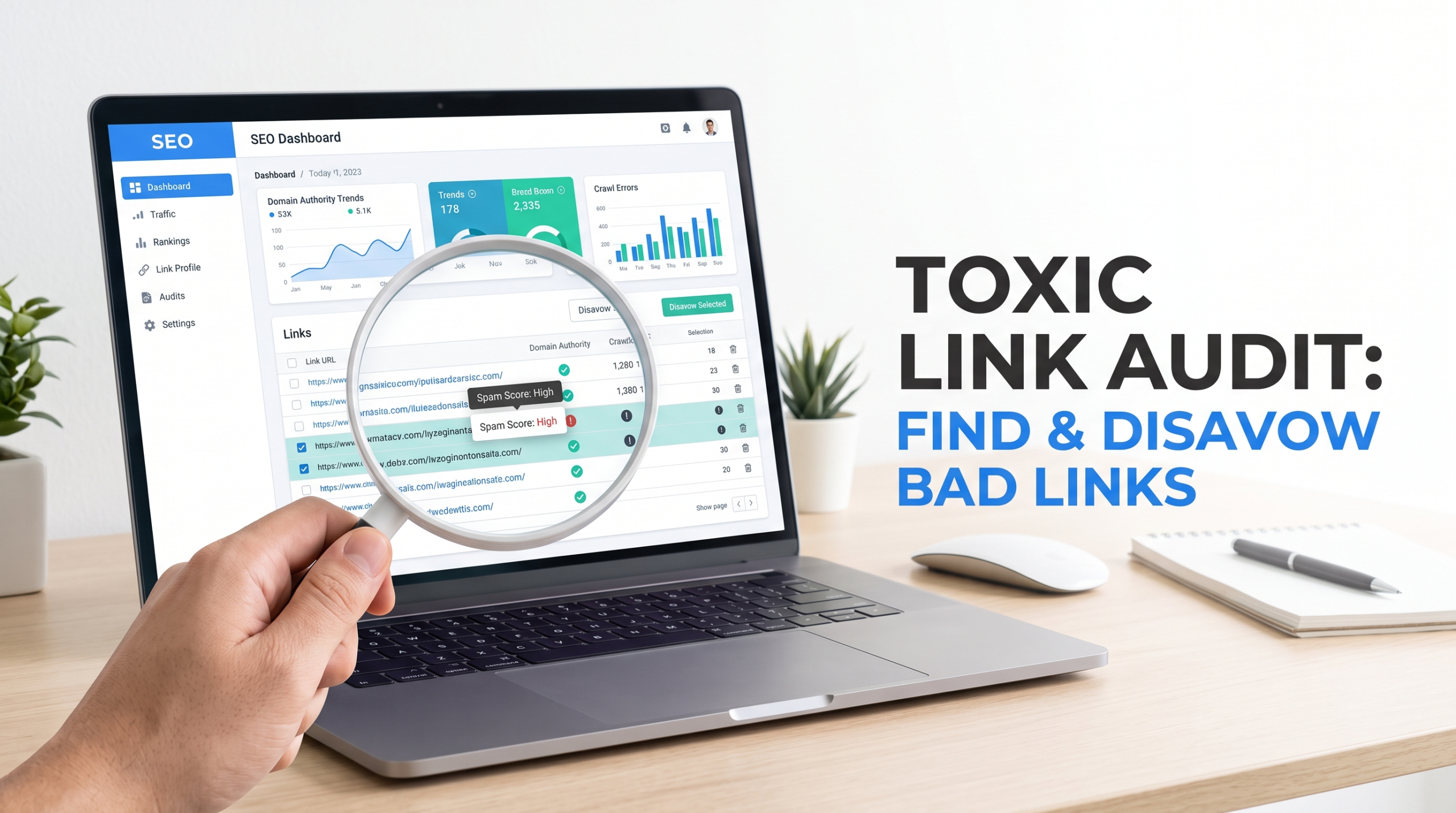
A backlink can look ugly and still be completely harmless. That’s where many toxic link audits go wrong.
SEOs export thousands of backlinks, sort them by a third-party “toxicity” score, and start disavowing anything that looks suspicious. That approach removes links Google was already ignoring and, in worst cases, tells Google to discount legitimate signals. A proper toxic link audit is not only about finding every low-quality domain but more about identifying links connected to actual manipulation, spam, or a genuine risk of manual action.
As of August 2026, Google’s own guidance remains clear: most websites do not need to use the Disavow Links Tool. Google generally works to assess which incoming links should be trusted, while the tool is reserved for situations involving a considerable number of spammy, artificial, or low-quality links that have caused or are likely to cause a manual action.
That distinction should shape your entire backlink audit.
What Is a Toxic Link Audit and Do You Actually Need One?
A toxic link audit is the process of reviewing a website’s backlink profile to identify links that may violate Google’s spam policies or create a genuine SEO risk.
The key phrase here is genuine risk.
Not every weak backlink is toxic. A link from an abandoned blog, a scraper site, or a page with poor content isn’t automatically damaging your rankings. Google’s systems are designed to identify and neutralize many unnatural links without requiring the site owner to take action.
A useful toxic link audit asks three questions:
- Is this link clearly artificial or manipulative?
- Was this link created by us, a previous SEO agency, or someone acting on our behalf?
- Is there a manual action or a realistic risk that these links could trigger one?
If the answer to all three is no, disavowing the link may be unnecessary.
A simple example
Imagine two websites.
Website A receives 5,000 random links from scraper pages, auto-generated directories, and spammy foreign-language sites. The site owner never built those links.
Website B hired an SEO agency three years ago. That agency purchased 500 exact-match anchor text links across private blog networks and low-quality guest posts.
Both backlink profiles may receive alarming toxicity scores from SEO software.
But Website B deserves much closer attention.
Why? The pattern suggests deliberate participation in link schemes, which Google’s spam policies explicitly prohibit. Buying links for ranking purposes, automated link creation, excessive exchanges, low-quality directory links, widely distributed template links, and manipulative guest-post links can all fall under link spam.
What Google Considers Spammy, Manipulative, or Unnatural Links
Google doesn’t publish a simple formula that says, “A backlink with these five metrics is toxic.”
There is no official toxicity score.
Instead, Google evaluates whether linking practices are intended primarily to manipulate search rankings. Its spam policies list several examples of prohibited link behavior, including paid links that pass ranking credit, automated links, excessive reciprocal linking, low-quality directory links, distributed widget links, optimized forum links, and manipulative links placed in guest posts or press releases.
That means context matters more than a single metric.
Toxic backlinks vs. simply low-quality backlinks
Here’s the difference:
| Link Type | Example | Typical Response |
| Low quality | An old blog with little traffic links naturally to your article | Usually leave it alone |
| Irrelevant | A random directory includes your homepage | Review, but don’t assume risk |
| Spammy | Thousands of auto-generated pages link to you without your involvement | Usually monitor rather than panic |
| Manipulative | A network of paid sites uses exact-match anchors you arranged | Investigate and consider removal/disavow |
| Policy-violating | A previous agency bought links specifically to influence rankings | Remove where possible and consider disavow |
The mistake is treating every low-authority domain as dangerous.
I’ve seen backlink audits where perfectly legitimate local directories, niche blogs, and small publications were flagged simply because they had weak authority metrics. That’s why a software score should start the investigation—not finish it.
Common patterns that signal real link risk
Look for patterns such as:
- A sudden spike in exact-match commercial anchor text
- Large groups of links from sites clearly built to sell SEO links
- Paid guest posts with heavily optimized anchor text
- Site-wide footer or sidebar links placed across unrelated websites
- Private blog network footprints
- Automated blog comments or forum profile links created at scale
- Links injected into hacked websites
- Large batches of links from a known link-building campaign
- Repeated manipulative anchor text pointing to money pages
One suspicious link is rarely the story.
A repeated pattern usually is.
How to Run a Backlink Audit Step by Step
A strong backlink audit combines data collection, automated filtering, and manual review.
Don’t skip the last part.
Step 1: Collect your complete backlink data
Start with multiple data sources where possible.
Google Search Console should be part of the process because it shows links Google has discovered for your property. You can also compare the data with tools such as Semrush, Ahrefs, or Moz.
Export the following data:
- Linking domain
- Linking URL
- Target URL
- Anchor text
- Follow or nofollow status, where available
- First seen and last seen dates
- Authority or risk metrics from your chosen tool
Then combine and deduplicate the exports.
A backlink may appear in one database and not another. No third-party crawler sees the web exactly the way Google does.
Step 2: Use risk scores without blindly trusting them
Backlink tools can save hours.
They can highlight suspicious domains based on signals such as:
- Very low trust or authority
- Large numbers of outbound links
- Malware or spam indicators
- Suspicious anchor text
- Link network patterns
- Sudden acquisition spikes
That’s useful for prioritization.
It is not a verdict.
A domain with a high “toxic” score may simply be poorly maintained. Another domain with decent authority may be part of a sophisticated paid link network.
Treat automated scores as a sorting mechanism.
Step 3: Manually review suspicious links
Open a sample of the flagged URLs and look for context.
Ask:
- Does this site appear to exist mainly for publishing links?
- Is the content relevant to the linked page?
- Are commercial anchors repeated unnaturally?
- Is the same article or template published across multiple domains?
- Does the site openly sell followed links?
- Did your company or previous SEO provider build these links?
- Is there evidence of automation or hacking?
This manual step separates noise from genuine risk.
A practical decision tree: Keep, remove, or disavow?
Use this simple process:
Question 1: Is the link clearly manipulative or part of a link scheme?
- No → Usually keep and monitor.
- Yes → Continue.
Question 2: Did you, your agency, or someone working for your business create or pay for it?
- No → Assess whether there is a significant pattern or manual action risk.
- Yes → Continue.
Question 3: Can the link reasonably be removed?
- Yes → Request removal and document your attempts.
- No → Consider disavowing.
Question 4: Are there enough problematic links to create a credible manual action concern?
- No → Don’t automatically disavow.
- Yes → Prepare a carefully reviewed disavow list.
This is intentionally conservative. Google’s own documentation describes the Disavow Links Tool as an advanced feature that can harm search performance if used incorrectly.
How to Identify Toxic Backlinks: A Manual Review Checklist
A manual review should focus on evidence, not fear.
Irrelevant and manipulative anchor text
A few odd anchor texts are normal.
Thousands of links using the same phrase like “best personal injury lawyer in Melbourne” are not.
Pay particular attention when you see:
- Exact-match commercial anchors repeated at scale
- Keyword-rich anchors from unrelated sites
- The same anchor used across dozens of domains
- Anchors that don’t match the content surrounding the link
Anchor text alone doesn’t make a link toxic, but unnatural patterns deserve investigation.
Link networks, spam domains, and site-wide links
Look for websites sharing obvious footprints:
- Similar layouts and templates
- Repeated authors
- Identical outbound linking patterns
- Thin articles written around commercial anchors
- Dozens of unrelated industries on the same site
- Pages created mainly to host guest posts
A single weak site isn’t necessarily a problem.
Fifty nearly identical weak sites linking to the same money page probably deserve a closer look.
Paid, injected, or clearly artificial links
Google’s spam policies specifically identify buying or selling links for ranking purposes as link spam when the links pass ranking credit. Paid advertising and sponsorship links are not inherently against policy when appropriately qualified, such as with rel=”nofollow” or rel=”sponsored”.
That distinction matters.
A sponsored article isn’t automatically toxic. The problem is using payment to acquire links intended to manipulate rankings.
Hacked, malware, and auto-generated pages
Links from compromised websites can look alarming.
You might find your site linked from:
- Hidden pages
- Auto-generated content
- Japanese keyword spam
- Pharmaceutical spam
- Casino pages
- Random pages that clearly don’t belong to the original website
Document these patterns.
If you have no involvement in creating the links, don’t assume you must immediately disavow every one. Google’s systems are designed to handle many forms of third-party spam. The stronger case for action exists when there is substantial manipulation connected to your own link acquisition history or a manual action.
When a bad-looking link is actually harmless
Suppose a scraper copies your article and includes a followed link to the original source.
The page looks terrible.
The domain has no authority.
The content is duplicated.
That still doesn’t automatically mean you need to add the domain to a disavow file.
This is why “toxic backlink” has become a slightly misleading industry term. Google does not ask site owners to maintain a perfectly clean-looking backlink profile.
It asks site owners not to participate in manipulative practices.
Semrush vs. Ahrefs vs. Moz for Backlink Audits
There isn’t one universally correct tool.
Semrush is useful when you want a dedicated toxic-link workflow and risk-oriented filtering.
Ahrefs is particularly useful for exploring backlink history, referring domains, anchor patterns, and link growth.
Moz can help with domain-level analysis and spam-related metrics.
The important point is this: their metrics are estimates, not Google’s internal link evaluation system.
A practical workflow is:
- Export links from Google Search Console.
- Compare them with one or two third-party databases.
- Use risk metrics to prioritize suspicious clusters.
- Manually inspect representative samples.
- Review your historical link-building activity.
- Build a disavow list only when the evidence supports it.
That approach is slower than clicking “select all toxic links.”
It’s also much safer.
When Should You Use Google’s Disavow Tool?
The Google disavow tool is not routine backlink maintenance.
Google recommends considering it when you have a considerable number of spammy, artificial, or low-quality links and those links have caused a manual action or are likely to cause one. Google also recommends trying to remove problematic links before disavowing them.
Cases where disavowing makes sense
You may have a strong case when:
- Search Console reports a manual action related to unnatural inbound links.
- A previous SEO campaign bought large numbers of followed links.
- You discover extensive participation in link schemes.
- A former agency created automated or network-based backlinks at scale.
- Removal attempts have failed and the problematic links remain accessible.
- Your documentation shows a clear pattern of manipulative link building.
When you should leave links alone
Don’t rush to disavow simply because:
- A tool gives the link a high toxicity score.
- The domain has low authority.
- The website is in another language.
- The site looks ugly or outdated.
- You don’t recognize the website.
- You have a few scraper or spam links.
Google explicitly states that most sites don’t need to use the disavow tool.
The risks of misusing the Google Disavow Tool
This is the warning too many backlink guides bury near the bottom.
A disavow file tells Google to disregard specified links when assessing your site. If you include valuable or legitimate domains, you may remove signals that were helping your visibility.
The safest rule is simple:
When evidence is weak, don’t disavow.
You can always investigate further. Undoing an overly aggressive backlink profile cleanup may take time.
How to Create a Correct disavow.txt File
Once you’ve completed the manual review, create a plain text file.
Google requires the file to use UTF-8 or 7-bit ASCII encoding, have a .txt extension, and contain one URL or domain instruction per line. A domain-level directive must begin with domain:.
URL-level vs. domain-level disavow directives
Use a URL-level entry when only one specific page is problematic:
Use a domain-level entry when the entire domain or subdomain should be ignored:
domain:example-spam-site.com
Domain-level disavows are powerful.
Don’t use them just because one page on an otherwise legitimate website contains a bad link.
Correct disavow.txt formatting rules
A valid file can include:
- One URL per line
- One domain directive per line
- Comments beginning with #
- UTF-8 or 7-bit ASCII text
- A .txt file extension
Google’s current limits include a maximum URL length of 2,048 characters and a maximum file size of 100,000 lines, including comments and blank lines, or 2 MB.
A simple disavow file example
# Toxic link audit – reviewed August 2026
# Individual pages
# Entire domains
domain:linknetwork-example.com
domain:another-spam-domain.com
Comments aren’t processed as disavow instructions. They are useful for documenting why entries were added and when the review occurred.
Common formatting mistakes that can break your submission
Avoid:
- Uploading an Excel or CSV file instead of .txt
- Writing domain :example.com with incorrect spacing
- Using a URL when you intended to disavow an entire domain
- Adding paths after a domain directive
- Assuming a subdirectory can be disavowed as a whole
- Uploading a file without checking the property selection
Google’s documentation specifically states that you cannot disavow an entire subpath with a domain directive.
How to Submit a Disavow File in Google Search Console
The submission process is straightforward, but choosing the correct property matters.
Google’s current documentation notes that the disavow tool works with URL-prefix properties and does not support Domain properties. You must also be a property owner to upload a list.
Step-by-step submission process
- Log in to the Google account that has owner access to the relevant Search Console property.
- Open Google’s Disavow Links Tool.
- Select the correct URL-prefix property.
- Upload your reviewed disavow.txt file.
- Confirm the submission.
- Keep a local copy of the uploaded file and your audit notes.
If you’re navigating directly, Google’s official support documentation is the safest starting point:
Google Disavow Links Tool documentation
How to replace or update an existing disavow file
This catches people out.
Google allows one disavow list per property. Uploading a new file replaces the existing list.
So don’t upload a file containing only your new additions unless you intentionally want to remove the previous entries.
Instead:
- Download or preserve the current list.
- Add or remove entries after review.
- Save the complete updated file.
- Upload the full replacement.
Version your files. Something as simple as disavow-2026-08-reviewed.txt can prevent confusion later.
What happens after you upload the file?
The file isn’t a magic reset button.
Google needs to process the information as it recrawls and reprocesses the affected pages. The impact may not be immediate, and a disavow submission does not guarantee ranking recovery.
More importantly, if rankings were previously supported by unnatural links that Google’s systems neutralized, removing or disavowing those links won’t restore that lost ranking benefit.
Google’s current spam-update guidance makes this point directly: when link spam systems remove the effects of spammy links, any ranking benefit previously gained from those links cannot simply be recovered.
Toxic Link Cleanup and SEO Penalty Recovery
A backlink profile cleanup is only one part of SEO penalty recovery.
The right approach depends on whether you’re dealing with a manual action or an algorithmic loss.
Recovering from a Google manual action
If Search Console shows a manual action related to unnatural links, treat the situation seriously.
Your process should include:
- Exporting and reviewing the relevant backlink data.
- Identifying links connected to actual manipulation.
- Requesting removal where practical.
- Documenting removal attempts.
- Creating a focused disavow file for links you cannot remove.
- Fixing the underlying link acquisition process.
- Submitting a reconsideration request when appropriate.
Google states that manual actions can result from violations detected through human review, while sites that fix policy violations can use the reconsideration process to request another review.
Don’t submit a reconsideration request while continuing the same link-building practices.
The cleanup needs to be real.
What to do about algorithmic link problems
Algorithmic changes are less straightforward.
You may see a ranking drop after a spam update or after Google’s systems reassess links. But a traffic decline alone doesn’t prove that toxic backlinks caused the problem.
Check:
- Search Console manual actions
- Ranking changes by page and query
- Major technical changes
- Content quality changes
- Core and spam update timing
- Competitor movement
- Historical link-building campaigns
Google’s documentation also warns that changes following link-spam neutralization may not produce a recovery simply because the artificial ranking benefit from those links has already been removed.
Sometimes the problem isn’t a penalty.
Sometimes the site was benefiting from links that no longer count.
Those are very different situations.
Why link removal requests may still be worth doing
Even when you plan to disavow links, removal attempts can be worthwhile for links you know were deliberately placed.
They can:
- Remove the link at its source
- Help demonstrate a genuine cleanup effort
- Reduce dependence on a disavow file
- Provide documentation if a reconsideration request becomes necessary
Don’t waste weeks emailing obvious scraper sites one by one, though. Prioritize links connected to clear manipulation or a manual action.
Recent Google Guidance and Link Spam Developments You Should Know
The way SEOs talk about toxic backlinks hasn’t always kept up with Google’s guidance.
SpamBrain remains central to Google’s link spam detection
Google describes SpamBrain as its AI-based spam-prevention system and states that it is continually improved to detect new types of spam. Google has also explained that SpamBrain can identify sites buying links and sites created for the purpose of passing outbound ranking signals.
The practical takeaway is important: don’t assume every suspicious backlink requires manual intervention.
Google’s automated systems are actively designed to neutralize spam.
Google’s 2026 documentation clarifies that spam policies extend across Search experiences
In May 2026, Google clarified that its spam policies also apply to generative AI responses in Google Search. While this change isn’t a new backlink rule, it reinforces Google’s broader position that manipulative practices are evaluated across the Search ecosystem rather than as an isolated traditional-ranking issue.
For SEO teams, the message is straightforward: don’t treat link manipulation as an old-school tactic that matters only to the ten blue links.
Spam reports and manual-action guidance also changed in 2026
Google updated its documentation in April 2026 to clarify when and why spam reports may contribute to manual action decisions. This is separate from running a toxic link audit on your own site, but it shows that Google’s current spam enforcement documentation continues to evolve.
Why “disavow everything with a high toxic score” is outdated advice
This advice was always simplistic.
Today, it is particularly hard to justify because Google’s official documentation explicitly says that most sites do not need the disavow tool and that incorrect use can harm performance.
Risk scores can identify suspicious patterns.
They cannot reliably determine:
- Whether you built the link
- Whether the link was paid for
- Whether Google is ignoring it
- Whether the link is helping or harming you
- Whether a domain-level disavow is appropriate
Human review still matters.
Practical Toxic Link Audit Checklist
Before uploading anything to Google, run through this checklist:
- Export backlinks from Google Search Console.
- Compare the profile with at least one third-party backlink database.
- Group suspicious links by domain, anchor pattern, and acquisition date.
- Use toxicity or spam scores only to prioritize review.
- Manually inspect suspicious samples.
- Check whether your business or a previous agency created the links.
- Review Search Console for manual actions.
- Attempt removal for genuinely manipulative links where practical.
- Choose URL-level disavows only when the problem is limited to specific pages.
- Use domain: only when the wider domain clearly deserves disavowal.
- Validate the disavow.txt formatting.
- Keep a dated backup of every submitted version.
- Upload the complete replacement file, not just recent additions.
- Monitor rankings, manual actions, and organic traffic without expecting an instant recovery.
The biggest practical takeaway is simple: audit broadly, disavow narrowly.
Final Thoughts on a Toxic Link Audit
A good toxic link audit isn’t about making a backlink profile look perfect in Semrush, Ahrefs, or any other SEO tool.
It’s about understanding where your links came from and whether there’s real evidence of manipulation.
Google has become increasingly capable of identifying and neutralizing link spam through automated systems such as SpamBrain. At the same time, Google still provides the Disavow Links Tool for serious cases involving substantial artificial link activity and manual-action risk.
So take the middle path.
Don’t ignore a history of paid links, private blog networks, automated link building, or a manual action. But don’t panic because your backlink report contains a few thousand ugly domains either.
Review the patterns. Check the history. Make decisions based on evidence.
That approach takes longer than pressing “disavow all.” In my view, that’s exactly why it’s the safer way to manage a backlink profile.
FAQs
What percentage of backlinks are considered toxic?
There is no official percentage that Google considers toxic. A site can have a large number of low-quality links without requiring a disavow file. Focus on whether there is a significant pattern of artificial or manipulative links rather than trying to reach a specific toxicity percentage.
Should I disavow low-quality backlinks?
Usually, no. Google states that most websites do not need the Disavow Links Tool. Consider disavowing only when you have a considerable number of spammy, artificial, or low-quality links that have caused or are likely to cause a manual action.
How long does Google take to process a disavow file?
There is no fixed recovery timeline. Google must process the file and reassess relevant links as it crawls and reprocesses pages. Results are not immediate, and submitting a disavow file does not guarantee a ranking recovery.
Can a toxic backlink cause a Google penalty?
A single suspicious backlink doesn’t automatically cause a penalty. Google’s systems work to assess and neutralize spam, but significant participation in link schemes can violate Google’s spam policies and may result in automated ranking effects or manual action.