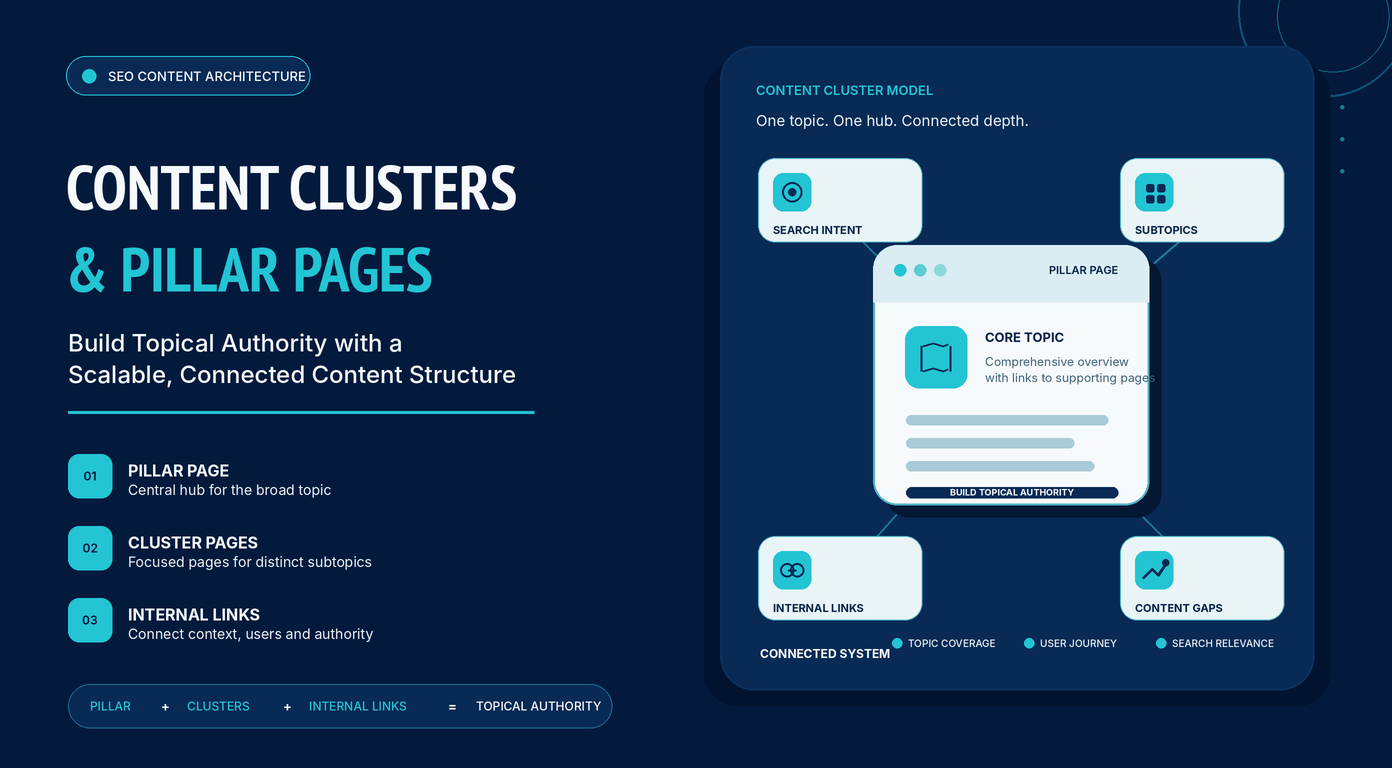
Search engines no longer rank pages based solely on individual keywords. They also evaluate how comprehensively a website covers a topic, the semantic relationships between its content, and how easily users can navigate connected resources. As a result, publishing isolated blog posts is rarely enough to establish long-term organic visibility.
This shift has made content clusters and pillar pages one of the most effective ways to organize website content. Rather than treating every article as a standalone asset, the content cluster model groups related pages around a central topic to demonstrate topical expertise through a logical information architecture.
A well-designed content cluster provides benefits beyond SEO. It improves user experience, simplifies content planning, strengthens internal linking, and guides visitors naturally from introductory information to more specific resources and conversion-focused pages.
In this guide, you’ll learn what content clusters and pillar pages are, how they work together, and how to build a scalable content architecture that supports topical authority and sustainable organic growth.
Understanding Content Clusters and Why They Matter
What is a content cluster?
A content cluster is a group of interrelated pages that comprehensively cover a broader topic. Instead of publishing isolated articles targeting individual keywords, each page focuses on a specific subtopic while connecting to a central pillar page through strategic internal links.
For example, a technical SEO cluster might include dedicated articles on:
- Crawl budget
- XML sitemaps
- Canonical tags
- Robots.txt
- Site architecture
- Structured data
- Core Web Vitals
Each page targets a distinct search intent while contributing to comprehensive topical coverage.
For users, content clusters create a logical path from introductory concepts to specialized topics. For search engines, the relationships between pages provide contextual signals that the site covers the subject comprehensively.
Unlike traditional keyword-focused publishing, content clusters are organized around topics, entities, and semantic relationships. Each supporting page strengthens the cluster’s overall topical relevance.
What is a pillar page?
A pillar page is the central hub of a content cluster. It provides a comprehensive overview of a topic, introduces its core concepts, and links to supporting pages that explore each subtopic in greater depth.
A pillar page should:
- Introduce the topic
- Establish context
- Explain foundational concepts
- Link to supporting resources
For example, a Content Marketing pillar page may introduce:
- Content strategy
- Editorial calendars
- Keyword research
- Content briefs
- Content optimization
- Distribution
- Performance measurement
Each section links to a dedicated article covering that subject in detail. Pillar pages typically target broader search intent, attract backlinks, and distribute authority throughout the cluster through internal links.
How content clusters and cluster pages work together
A content cluster functions as an interconnected system. The pillar page defines the overall topic, while cluster pages cover individual subtopics in depth.
For example:
| Pillar Page | Cluster Pages |
| Email Marketing | Welcome emails |
| Drip campaigns | |
| Email segmentation | |
| Subject line optimization | |
| Deliverability | |
| Email automation |
Internal links connect:
- Pillar page → Cluster pages
- Cluster pages → Pillar page
- Related cluster pages → Other relevant cluster pages
This structure improves navigation, clarifies topical relationships, and distributes authority across the cluster.
Content clusters vs. topic clusters vs. content pillars
Although these terms are often used interchangeably, they refer to different concepts.
| Term | Meaning |
| Content cluster | A group of interconnected pages covering one topic. |
| Topic cluster | Generally synonymous with content cluster. |
| Pillar page | The central hub page of a cluster. |
| Content pillar | A broader marketing theme or content category. |
For example, a company may define SEO, Content Marketing, and Analytics as content pillars.
Within the SEO pillar, it could build clusters around Technical SEO, Keyword Research, Internal Linking, Entity SEO, and Site Architecture. Each cluster has its own pillar page and supporting content.
How search engines understand topics, entities, and semantic relationships
Modern search engines evaluate entities, contextual relationships, topical coverage, and user intent rather than relying primarily on exact keyword matching.
For example, an article about technical SEO naturally relates to concepts such as:
- crawling
- indexing
- canonicalization
- XML sitemaps
- robots.txt
- structured data
- Core Web Vitals
- internal linking
The presence and relationships between these concepts help search engines understand the page.
Content clusters strengthen these semantic connections by distributing knowledge across specialized pages linked through meaningful internal linking. This architecture closely mirrors how knowledge graphs organize related entities.
Why topical authority improves search visibility
Topical authority reflects how comprehensively a website demonstrates expertise across a subject. It is not a direct ranking factor but the result of consistent, high-quality, interconnected content.
Content clusters strengthen topical authority by:
- Expanding topical coverage and reducing content gaps
- Reinforcing semantic relationships between related concepts
- Improving crawlability and authority flow through internal linking
- Creating a better user experience by connecting related resources
- Scaling naturally as new supporting pages expand the cluster
Over time, this interconnected approach supports stronger and more sustainable organic search performance than publishing isolated articles.
The Architecture of a Content Cluster
The hub-and-spoke model: pillar pages and supporting content
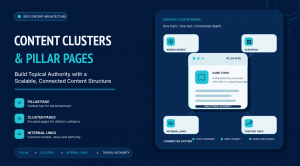
The hub-and-spoke model is the most common content cluster structure.
- The pillar page acts as the central hub.
- Cluster pages cover individual subtopics.
- Internal links connect cluster pages to the pillar page and to related pages where relevant.
Pillar Page
│
┌──────────────┼────────────┐
│ │ │
Cluster A Cluster B Cluster C
│ │ │
├───────┐ │ ┌─────┤
│ │ │ │ │
Cluster D Cluster E Cluster F Cluster G
This structure:
- Reduces crawl depth.
- Distributes internal link equity.
- Reinforces the primary topic.
- Creates intuitive navigation.
As clusters grow, related pages should link to one another whenever the relationship adds context or satisfies related search intent.
Topic hierarchy, search intent, and knowledge relationships
Content clusters should be organized by topics, search intent, and semantic relationships—not keywords alone.
The pillar page targets the broad topic, while supporting pages address progressively narrower subtopics.
Content Marketing
│
├── Content Strategy
├── Content Briefs
├── Editorial Calendars
├── Content Optimization
├── Content Distribution
└── Content Performance Measurement
Pillar pages target broad informational intent, while cluster pages answer more specific queries. The hierarchy should also reflect how concepts relate to one another, creating a logical learning path for users and a clear topical structure for search engines.
Internal linking as the foundation of content clusters
Internal linking connects individual pages into a unified content cluster.
A strong internal linking strategy:
- Defines topical relationships.
- Distributes authority across related pages.
- Improves crawlability.
- Guides users to relevant supporting content.
Prioritize contextual links within the main content over navigation or footer links, and use descriptive, natural anchor text that reflects the destination page. A well-designed internal linking structure ensures every new page strengthens the entire cluster.
Planning Your Content Cluster
Choosing and defining your core topic
Every content cluster starts with selecting a core topic that defines the scope of the pillar page and its supporting content.
A strong core topic should be:
- Broad enough to support multiple subtopics.
- Specific enough to remain focused.
- Aligned with your expertise, products, services, or business goals.
- Able to address multiple stages of the customer journey.
For example, Content Marketing can support numerous related topics, whereas How to Write a Blog Introduction is too narrow. Conversely, Marketing is too broad, making it difficult to maintain clear topical boundaries.
To evaluate a potential topic, ask:
- Can it support multiple in-depth articles?
- Does each supporting page target a unique search intent?
- Does it align with your topical expertise?
- Can the cluster expand without losing focus?
If the answer is yes, you’ve identified a suitable foundation.
Defining topical boundaries
Topical authority comes from comprehensive coverage within a clearly defined subject—not from publishing loosely related content. Topical boundaries determine what belongs within a cluster and what should become a separate cluster.
For example, a Keyword Research cluster may include:
- Search intent
- Keyword difficulty
- Long-tail keywords
- Search volume
- Keyword clustering
- Competitor keyword analysis
Topics such as Technical SEO, Link Building, Local SEO, and Core Web Vitals belong in separate clusters because they address distinct subject areas. Clear topical boundaries help prevent:
- Overly broad pillar pages.
- Duplicate coverage.
- Overlapping search intent.
- Confusing internal linking.
- Keyword cannibalization.
A useful rule is to define the primary question each cluster answers. If a topic answers a different question, it likely belongs in another cluster.
Identifying entities and supporting subtopics
After defining the core topic, identify the entities and concepts that collectively represent expertise on the subject. For a Technical SEO cluster, relevant entities include:
- XML sitemaps
- Robots.txt
- Canonical tags
- Crawl budget
- Indexing
- Structured data
- Core Web Vitals
- Rendering
- HTTP status codes
- Duplicate content
These entities may become dedicated cluster pages, sections within broader articles, or supporting context throughout the cluster. Organizing topics into layers helps build a complete knowledge map.
| Layer | Purpose | Example |
| Core topic | Central subject | Technical SEO |
| Primary entities | Dedicated cluster pages | Crawl budget, XML sitemaps, Canonical tags |
| Secondary entities | Supporting concepts | Redirect chains, Noindex directives, Pagination |
| Related concepts | Additional context | Site architecture, Internal linking, Page speed |
This approach helps identify topical gaps before content production begins.
Mapping search intent
Each page within a content cluster should satisfy a distinct search intent.
| Search Intent | Example Query | Best Content Type |
| Informational | What is technical SEO? | Pillar page |
| Educational | How do canonical tags work? | Cluster article |
| Procedural | How to fix crawl errors | Step-by-step guide |
| Comparative | XML sitemap vs. HTML sitemap | Comparison article |
| Commercial | Best technical SEO tools | Buying guide |
| Transactional | Technical SEO services | Service page |
Mapping search intent reduces overlap, determines the appropriate level of detail, and creates a logical progression from introductory content to implementation and commercial pages.
Contextual internal links should guide users to the next relevant topic within the cluster.
Auditing existing content and identifying topical gaps
Before creating new content, evaluate your existing content to determine how it fits within the planned cluster.
For each page, review:
- Primary topic
- Search intent
- Organic performance
- Internal links
- Content quality
- Cluster assignment
Existing content typically falls into four categories:
- High-quality pages that only need better internal linking or minor updates.
- Overlapping pages that should be consolidated.
- Pages that need additional context or supporting links.
- Missing topics that represent genuine content gaps.
The goal of a content audit is not to publish more content, but to ensure your cluster comprehensively covers the topic while eliminating unnecessary overlap.
Building a Content Cluster
Deciding what belongs on the pillar page vs. a cluster page
A clear division of responsibility prevents overlap between the pillar page and supporting content.
The pillar page should:
- Introduce the overall topic.
- Explain foundational concepts.
- Provide context for major subtopics.
- Link to supporting articles.
- Offer a comprehensive overview without covering every topic in depth.
A cluster page should:
- Target one primary search intent.
- Explore a single topic comprehensively.
- Include practical guidance where appropriate.
- Link to the pillar page and related cluster pages.
For example, a Technical SEO pillar page may introduce crawling, indexing, XML sitemaps, canonical tags, structured data, and site speed. Each section links to a dedicated article that explores the topic in detail.
The pillar page answers “What should I know about this topic?” while the cluster page answers “How does this specific concept work?”
Creating the pillar page
A pillar page should provide comprehensive coverage without overwhelming readers.
An effective pillar page includes:
- A clear introduction.
- Sections covering major subtopics.
- Contextual links to supporting pages.
- Clear navigation.
- Consistent terminology.
- Regular updates as the cluster grows.
Each section should introduce a concept and direct readers to a dedicated cluster page for detailed guidance.
Developing supporting cluster pages
Cluster pages provide the depth that pillar pages intentionally avoid.
Each page should satisfy a single search intent and typically includes:
- A clear explanation of the topic.
- Practical guidance or implementation steps.
- Common mistakes or limitations.
- Links to the pillar page.
- Links to closely related cluster pages.
Every page should have a distinct purpose. If multiple topics satisfy different search intents, separate pages may be appropriate. Otherwise, a single comprehensive article is usually preferable to several thin pages.
As your cluster grows, prioritize improving existing content before creating increasingly granular articles.
Connecting pages through strategic internal linking
Internal links should reflect genuine topical relationships.
Each cluster page should typically include:
- A link to the pillar page.
- Links to prerequisite topics where relevant.
- Links to related or advanced concepts.
For example, a page about Canonical Tags might naturally link to duplicate content, XML sitemaps, crawl budget, and site architecture.
Use descriptive, natural anchor text and place links within relevant content whenever possible. Contextual links provide stronger semantic signals than standalone “Related Articles” sections.
The goal is to build an interconnected knowledge network rather than a collection of isolated pages.
Expanding the cluster over time
Content clusters should evolve as your topic, audience, and industry change.
New opportunities often come from:
- Customer questions.
- Sales conversations.
- Product documentation.
- Community discussions.
- Industry trends.
- Changes in search behavior.
- Emerging technologies.
When adding new content:
- Update the pillar page.
- Add contextual internal links.
- Review related pages for new linking opportunities.
- Ensure the topic fits the cluster’s existing boundaries.
Treat your content cluster as a living knowledge base where every new page strengthens the overall topical ecosystem.
Measuring and Maintaining Content Clusters
Content clusters require ongoing maintenance as search behavior, user expectations, and your industry evolve. Regular reviews help preserve topical completeness, improve user experience, and keep your internal linking structure aligned with the relationships between topics.
Measuring the effectiveness of a content cluster
Evaluate content clusters at the topic level rather than by individual page performance.
Key performance indicators include:
Organic visibility
Monitor how many relevant queries the entire cluster ranks for rather than focusing on a single keyword.
Organic traffic distribution
Healthy clusters attract traffic through multiple supporting pages instead of relying solely on the pillar page.
Internal navigation
Review how users move through the cluster. Identify which pages drive further exploration and where users leave the content journey.
Engagement metrics
Track indicators such as:
- Pages per session
- Scroll depth
- Return visits
- Conversion paths
These metrics help identify opportunities to improve navigation and content quality.
Business outcomes
Measure results that support your goals, such as:
- Newsletter subscriptions
- Qualified leads
- Demo requests
- Product purchases
- Resource downloads
An effective content cluster should contribute to meaningful business outcomes—not just rankings.
Updating and refreshing existing content
Content updates should improve completeness as well as accuracy.
Regular reviews may include:
- Adding new entities or subtopics.
- Expanding outdated sections.
- Improving examples or practical guidance.
- Updating screenshots or workflows.
- Refining internal links.
- Removing obsolete information.
Review the pillar page first to ensure it accurately reflects the cluster and links to all major supporting content, then update related cluster pages as needed.
Consolidating overlapping pages and expanding topical coverage
As websites grow, overlapping content becomes inevitable. Consolidate pages that target the same search intent, duplicate substantial content, or divide authority across multiple URLs.
Keep separate pages when they satisfy distinct search intents.
Expand the cluster by addressing genuine topical gaps rather than publishing content solely to increase the number of indexed pages.
Before creating a new article, ask:
- Does it answer a unique question?
- Does it target a distinct search intent?
- Does it strengthen the cluster’s topical coverage?
If not, improving an existing page is often the better investment.
Common Content Cluster Mistakes
Avoiding these common mistakes helps maintain clear topical coverage, strong internal linking, and long-term scalability.
| Mistake | Why It Hurts | Best Practice |
| Choosing weak or overly broad topics | Creates clusters that are either too narrow to expand or too broad to cover comprehensively. | Choose a focused topic that supports multiple related subtopics while maintaining clear topical boundaries. |
| Creating thin, overlapping, or duplicate content | Multiple pages compete for the same search intent, reducing overall content quality and increasing keyword cannibalization. | Create one comprehensive page per search intent and publish new pages only when they address a distinct question. |
| Weak internal linking | Reduces topical relationships, limits content discovery, and weakens the pillar page’s role as the cluster hub. | Use contextual links between the pillar page and supporting articles, and connect related cluster pages where appropriate. |
| Neglecting ongoing maintenance | Outdated content and broken internal links gradually weaken the cluster. | Regularly update content, strengthen internal links, consolidate overlap, and fill genuine topical gaps. |
Regularly auditing your content cluster helps preserve topical authority, improve user experience, and ensure the cluster continues to meet evolving search intent.
Scaling Content Clusters Across Your Website
Once you’ve successfully implemented a content cluster, the next step is expanding the model across your website. The goal is not to create as many clusters as possible, but to build a clear knowledge architecture that reflects your core areas of expertise.
Managing multiple pillar pages and content clusters
As your content library grows, you’ll likely create multiple pillar pages.
For example, an SEO website might build clusters around:
- Technical SEO
- Keyword Research
- On-Page SEO
- Content Strategy
- Link Building
- Local SEO
Each cluster should remain focused on a single core topic while contributing to the site’s broader topical authority.
To manage multiple clusters effectively:
- Assign one pillar page to each core topic.
- Avoid multiple pillar pages targeting the same subject.
- Maintain consistent internal linking.
- Define clear topical boundaries.
- Review clusters regularly for overlap.
This structure makes it easier to organize existing content and plan future articles.
Connecting related clusters
Content clusters should have clear boundaries, but they should not exist in isolation. Related clusters can strengthen one another through purposeful cross-linking.
For example:
- A Keyword Research cluster may link to Content Strategy.
- A Technical SEO cluster may reference Site Architecture.
- An Internal Linking cluster may support multiple SEO-related clusters.
Cross-link clusters only when the relationship provides meaningful context or helps users continue their learning journey.
A scalable website architecture looks like this:
Website
├── Cluster
│ ├── Pillar page
│ └── Supporting pages
├── Cluster
│ ├── Pillar page
│ └── Supporting pages
Each cluster develops expertise within its own topic while contributing to a connected knowledge ecosystem that is easier for users and search engines to navigate.
Conclusion
Content clusters and pillar pages provide a scalable framework for organizing content around topics rather than isolated keywords. By combining comprehensive pillar pages, focused supporting articles, and strategic internal linking, you create a knowledge architecture that benefits both users and search engines.
Rather than treating content clustering as a one-time SEO tactic, view it as an ongoing strategy for building topical authority, improving content discoverability, and supporting sustainable organic growth.
Frequently Asked Questions
What is the difference between a content cluster and a pillar page?
A content cluster is the complete collection of interconnected pages covering a topic. A pillar page is the central hub within that cluster, providing a broad overview and linking to supporting pages that explore individual subtopics in greater depth.
Do content clusters improve SEO?
Content clusters can improve SEO by making content easier for users and search engines to navigate and understand. Benefits include:
- Stronger topical relevance
- Better internal linking
- Improved content discoverability
- More comprehensive coverage of user intent
- Better user navigation
Content clusters are not a direct ranking factor. Their effectiveness depends on publishing accurate, useful, and well-maintained content that satisfies user intent.
Are content clusters still relevant for SEO?
Yes. Content clusters remain an effective way to organize content around topics and search intent. While they are not a ranking factor, they improve site architecture, internal linking, topical coverage, and user navigation, all of which can contribute to stronger organic performance when combined with high-quality content.
What makes a good content cluster?
An effective content cluster has:
- A clearly defined core topic
- One comprehensive pillar page
- Supporting pages targeting distinct search intents
- Strong contextual internal linking
- Clear topical boundaries
- Regular updates to maintain accuracy and completeness
How many cluster pages does a content cluster need?
There is no fixed number. A content cluster should include as many supporting pages as necessary to cover the topic comprehensively without creating unnecessary overlap.
Add new pages only when they address a distinct search intent or fill a genuine topical gap.
Can a page belong to more than one content cluster?
Each page should have one primary home within your site’s information architecture to maintain clear topical boundaries.
However, related clusters can link to the page when it provides relevant context, allowing topics to connect without duplicating content.
Should every website use content clusters?
Not necessarily. Content clusters are most valuable for websites that publish educational, informational, or resource-driven content across multiple related topics. Smaller websites with only a few pages may not benefit from a formal cluster architecture until their content library expands.
How do you know when a content cluster is complete?
A content cluster is rarely complete. As search behavior, user needs, and industries evolve, new opportunities for expansion and improvement will emerge.
A mature cluster typically has:
- Comprehensive topical coverage
- Clear internal linking
- Minimal content overlap
- Well-defined topical boundaries
- Regular updates
Focus on continuous improvement rather than completion.
How often should content clusters be updated?
There is no universal update schedule. Review frequency depends on how quickly the topic changes.
Monitor your cluster for:
- Industry developments
- Emerging search trends
- New supporting content
- Declining performance
- Outdated examples or recommendations
Update content when it no longer reflects current information or user expectations, rather than following a fixed schedule.