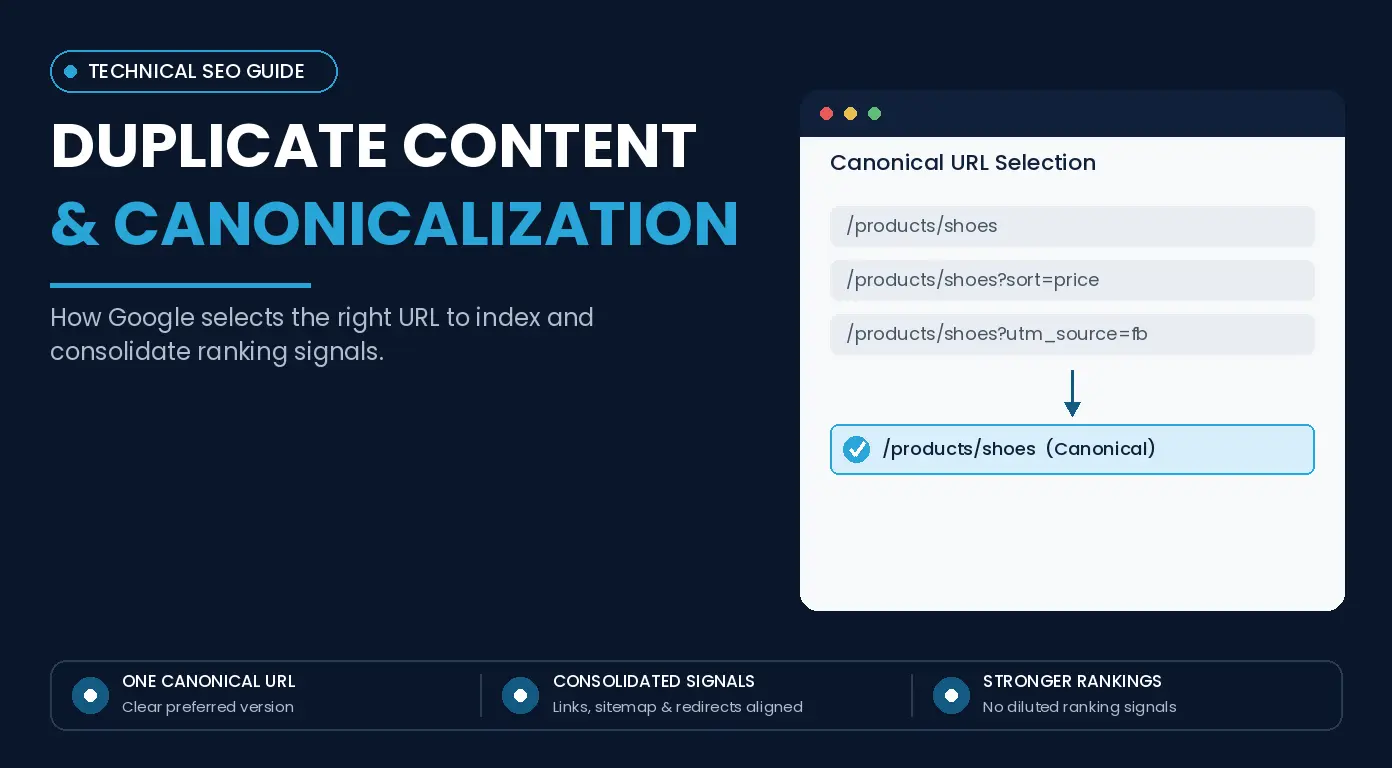
A website can have 500 pages and still generate thousands of URLs for search engines to crawl. Product filters, tracking parameters, sorting options, print versions, HTTP/HTTPS variations, and syndicated copies can all make the same or similar content accessible through different addresses.
The mistake is treating all the duplicate URLs as a penalty problem. Duplicate content does not automatically result in a Google penalty.
The real SEO issue is canonical selection: which URL should Google index, consolidate signals around, and show in search results?
A strong duplicate content and canonicalization strategy makes that choice clearer by aligning canonical annotations, redirects, internal links, sitemaps, and URL architecture around the preferred version.
Why Duplicate Content Isn’t Usually a Google Penalty
Google, upon discovering multiple URLs having the same or similar primary content, can group them into a duplicate cluster and select one URL as the canonical representative.
For example, the same product might be available through:
- /products/blue-shoes
- /products/blue-shoes?sort=price
- /products/blue-shoes?utm_source=email
- /products/blue-shoes?color=blue
Some of these URLs may display identical or near-identical content. Google recognizes that relationship instead of treating every version as an independent search result.
The problem begins when Google selects a representative URL that does not make sense for the site. If the preferred URL is example.com/running-shoes but Google chooses example.com/running-shoes?sort=price-low, reporting, internal linking, crawling, and control over the displayed search URL become more complicated.
A Search Console status such as “Duplicate, Google chose different canonical than user” does not indicate a penalty or even an SEO failure.
The useful question is whether Google selected a sensible representative URL or whether conflicting signals caused it to prefer the wrong version.
What Canonicalization Does in SEO
Canonicalization is the process of selecting the representative URL when multiple URLs contain the same or very similar content.
Google does not simply find a canonical tag and obey it mechanically. Canonical selection involves several signals, including redirects, rel=”canonical” annotations, sitemap inclusion, HTTPS preference, internal linking patterns, and the relationship between the pages.
Think of canonicalization as signal alignment rather than tag management.
Suppose the same article is available through:
- example.com/seo-guide
- example.com/seo-guide?utm_source=linkedin
- example.com/seo-guide?utm_source=newsletter
- example.com/seo-guide?ref=homepage
If the parameters do not change the page, example.com/seo-guide would normally be the logical representative URL.
Canonical URL vs. Duplicate URL
A canonical URL is the representative URL selected from a group of duplicate or similar pages. A duplicate URL is another address containing the same or substantially similar primary content.
| URL | Likely Role |
| /blog/canonicalization-guide | Preferred canonical |
| /blog/canonicalization-guide?utm_source=x | Tracking duplicate |
| /blog/canonicalization-guide?ref=sidebar | Tracking duplicate |
| /blog/canonicalization-guide/print | Possible alternate or duplicate |
Duplicate URLs do not have to exist on the same domain. Cross-domain pages also form a canonical relationship when their primary content is similar.
Why Google Can Choose a Different Canonical
rel=”canonical” is a strong signal, but it does not guarantee that Google will select the URL you declare.
A canonical declaration becomes less convincing when:
- Internal links consistently point to another URL
- Redirects favor a different version
- The sitemap contains another URL
- The proposed canonical is not a close equivalent
- The preferred page is incomplete or substantially different
When Google selects another canonical, investigate the surrounding signals before changing the tag. The disagreement exposes a wider problem with URL architecture or signal consistency.
How to Build a Canonicalization SEO Strategy
A reliable canonicalization strategy starts with understanding how duplicate URLs are being created. Adding canonical tags page by page without identifying the underlying URL patterns means addressing the symptom while making no changes to the architecture.
Audit Duplicate and Near-Duplicate URLs
Start by identifying recurring sources of duplication, such as:
- Query parameters
- HTTP and HTTPS versions
- WWW and non-WWW variants
- Trailing-slash differences
- Uppercase and lowercase URLs
- Print pages
- Product variants
- Faceted navigation
- Sorting parameters
- Session IDs
- Duplicate category paths
- Syndicated content
Large websites should combine crawler data with Google Search Console rather than checking each URL separately.
A working audit can then compare what the site declares with what Google actually selects:
| URL | Status | User Canonical | Google Canonical | Index Status | Action |
| /guide | 200 | /guide | /guide | Indexed | Keep |
| /guide?utm=x | 200 | /guide | /guide | Duplicate | Keep consolidated |
| /guide/print | 200 | /guide | /guide/print | Indexed | Investigate |
| /guide?page=2 | 200 | Self | Check | Separate page | Review pagination |
The final example matters because URLs that look structurally similar are not necessarily duplicates. Paginated pages, product variants, and filtered categories can contain distinct content that requires separate treatment.
Choose the Right Preferred URL
Before implementing a canonical annotation, determine which URL deserves to represent the duplicate cluster.
A strong canonical candidate should be:
- Accessible and indexable
- Stable
- Relevant to the same search intent
- Internally linked
- Appropriate for users
- Included in the sitemap when relevant
- Free from conflicting redirects
- Representative of the duplicate content
Do not point one page toward another simply because the second URL has stronger backlinks or metrics. If the pages are not equivalent, canonicalization is the wrong fix.
Search intent is particularly important. Two pages can share products, terminology, or sections of content while answering different queries. If both deserve independent rankings, they should not be consolidated only because they look similar.
Implement rel=”canonical” Correctly
For an HTML page, a standard implementation looks like this:
<link rel=”canonical” href=”https://example.com/seo/canonicalization/” />
Place the element in the page’s <head> and use an absolute URL. The preferred page can contain a self-referencing canonical, while equivalent parameterized versions point toward that same clean URL.
Google also supports canonical declarations through HTTP headers, which is useful for non-HTML documents such as PDFs.
Whichever implementation is used, avoid conflicting canonical values. Multiple methods do not strengthen canonicalization when they point to different URLs.
Align Internal Links, Sitemaps, and Redirects
Canonical signals become less reliable when a website declares one preferred URL but repeatedly reinforces another version elsewhere.
For example, if example.com/services/seo/ is canonical but navigation continues to link to the example.com/services/seo/?ref=nav, the site is creating unnecessary URL variation.
Keep the preferred URL consistent across:
- Internal links
- XML sitemaps
- Breadcrumbs and navigation
- Structured-data URLs
- Redirects
Google evaluates canonicalization through multiple signals. When those signals agree, the preferred URL becomes clearer.
Verify Canonicals in Google Search Console
Checking the page source only tells you what the website declared. It does not tell you which URL Google selected.
Use URL Inspection to review:
- User-declared canonical
- Google-selected canonical
- Indexing status
- Crawl information
If your site declares Page A while Google selects Page B, investigate why. Internal links, sitemap entries, redirects, page content, or other canonicalization signals may be making Page B appear to be the better representative.
The disagreement itself is useful diagnostic information.
Common Canonicalization Mistakes
Canonical tags are simple, but implementation becomes complicated when CMS rules, plugins, templates, redirects, and URL systems send conflicting signals. The table below covers the common mistakes and the appropriate responses.
| Canonicalization Mistake | Why It Creates a Problem | Better Approach |
| Self-referencing canonical points to the wrong URL | A CMS might declare example.com/page/ as canonical while redirects and internal links consistently use example.com/page. Neither format is inherently wrong; the inconsistency is the problem. | Choose one URL convention and apply it consistently across canonical annotations, redirects, internal links, and sitemaps. |
| Canonical points to a redirected or non-indexable URL | A canonical target that redirects, returns a 404/5xx response, cannot be indexed, or contains unrelated content is a poor representative of the source page. | Point canonicals to accessible, indexable, representative URLs. If an obsolete duplicate should disappear permanently, use an appropriate redirect instead. |
| Canonical signals conflict | The canonical tag might point to Page A while the HTTP header points to Page B, the sitemap contains Page C, and internal links favor Page D. Google then has to interpret signals the site itself has made inconsistent. | Align canonical tags, HTTP headers, sitemaps, redirects, and internal links around the same preferred URL. |
| Pages with different search intent are canonicalized together | Pages such as “Best Running Shoes for Beginners” and “Best Running Shoes for Marathon Training” may share products and terminology but answer different search needs. Similarity alone does not make them duplicates. | Keep pages with distinct search intent separate and strengthen their differentiation rather than consolidating them through canonicalization. |
How to Handle Parameterized URLs
Parameterized URLs are the largest sources of duplicate and near-duplicate URL creation.
A product category might generate:
- /product/shoes
- /product/shoes?color=black
- /product/shoes?sort=price
- /product/shoes?utm_source=google
- /product/shoes?session=12345
These parameters perform different functions, so they should not all receive the same treatment.
Tracking Parameters
Tracking parameters such as utm_source, utm_medium, and utm_campaign change attribution rather than the primary page content.
If example.com/seo-guide?utm_source=newsletter displays the same article as example.com/seo-guide, the clean URL is the logical canonical.
This consolidates the duplicate variation without changing the purpose of campaign tracking.
Filters and Faceted Navigation
Faceted navigation requires more judgment because some filters create useful search landing pages.
An ecommerce site might generate:
- /shoes?brand=nike
- /shoes?brand=adidas
- /shoes?size=10
- /shoes?color=black
- /shoes?brand=nike&color=black
A Nike-filtered category contains a distinct product set that matches meaningful search demand. Automatically canonicalizing it to /shoes could remove a useful landing page from search consideration.
Other combinations may provide little or no independent value while creating thousands of crawlable URLs. The decision should depend on whether the filtered page provides a distinct and useful search experience, not simply on whether the URL contains a parameter.
Sorting and Session Parameters
Sorting parameters generally rearrange the same inventory rather than creating a new search intent. URLs such as /products?sort=price-low and /products?sort=rating may therefore be consolidated toward the preferred category URL when they have no independent search value.
Session IDs are more problematic because they can create many technically unique URLs without producing new content.
The objective is to prevent temporary or functional parameters from manufacturing unnecessary indexable variations.
Cross-Domain Canonicalization and Syndicated Content
Google supports canonical relationships across domains when different URLs contain duplicate or highly similar primary content. This can be useful when a company controls multiple domains or intentionally republishes the same material elsewhere.
Syndicated content requires more care.
Suppose an original article appears at company.com/seo-guide and is also published on several industry websites. Older SEO advice treated a cross-domain canonical back to the source as the default solution, but Google’s current guidance treats syndication carefully.
A canonical tag is not an ownership declaration. If a publication edits the article, adds commentary, or turns it into a materially different resource, Google may no longer treat the pages as duplicates.
For controlled duplication, focus on:
- A clear preferred URL
- Highly similar primary content
- Appropriate source attribution
- Strong internal signals on the preferred site
- Suitable indexing controls on copies when required
Do not assume that a cross-domain canonical guarantees that the source URL will be selected.
Pagination and Duplicate Content
Paginated pages are another area where outdated canonicalization advice creates problems.
A category might contain:
- /category/shoes
- /category/shoes?page=2
- /category/shoes?page=3
These pages are not automatically duplicates. Page 2 may contain a different set of products from Page 1, while Page 3 exposes another set.
Google recommends giving pages in a paginated sequence their own canonical URLs rather than canonicalizing every page to Page 1.
The sequence should also remain crawlable:
- Page 1 links to Page 2
- Page 2 links to Page 1 and Page 3
- Each page has a persistent URL
- Important products remain accessible through crawlable links
For JavaScript-based Load More or infinite-scroll experiences, meaningful content should still be accessible through discoverable URLs and crawlable links. Search crawlers do not interact with every interface exactly as a human visitor does.
Canonicalization should not be used to hide meaningful paginated content.
Other Common Duplicate URL Cases
Not every duplicate-content problem requires a canonical tag. The correct solution depends on why the duplicate exists and whether the alternate URL has an independent purpose.
HTTP vs. HTTPS
If the same page is available through both http://example.com/page and https://example.com/page, the normal approach is to redirect HTTP permanently to HTTPS.
Internal links, sitemaps, and canonical annotations should then reinforce the HTTPS version.
WWW vs. Non-WWW
Both https://www.example.com and https://example.com can work as the preferred host.
The problem occurs when the site uses both inconsistently. Choose one version and align redirects, internal links, canonical annotations, and sitemaps around it.
Print Pages
If /article and /article/print contain essentially the same primary content and the print version has no independent search purpose, the alternate version should be consolidated appropriately rather than competing separately.
Language and Regional Versions
Localized pages require different treatment from ordinary duplicates.
Do not automatically canonicalize every regional or language version to a single global page simply because parts of the content overlap. International pages require the appropriate canonical and hreflang configuration based on whether they are genuine localized alternatives or actual duplicates.
Duplicate Content and Canonicalization Myths
Several persistent myths make canonicalization more complicated than it is.
| Myth | What Actually Happens |
| Every duplicate page gets penalized. | Duplicate content alone does not normally trigger a penalty. Google can cluster duplicates and select a representative URL. |
| Every URL needs a canonical tag. | Google can select canonicals without one, although self-referencing canonicals can clarify the site’s preference. |
| Canonical tags force Google to index a URL. | rel=”canonical” is a strong signal, not an absolute directive. |
| noindex and canonicalization do the same thing. | noindex prevents a page from appearing in search; canonicalization identifies a representative among duplicates. |
| Every filter should canonicalize to its category. | Some filtered pages provide distinct search value and may deserve independent indexing. |
The recurring principle is equivalence. Canonicalization works best when the pages represent the same or substantially similar content for the same search need.
What Google’s Current Canonicalization Guidance Means in 2026
Google’s current documentation reinforces that canonicalization is a multi-signal decision. Redirects and rel=”canonical” annotations are strong signals, while sitemap inclusion is weaker, and consistent signals can reinforce one another.
The practical implication is important: the strongest canonicalization strategy is not simply adding more canonical tags.
Redirects, internal links, sitemap entries, canonical annotations, and URL conventions should support the same preferred version.
Google’s current troubleshooting guidance also recommends investigating cases where its selected canonical differs from the one declared by the site. Content quality and other canonicalization signals can affect the representative URL, and duplicate clusters can take time to be reevaluated after meaningful changes.
A “Duplicate, Google chose different canonical than user” status should therefore be treated as diagnostic information. It becomes a problem when Google selects an unsuitable representative, not simply because the status exists.
Real-World Canonicalization Examples
The appropriate solution becomes clearer when duplicate URLs are evaluated according to what actually changes between them.
Ecommerce Product Tracking
Consider
/products/blue-running-shoes, /products/blue-running-shoes?utm_source=facebook,
and
/products/blue-running-shoes?utm_campaign=sale.
If the parameters only track acquisition and the product content remains identical, the clean product URL is the logical canonical.
Filtered Category
A category might exist as /shoes, /shoes?brand=nike, and /shoes?brand=adidas.
If the Nike filter provides a meaningful product set and satisfies distinct search demand, it should not automatically be treated as a duplicate of the general shoes category. It may deserve independent indexing.
Blog Pagination
URLs such as /blog/page/1, /blog/page/2, and /blog/page/3 usually expose different sets of articles.
Keep the sequence crawlable and give each page its own canonical rather than pointing every paginated URL toward Page 1.
Syndicated Article
If brand.com/original-research
is republished at
publisher.com/original-research, cross-domain canonicalization can make sense when the pages remain genuinely duplicate or highly similar, and the relationship is controlled.
If the publisher substantially transforms the material, straightforward canonical consolidation becomes less appropriate.
Practical Duplicate Content & Canonicalization Checklist
Before considering a canonicalization project complete, verify that:
- Duplicate and near-duplicate URL patterns have been identified.
- Each genuine duplicate cluster has a logical preferred URL.
- Canonical targets are accessible, indexable, and representative of the same search intent.
- Canonical annotations use consistent absolute URLs.
- Redirects, internal links, sitemaps, and canonical tags reinforce the same preferred version.
- Tracking, filtering, sorting, and session parameters are handled according to their actual function.
- Valuable faceted pages are separated from low-value URL combinations.
- Paginated pages have persistent URLs, crawlable links, and appropriate self-referencing canonicals.
- Cross-domain and syndicated content is evaluated according to actual content similarity.
- Google-selected and user-declared canonicals are checked in Search Console after important changes.
One final question catches many incorrect implementations:
Does the canonical target genuinely represent the same content and search intent as the duplicate?
If not, canonicalization is probably the wrong solution.
Conclusion: Canonicalization Is URL Signal Alignment
Effective canonicalization is not about eliminating every duplicate URL or forcing every duplicate-related Search Console status to disappear. It is about ensuring that genuinely equivalent URLs send consistent signals toward the page that best represents their content and search intent.
Redirect obsolete URLs, consolidate genuine duplicates, keep internal links and sitemaps aligned with preferred versions, and preserve pages that satisfy distinct search needs.
When Google selects a different canonical, investigate the signals behind that decision instead of treating it as an automatic error. Good canonicalization ultimately comes from coherent URL architecture, not simply adding more canonical tags.
Frequently Asked Questions About Duplicate Content & Canonicalization
Does Duplicate Content Cause a Google Penalty?
Usually, no. Google generally handles duplicate URLs through clustering and canonical selection rather than penalizing a site simply because the same content appears at multiple addresses.
Should Every Page Have a Canonical Tag?
It is not mandatory because Google can determine canonical URLs without one. Self-referencing canonicals are still useful for communicating the site’s preferred URL consistently.
Can I Use Canonicalization Across Different Domains?
Yes. Cross-domain canonicalization is supported when pages contain sufficiently similar content, although Google can still select a different representative when other signals support that choice.
Should Paginated Pages Canonicalize to the First Page?
No. Pages in a paginated sequence should generally have their own canonical URLs and remain connected through crawlable links so search engines can discover the complete content set.
What Is the Difference Between rel=”canonical” and noindex?
rel=”canonical” identifies the preferred representative among duplicate or highly similar URLs. noindex instructs Google not to include a page in search results, so the two solve different indexing problems.