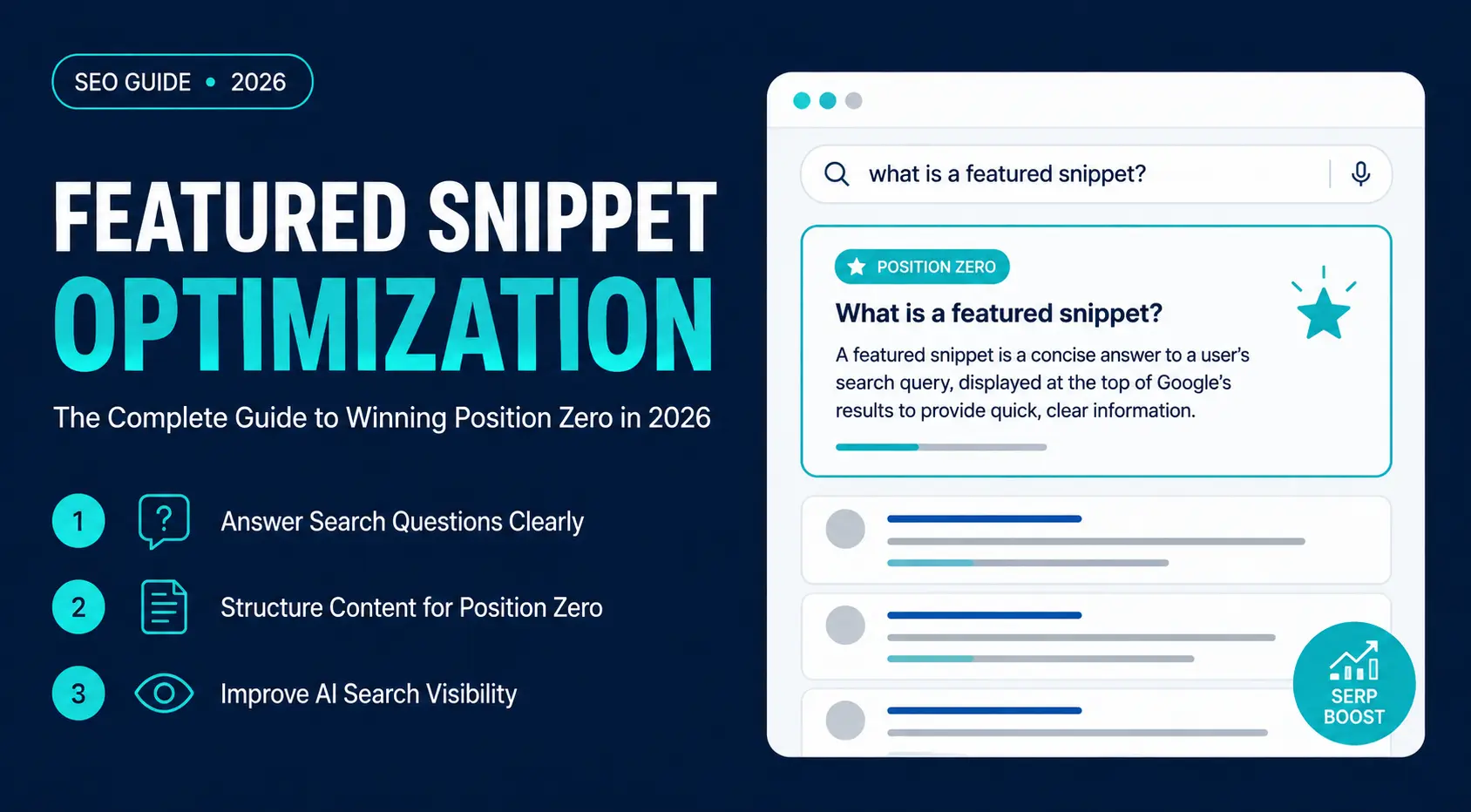
Featured snippets, often called Position Zero, place an extracted answer above standard organic results for eligible informational queries. AI overviews and zero-click searches have changed search behavior, but featured snippets still provide source-level visibility for direct informational queries.
Snippet-ready content improves eligibility for Position Zero by giving Google a direct answer to extract. The same structure supports AI retrieval because headings, concise answers, entities, and supporting context make passages easier to identify
This guide explains how featured snippets work in 2026, how Google selects passages, how AI Overviews affect visibility, and how to structure pages for snippet eligibility.
Understanding Featured Snippets
What Is a Featured Snippet?
A featured snippet is a highlighted answer that Google displays above the standard organic search results (often called Position Zero) for certain queries. It extracts a relevant passage, list, table, or video from an indexed webpage to answer a user’s question in the search results.
Featured snippets appear for
- definitions,
- how-to queries,
- comparisons,
- calculations,
- processes,
- lists,
- product attributes, and
- technical explanations.
Google automatically selects them from pages that best satisfy search intent. Clear headings, direct answers, lists, and tables improve passage extraction for featured snippets and AI search systems.
Why Featured Snippets Are Called Position Zero
Featured snippets are often called Position Zero because they appear above the first organic search result. The page keeps its organic ranking, and Google adds visibility by displaying an extracted answer above standard results.
This placement increases SERP visibility and gives users a direct preview of the page’s answer. Direct answer formatting also supports voice-search extraction and AI-search retrieval.
Featured snippets commonly come from high-ranking pages, but lower first-page results remain eligible when their passage answers the query more directly.
The Current State of Featured Snippets in Google Search (2026)
Featured snippets’ role has evolved with the introduction of AI Overviews. Google displays a featured snippet, an AI Overview, both, or neither based on query intent, complexity, and source confidence. The choice depends on factors such as search intent, query complexity, content quality, freshness, and Google’s confidence in available sources.
Modern featured snippets are more context-aware than earlier versions and may include paragraphs, lists, tables, images, source links, or related questions. Unlike AI Overviews, which generate responses by synthesizing information from multiple sources, featured snippets display an extracted answer from a single webpage.
For straightforward definitions, factual questions, and step-by-step searches, featured snippets remain common. More complex, comparative, or exploratory queries are increasingly answered by AI Overviews. Answer-first sections, semantic headings, concise definitions, and topical coverage support both snippet extraction and AI retrieval.
Where Featured Snippets Appear in Google Search
Featured snippets appear for informational queries where users want a quick, direct answer. Common search intents include:
- What is…
- How to…
- Why does…
- Best way to…
- Difference between…
- Steps to…
- Benefits of…
- Examples of…
Featured snippets appear with SERP features such as People Also Ask, Knowledge Panels, image packs, video results, and AI Overviews. Their placement varies depending on the query, device, and Google’s search layout.
How Featured Snippets Work
Google doesn’t generate featured snippets from scratch. Instead, it extracts the passage, list, table, or video segment that best answers a user’s query from an indexed webpage.
To identify snippet-worthy content, Google evaluates both the page and the individual passage, looking for clear question-and-answer formatting, strong relevance to search intent, logical heading structure, concise answers, supporting context, and overall page quality.
Google evaluates content at the passage level; a single well-structured section can earn a featured snippet even if the rest of the page covers broader topics.
Featured Snippets vs. Organic Results
Featured snippets and organic results serve different search-result functions.
| Featured Snippets | Organic Results |
| Display an extracted answer | Display the page title and meta description |
| Usually appear above organic rankings | Follow Google’s ranking order |
| Answer the query immediately | Encourage users to visit the page |
| Focus on a specific passage | Reflect the relevance of the entire page |
Earning Position Zero doesn’t replace your organic ranking. This gives your page additional visibility when Google identifies it as the best answer.
Featured Snippets vs. Rich Snippets
These features are confused but serve different purposes.
| Featured Snippets | Rich Snippets |
| Extract content from a webpage | Enhance a standard search result |
| Answer a user’s query directly | Display extra details such as ratings, prices, FAQs, recipes, or events |
| Don’t require structured data | Typically rely on schema markup |
Featured Snippets vs. AI Overviews
Both features provide answers directly in search results, but they work differently.
| Featured Snippets | AI Overviews |
| Use content from a single webpage | Synthesize information from multiple sources |
| Display extracted text | Generate AI-written summaries |
| Best for direct questions | Better suited to complex or exploratory queries |
Answer-first paragraphs, ordered lists, HTML tables, and descriptive headings improve extraction for featured snippets and AI search.
Why Featured Snippets Matter for SEO
Featured snippets increase organic visibility by placing a page’s extracted answer above standard blue-link results. Appearing in Position Zero increases brand exposure, reinforces topical authority, and places your content above traditional organic results for relevant informational searches.
Clear definitions, concise answers, logical headings, and strong semantic structure help Google extract your content for featured snippets while making it easier for AI-powered search systems to retrieve and reference.
How Google Selects Featured Snippets
Google selects featured snippets by evaluating query intent, passage relevance, page quality, and extraction format. Google does not publish the full selection system, but documented search behavior shows that intent match, passage clarity, and page quality affect snippet eligibility.
Search Intent Comes First
Search intent determines the answer format Google needs, such as a definition, process, comparison, list, or table. Before selecting a featured snippet, Google determines what the user wants—a definition, how-to guide, comparison, list, or another type of answer—and looks for content that matches that intent.
For example:
- “What is semantic SEO?” → A concise definition
- “How to optimize for featured snippets” → Step-by-step instructions
- “Featured snippets vs. AI Overviews” → A comparison
Content aligned with query wording and intent gives Google a clearer passage to extract.
Passage Ranking and Answer Extraction
Google evaluates individual passages—not just entire pages. A single focused section remains eligible for a featured snippet even when the page covers a broader topic.
The strongest snippet candidates:
- Answer the question immediately
- Stay focused on one topic
- Use clear headings and formatting
- Provide enough context without unnecessary detail
For paragraph snippets, place a 40–60 word answer directly below the relevant heading.
Semantic Relevance and Content Quality
Google evaluates how well your content covers a topic, not just how often it uses a keyword. Closely related entities, such as Position Zero, AI Overviews, schema markup, and passage ranking, clarify topical relevance.
Google also favors content that demonstrates experience, expertise, authoritativeness, and trustworthiness (E-E-A-T). Accurate, updated, and source-supported content gives Google stronger evidence for answer extraction than outdated or unsupported content.
Other Ranking Signals
Featured snippets come from pages that already perform well in organic search. Supporting signals include:
- Strong organic rankings
- Clear heading structure and semantic HTML
- Concise, readable writing
- Relevant internal links
- Good page experience, including Core Web Vitals
Position Zero depends on combined relevance, extraction clarity, page quality, and SERP layout.
When Google Shows Featured Snippets
Featured snippets are most common for queries with a clear, factual answer, such as definitions, explanations, comparisons, and step-by-step instructions.
Subjective, ambiguous, and transactional searches trigger featured snippets less consistently. For more complex or exploratory queries, Google may display an AI Overview instead.
Common Myths About Featured Snippets
Several misconceptions continue to circulate:
- You must rank #1 to earn a featured snippet. Not true—pages ranking lower on the first page can still win Position Zero.
- Schema markup guarantees a featured snippet. False. It can help Google understand your content but isn’t required.
- Keyword density is the key ranking factor. False. Search intent, semantic relevance, and content quality matter far more.
- Featured snippets are disappearing because of AI. False. They remain an important search feature and continue to support AI-powered search experiences.
- Only short articles win featured snippets. False. Google often extracts concise passages from comprehensive pages.
Create answer-first sections with verified facts, question-based headings, semantic HTML, examples, and concise summaries.
Finding Featured Snippet Opportunities
Optimizing for Position Zero starts with identifying queries where Google already displays featured snippets and where your site has a realistic chance of earning one. Strong opportunities include first-page keywords where the page ranks but lacks a direct answer block, list, or comparison table.
Perform Featured Snippet Keyword Research
Not every search query triggers a featured snippet, so begin by identifying keywords that already display one.
Prioritize keywords that:
- Have informational intent
- Already trigger a featured snippet or AI Overview
- Match your expertise and business goals
- Have consistent search demand
SEO tools such as Ahrefs, Semrush, Moz, and SE Ranking filter keywords by SERP features to identify snippet opportunities at scale.
Target Question-Based Queries
Featured snippets commonly appear for question-based searches. Focus on keywords that begin with:
- What
- How
- Why
- When
- Where
- Which
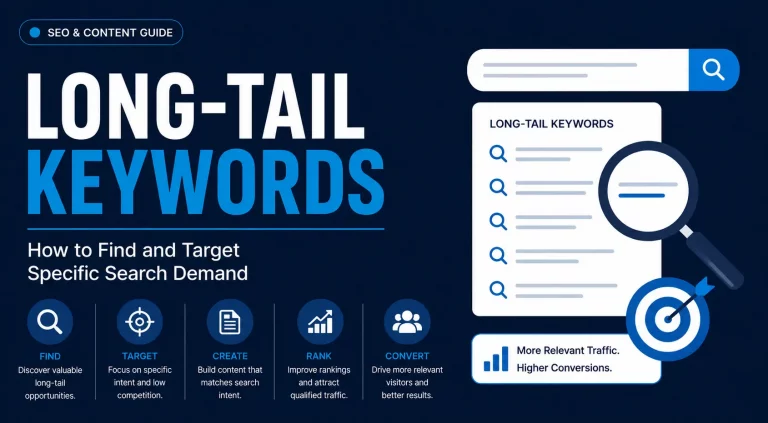
Long-tail questions provide clearer intent for definitions, comparisons, step-by-step answers, and FAQ sections.
| Broad Keyword | Better Snippet Opportunity |
| SEO | What is semantic SEO? |
| Core Web Vitals | How do Core Web Vitals affect SEO? |
| Schema markup | Does schema markup help featured snippets? |
Use People Also Ask (PAA)
The People Also Ask (PAA) section reveals related questions users commonly search for. It helps you identify supporting subtopics, FAQs, content gaps, and internal linking opportunities.
Use relevant PAA questions as H2 or H3 headings and answer each question directly below the heading.
Prioritize Existing Rankings
Pages ranking in positions 2–10 are practical snippet targets because Google already treats them as relevant results. These pages already show relevance, so direct answer blocks, clearer headings, and proper lists or tables improve snippet eligibility.
Analyze Competitor Snippets
Review the pages that currently own Position Zero and look for opportunities to create a better answer.
Ask yourself:
- What snippet format is Google using?
- Is the answer clear and complete?
- Which related topics or entities are included?
- What information is missing or could be explained better?
Create a more accurate and better-structured answer instead of copying the existing snippet.
Use Google Search Console
Google Search Console identifies snippet opportunities through:
- High impressions
- Rankings on the first page
- Lower-than-expected click-through rates (CTR)
- Query-level performance
These pages usually need direct answer blocks, improved heading alignment, or a clearer format to compete for Position Zero. Pages that rank for multiple long-tail queries can also earn several featured snippets by addressing each question in its own dedicated section.
Creating Featured Snippet-Friendly Content
To earn Position Zero, your content must be easy for Google to understand, extract, and present as a direct answer. Focus less on keyword density and more on creating content that’s ready for answer extraction.
Start with Search Intent
Every section should answer one specific question. Match the content format to the user’s intent:
- Definitions → Concise paragraphs
- How-to queries → Numbered steps
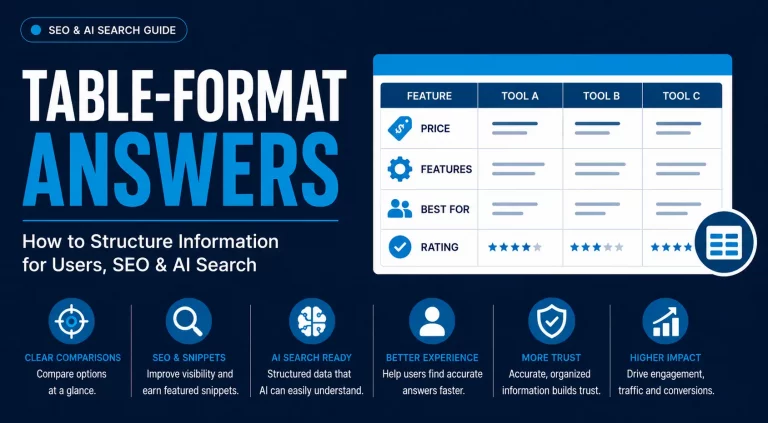
- Comparisons → Tables
- Lists or collections → Bullet points
When the format matches the query, Google extracts answers easily.
Answer the Question First
Place the direct answer immediately below the heading. Begin each section with a direct response, then expand with explanations, examples, or supporting details. Answer-first formatting gives users and Google a clearly extractable passage.
For paragraph snippets, aim for a clear answer of 40–60 words.
Use Clear Headings and Structure
Organize your content so it’s easy to scan and extract:
- Use question-based H2s or H3s for definitions, comparisons, FAQs, and how-to sections.
- Place the answer immediately below the heading.
- Follow with supporting context.
- Use semantic HTML, including proper lists and tables.
Keep core answers in crawlable HTML instead of images, scripts, tabs, or unsupported visual elements.
Cover Related Concepts Naturally
Include related entities such as Position Zero, AI Overviews, People Also Ask, passage ranking, schema markup, internal linking, and Core Web Vitals when they clarify the topic. Google evaluates topical relevance, not just keywords.
Strengthen Answers with Supporting Context
Google evaluates the surrounding content as well. Support each answer with examples, comparison tables, screenshots, mistakes, or internal links that explain the query in more depth.
Build Comprehensive Resources
Rather than publishing multiple thin articles, create in-depth guides that answer related questions in one place. A comprehensive resource can rank for multiple long-tail queries and earn several featured snippets through Google’s passage-level understanding.
Intent-focused sections with direct answers, schema-supported context, and semantic HTML support featured snippet extraction and AI retrieval.
Optimizing Pages for Featured Snippets
Page structure affects how easily Google extracts answers from the content.
Use a Clear Heading Structure
Organize your content with a logical hierarchy:
- H1 for the main topic
- H2 for major sections
- H3 for supporting questions
- H4 only when additional structure is necessary
Avoid skipping heading levels or using headings solely for styling.
Choose the Right Content Format
Match your format to the query:
- Paragraphs for definitions
- Numbered lists for processes
- Bulleted lists for collections
- Tables for comparisons or specifications
Keep tables simple and easy to scan.
Improve Readability
Improve readability and extraction with these elements:
- Keeping paragraphs short
- Using descriptive headings
- Breaking up text with lists and tables
- Removing unnecessary repetition
Each section should answer one question before expanding with supporting details.
Strengthen Internal Linking
Link to supporting pages that explain related entities, subtopics, definitions, comparisons, and technical terms.
Optimize Images and Media
Use screenshots for tool workflows, diagrams for processes, charts for data, and videos for demonstrations. Add descriptive filenames, meaningful alt text, and video transcripts to provide additional context for search engines.
Use Schema Markup Where Appropriate
Schema markup does not create featured snippets directly, but it gives Google structured context about page type, entities, FAQs, videos, and breadcrumbs. Depending on the page, consider Article, FAQ, HowTo, VideoObject, or Breadcrumb schema.
Make Every Section Self-Contained
Google evaluates passages independently, so each section should:
- Focus on one topic
- Answer the question immediately
- Provide supporting context afterward
- Be understandable on its own
Different Featured Snippet Types
Featured snippets appear in several formats, each designed to match a different type of search intent. Understanding snippet formats helps you match definitions, processes, lists, comparisons, and tutorials with the correct structure.
| Snippet Type | Best For | Optimization Tips |
| Paragraph | Definitions, explanations, factual questions | Answer immediately, keep the first answer around 40–60 words, then expand with supporting details. |
| Numbered List | How-to guides, processes, step-by-step instructions | Use semantic ordered lists (<ol>), logical sequencing, and consistent action-oriented language. |
| Bulleted List | Benefits, features, examples, best practices, collections | Keep each bullet focused on one idea and maintain consistent wording. |
| Table | Comparisons, specifications, pricing, dimensions | Use real HTML tables with clear headers and keep the layout simple. |
| Video | Tutorials, demonstrations | Answer the main question early, add chapters, timestamps, and accurate transcripts. |
Tip: A single page can support multiple featured snippet formats. For example, you can combine a concise definition, a numbered process, a comparison table, and a bulleted list on the same page. This gives Google multiple extractable formats for different query types.
Advanced Featured Snippet Strategies
After optimizing single answers, build topic clusters that target related definitions, comparisons, FAQs, and how-to queries.
Build Topical Authority
Organize your content into topic clusters with a comprehensive pillar page supported by related articles. Connect them through relevant internal links to strengthen topical authority and help Google understand your expertise.
Capture Multiple Snippets on One Page
A single page can earn multiple featured snippets by answering several related questions. Use descriptive question-based headings, provide direct answers immediately below each heading, and support them with examples, lists, tables, or visuals where appropriate.
Close Semantic Gaps
Review competing pages to identify missing entities, concepts, or follow-up questions.
Comprehensive topical coverage connects entities, subtopics, examples, and follow-up questions around the main query.
Optimize for AI-Powered Search
Content with direct answers, verified facts, semantic headings, and supporting examples is easier to extract for featured snippets and AI-generated results.
Use one optimization process: answer the query first, structure the section with semantic HTML, add related entities, and refresh outdated examples.
Maintain Your Featured Snippets
Position Zero changes over time as competitors improve their content and search intent evolves.
Regularly update information, refresh examples and visuals, monitor competing snippets, and expand sections as user needs change.
Managing and Controlling Featured Snippets
Earning a featured snippet isn’t always the goal. In some cases like premium, gated, or sensitive content you want to limit how much Google displays in search results. Google provides several controls that let you manage snippet visibility while balancing search exposure with business objectives.
Control Snippet Visibility
Google supports two primary methods for controlling featured snippets:
| Directive | Purpose |
| max-snippet | Limits the maximum amount of text Google can display in search results. |
| data-nosnippet | Prevents specific HTML elements from being used in snippets while leaving the rest of the page eligible. |
Use max-snippet and data-nosnippet only when preview control matters more than search-result exposure. Restricting snippets protect premium content, but it also reduces visibility and click-through opportunities.
Use Schema Markup to Support Content
Schema markup doesn’t directly generate featured snippets, but it helps Google better understand your pages.
Depending on the content, consider using:
- Article
- FAQ
- HowTo
- VideoObject
- Breadcrumb
- Organization
Schema works as supporting metadata, not as a direct shortcut to Position Zero.
Why Featured Snippets Are Lost
Featured snippet loss often results from competitor updates, intent changes, outdated content, formatting issues, or SERP testing. Common reasons include:
- Stronger competitor content
- Changes in search intent
- Outdated information
- Poor answer formatting
- Reduced topical relevance
- Google testing alternative sources or AI-generated layouts
Featured snippet ownership changes as Google reevaluates query intent, source quality, and answer format.
How to Recover a Lost Featured Snippet
Recovering a lost featured snippet usually requires improving the existing page instead of publishing a new URL.
Focus on these areas:
- Refresh the content: Update statistics, examples, screenshots, and references.
- Improve answer formatting: Make answers more concise, strengthen headings, and simplify page structure.
- Fix technical issues: Resolve crawling problems, broken internal links, and page performance issues.
- Close content gaps: Compare your page with competing snippets to identify missing entities, unanswered questions, or outdated information.
Quarterly content audits identify outdated data, weak answer blocks, broken links, and missing entities.
Measuring Featured Snippet Performance
Featured snippet performance requires ongoing tracking after the page earns Position Zero. Regular monitoring helps you measure the impact of your optimization efforts, identify new opportunities, and respond quickly when search results change.
Monitor Performance in Google Search Console
Google Search Console does not provide a dedicated featured snippet report, but it shows query impressions, rankings, CTR, and traffic changes. Monitor queries that show:
- Higher average positions
- Increased impressions
- Changes in click-through rate (CTR)
- Growth in organic traffic after content updates
Compare performance before and after optimization to measure changes in impressions, CTR, ranking, and organic traffic.
Track the Right SEO Metrics
Don’t rely on rankings alone. Measure featured snippet performance using a combination of metrics, including:
- Featured snippet ownership
- Organic rankings
- Impressions
- Click-through rate (CTR)
- Organic traffic
- Conversions from informational pages
- AI Overview citations, where applicable
Evaluate these metrics together to understand how featured snippets contribute to your overall SEO and business goals.
Measure Overall SERP Visibility
Modern SERP visibility in addition to featured snippets also includes AI Overviews, People Also Ask, image packs, video results, and Knowledge Panels.
Multiple SERP features give one brand more placements on the same results page.
Monitor Changes and Refresh Content
Featured snippets change when competitors update content, search intent shifts, or Google tests new SERP layouts.
Review important pages regularly to:
- Update outdated information
- Improve answer clarity
- Expand thin sections
- Replace outdated visuals
- Check internal links
Regular content maintenance helps protect Position Zero and keeps your pages competitive over time.
Common Featured Snippet Optimization Mistakes
High-quality content misses Position Zero when Google cannot extract the answer or match it to search intent. Avoid these common mistakes when optimizing for featured snippets.
| Mistake | Why It Hurts | Best Practice |
| Ignoring search intent | The content doesn’t answer the user’s actual question. | Match the format and depth of your content to the query’s intent. |
| Burying the answer | Google may struggle to extract the key information. | Provide a direct answer immediately below the heading. |
| Using the wrong format | Paragraphs do not match step-by-step queries or comparison queries. | Use paragraphs, lists, or tables based on the search intent. |
| Weak heading structure | Poor organization makes content harder to interpret. | Use descriptive H2 and H3 headings with a logical hierarchy. |
| Keyword stuffing | Repeating keywords reduces readability without improving relevance. | Focus on natural language, entities, and semantic relationships. |
| Thin or incomplete content | Missing context reduces Google’s confidence in the answer. | Cover the topic comprehensively and answer related questions. |
| Outdated information | Competitors with fresher content may replace your snippet. | Review and update content regularly. |
| Ignoring technical SEO | Crawling or page experience issues can limit visibility. | Maintain strong technical SEO, internal linking, and Core Web Vitals. |
| Expecting guaranteed results | Google decides dynamically whether to display a featured snippet. | Optimize for eligibility, because Google decides whether the SERP needs a featured snippet. |
Featured Snippets in the AI Search Era
AI-powered search changes answer presentation, but extraction still depends on clear answers, entity relevance, source quality, and context. Direct answers, descriptive headings, verified facts, and supporting examples support visibility in traditional and AI-powered search.
Create Content That AI Can Retrieve and Cite
Modern AI systems retrieve trustworthy passages rather than simply matching keywords. AI systems retrieve passages more easily when content:
- Answers one question clearly.
- Uses descriptive headings.
- Defines key entities accurately.
- Follows a logical structure.
- Provides enough supporting context without unnecessary filler.
Optimize for Both Featured Snippets and AI Overviews
Featured snippets and AI Overviews rely on many of the same optimization principles. Use one strategy for both: direct answers, semantic headings, source-backed facts, and structured formats.
Prioritize:
- Search intent
- Answer-first writing
- Clear heading hierarchy
- Comprehensive topical coverage
- Strong semantic relationships
- Regular content updates
This approach improves your chances of appearing in featured snippets, AI Overviews, and other AI-powered search experiences.
Measure Success Beyond Clicks
Although zero-click searches have become more common, visibility still creates business value. Appearing prominently in search results strengthens brand recognition, reinforces authority, and keeps your business visible throughout the customer journey.
To encourage clicks when users need more than the initial answer:
- Expand beyond the snippet.
- Include examples, visuals, or case studies.
- Offer downloadable resources or templates.
- Provide unique insights that aren’t visible in the search results.
Featured Snippet Optimization Checklist
| Element | Required Action |
| Heading | Use a direct question as H2 or H3 |
| First sentence | Answer the query immediately |
| Paragraph snippet | Keep the answer around 40–60 words |
| List snippet | Use ordered steps for processes |
| Table snippet | Use comparison tables for “vs” queries |
| Support | Add examples, internal links, and updated references |
| Review | Compare against the current snippet owner |
Conclusion
Featured snippets still provide organic visibility because they display a source-linked answer above standard results. The pages most likely to earn Position Zero—and be referenced in AI-powered search—are those that answer user questions clearly, match search intent, demonstrate topical authority, and present information in a structured, easy-to-extract format.
Treat featured snippet optimization as part of a broader semantic SEO and AI search strategy rather than a standalone tactic. Accurate facts, answer-first sections, semantic HTML, internal links, and regular updates support visibility across featured snippets and AI Overviews.
Frequently Asked Questions
What Is Featured Snippet Optimization?
Featured snippet optimization is the process of structuring content so Google can easily extract and display it as a featured snippet or Position Zero result. It combines strong content, logical formatting, semantic relevance, and search intent alignment.
Do Featured Snippets Increase Organic Traffic?
Featured snippets increase visibility, but traffic impact depends on query type, answer completeness, and user need.
Do Featured Snippets Reduce Clicks?
Simple factual queries create zero-click behavior when the snippet fully answers the question. For more complex topics, snippets often encourage clicks by providing only a summary of the information.
Can Any Page Earn a Featured Snippet?
Any crawlable page is eligible, but first-page pages have stronger snippet potential because Google already ranks them for the query.
How Long Does It Take to Win a Featured Snippet?
Featured snippet timing depends on crawl frequency, reindexing, competition, and SERP testing. Some pages gain snippets within days of being reindexed, while others may take weeks or months depending on competition and crawl frequency.
Does Schema Markup Help?
Schema improves Google’s understanding of your content and overall search appearance, but it doesn’t directly determine featured snippet eligibility.
Why Did My Featured Snippet Disappear?
Common causes include changes in search intent, stronger competitor content, outdated information, or Google testing different sources and SERP layouts.
Are Featured Snippets Still Important in 2026?
Yes. AI Overviews answer many searches, but answer-first formatting, semantic headings, and verified context still support featured snippet and AI-search visibility.